Preparation05
18
En
Note
• Do not make the following connections:
– using two or more switches
– connecting the TV and antenna through an STB
– using a motorized antenna
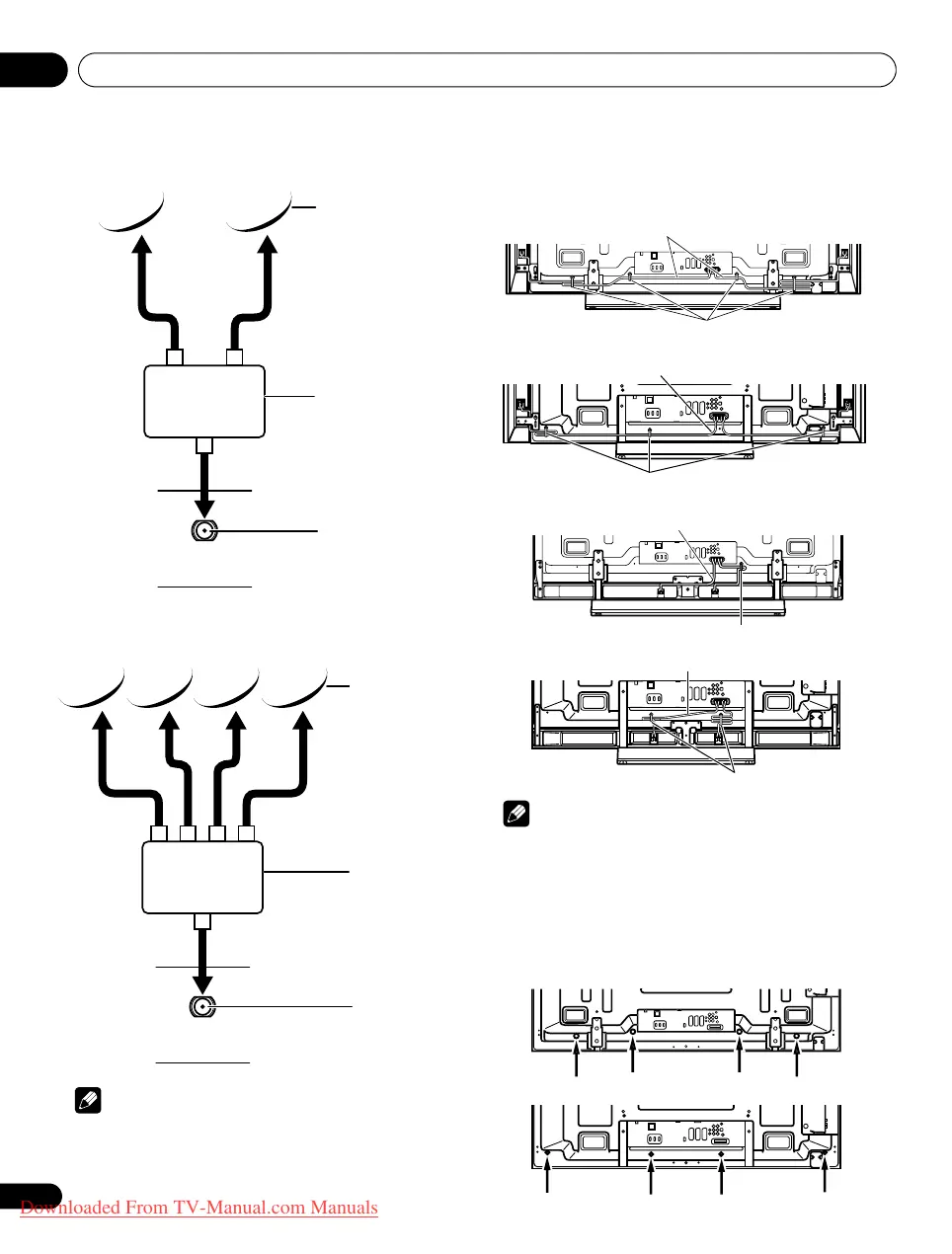
Routing cables
When the speaker is mounted to the flat screen TV panel:
Note
• Use the supplied cable clamps as necessary.
• When tidying up your speaker cables, make sure to bundle them
so that they are not subjected to any pressure.
Attaching cable clamps to the main unit
Use the cable clamps as necessary to route the connecting cables.
The diagrams below show the location of the holes on the rear of the
flat screen TV.
(PDP-LX6090H)
(PDP-LX5090H)
Using Tone Burst
SAT (Satellite)
input terminal
Satellite antenna
SW (Tone Burst)
Using DiSEqC switch
SAT (Satellite)
input terminal
Satellite antenna
SW (DiSEqC)
Speaker cable
(Side speaker)
Cable clamp
(PDP-LX6090H)
T
W
T
W
(PDP-LX5090H)
Speaker cable
(Side speaker)
Cable clamp
Speaker cable
(Under speaker)
Cable clamp
(PDP-LX6090H)
Speaker cable
(Under speaker)
Cable clamp
(PDP-LX5090H)
T
W
T
W
PDP-LX609H.book Page 18 Wednesday, August 6, 2008 4:00 PM
Downloaded From TV-Manual.com Manuals


 To Next Page
 Loading...