EasyManua.ls Logo

Pioneer PL-707 - User Manual

Pioneer PL-707
16 pages
Print Icon
To Next Page IconTo Next Page
Loading...
Operating
Instructions
Bedienungsanleitung
Mode
d'emploi
Istruzioni
per
uso
English;
Page
1
Deutsch;
Seite
17
Francais;
Page
33
Italiano;
Pag.
49
STEREO
TURNTABLE
STEREO-PLATTENSPIELER
PLATINE
TOURNE-DISQUE
STEREO
GIRADISCHI
STEREO
Rose
wood
and
graind
viny!
cabinet
Thank
you
for
buying
this
Pioneer
product.
Please
read
through
these
operating
instructions
and
then
you
will
know
how
to
operate
your
model
properly.
After
you
have
finished
reading
the
instructions,
put
them
away
in
a
safe
place
for
future
reference.
These
operating
instructions
are
based
on
the
model
HE,
and
they
can
be
used
for
the
HB,
HP,
KUT,
KCT,
S,
S/G
models.
The
differences
between
the
models
are
given
below.
Depending
upon
the
model,
the
design
of
the
power
plug
and
the
power
outlet
differs.
HE
model:
For
Europe
(‘HE’
stamped
on
packing
case):
A
2-point
(220
V/240
V)
voltage
selector
switch
is
provided.
HB
model:
For
U.K.
(‘HB’
stamped
on
packing
case):
A
2-point
(220
V/240
V)
voltage
selector
switch
is
provided.
HP
model:
For
Australia
(‘'HP’
stamped
on
packing
case):
A
2-point
(220
V/240
V)
voltage
selector
switch
is
provided.
KUT
and
KCT
models:
For
U.S.A.
and
Canada
(‘KUT’
or
‘KCT’
stamped
on
pack-
ing
case):
power
line
voltage
is
120
volts.
NOTE:
Since
a
cartridge
is
not
provided
with
the
unit,
mount
your
own
cartridge
before
use,
following
the
instructions
laid
down
in
CAR-
TRIDGE
MOUNTING.
S
and
S/G
models:
For
destinations
excluding
above
(S
or
S/G
stamped
on
packing
case):
A
4-point
(110
V
/120
V/220 V/240
V)
voltage
selector
switch
is
provided.
IMPORTANT
NOTICE
[For
KUT
and
KCT
models]
The
serial
number
for
this
equipment
is
located
on
the
rear
panel.
Please
write
this
serial
number
on
your
enclosed
war-
ranty
card
and
keep
in
a
secure
area.
This
is
for
your
security.
LINE
VOLTAGE
SELECTOR
SWITCH
[Only
HE,
HB,
HP,
S
and
S/G
models
are
provided
with
this
switch
but
KUT
and
KCT
models
are
not
provided
with
this
switch]
The
line
voltage
selector
switch
is
located
on
the
top
of
the
cabinet
of
this
turntable.
Before
your
turntable
is
shipped
from
the
factory,
the
switch
is
set
to
the
power
requirements
of
the
turntable’s
destination.
Check
that
it
is
set
properly
before
plugging
the
power
cord
into
the
outlet.
If
the
voltage
is
not
properly
set
or
if
you
move
to
an
area
where
the
voltage
re-
quirements
differ,
adjust
the
selectoror
switch
as
follows:
©
Provide
yourself
with
a
medium-sized
screwdriver.
Insert
the
tip
of
the
screwdriver
into
the
groove
of
the
selector
switch
and
turn
it
so
that
the
power
voltage
marking
of
your
area
points
to
the
arrow.
HE,
HB
and
HP
models
S
and
S/G
models
WARNING:
TO
PREVENT
FIRE
OR
SHOCK
HAZARD,
DO
NOT
EXPOSE
THIS
APPLIANCE
TO
RAIN
OR
MOISTURE.
ITALIANO
GS
DEUTSCH
Im
ENGLISH
CONTENTS
Maintenance
Specifications
Troubleshooting
Panel
Facilities
Operation
before
Use
Record
Play
@)
PIONEER’

Other manuals for Pioneer PL-707

Question and Answer IconNeed help?

Do you have a question about the Pioneer PL-707 and is the answer not in the manual?

Summary

Line Voltage Selector Switch

HE, HB, and HP Models

Details voltage selector switch for HE, HB, and HP models.

S and S;G Models

Details voltage selector switch for S and S/G models.

Safety Warning: Fire and Shock Hazard

Safety Instructions

General Safety Guidelines

Covers safety points like water, location, ventilation, heat, power, cord protection, cleaning, and nonuse.

Servicing and Damage Precautions

Outlines conditions requiring professional servicing and user servicing limits.

Antenna Grounding Requirements

Details grounding requirements for outdoor antennas to prevent surges.

Critical Safety Warnings

High Voltage and Shock Hazard Symbols

Explains warning symbols for high voltage and electric shock hazards.

Regional Power and Wiring Notes

UK;Australia Voltage and UK Wiring

Provides voltage setting info for UK/Australia and mains lead wiring.

FCC Information for Users

Cartridge Mounting Procedure

Headshell and Cartridge Preparation

Covers removing the headshell and connecting leads to the cartridge.

Attaching and Adjusting Cartridge

Details attaching the cartridge and adjusting its mounting position.

Panel Facilities Overview

Power and Speed Controls

Describes the Power Switch and Speed Switch functions.

Panel Facilities Overview

Playback and Function Controls

Details Record Size, Repeat, Arm Elevation, and Start/Stop controls.

Status Indicators

Explains the function of various status indicators on the panel.

Key Components and Accessories

Identifies main components like tonearm, platter, and accessories.

Operations Before Use

Step 1: Assembling the Turntable

Covers initial steps for assembling the turntable.

Assembly Preparation

Includes removing dust cover and checking accessories and parts.

Platter and Weight Installation

Details mounting the platter, rubber mat, and attaching the tracking force weight.

Operations Before Use

Step 2: Adjusting Tracking Force and Anti-Skating

Guides on adjusting tracking force and anti-skating.

Initial Setup and Balance

Covers setting anti-skate, connecting power, checking indicators, and achieving balance.

Tracking Force Scale and Tonearm Anchoring

Details setting the tracking force scale to zero and anchoring the tonearm.

Operations Before Use

Final Tracking and Anti-Skating Adjustments

Instructions for fine-tuning tracking force and anti-skating.

Step 3: Connecting Turntable to Amplifier

Procedure for connecting the turntable to the amplifier.

Connection Procedures

Covers connecting ground, output, and power cords.

Operations Before Use

Step 4: Installing the Turntable

Guidance on properly installing the turntable.

Installation Location Recommendations

Provides recommendations for choosing a suitable installation location.

Step 5: Horizontal Adjustment and Final Checks

Covers horizontal adjustment and post-setup checks.

Cabinet Leveling

Details on adjusting the cabinet level using the base insulators.

Post-Setup Checkpoints and Troubleshooting

Verifies adjustments and connections, and addresses common issues.

Record Play Procedure

Auto Play Operation Steps

Guides through the process of playing a record using auto play.

Initial Setup and Activation

Covers amplifier setup, power on, and preparing the record.

Starting and Managing Playback

Details starting playback, adjusting volume, and powering off.

Record Play Procedure

Special Play Modes

Covers Repeat Play and Manual Play modes.

Using Repeat Play

Instructions for activating, using, and deactivating repeat play.

Manual Play Usage and Steps

Details circumstances and steps for manual play operation.

Operations for Stopping Play

Guides on stopping and temporarily suspending playback.

Stopping and Suspending Play

Covers stopping mid-record and temporarily suspending playback.

Record Play Procedure

Record Play Precautions

Important notes regarding tonearm movement and auto-return functions.

Adjusting Stylus Descent Position

Procedure for adjusting the stylus descent position during auto play.

Descent Position Adjustment Steps

Step-by-step guide to check and adjust stylus descent.

Maintenance

Replacing the Stylus

Information and procedure for replacing the turntable stylus.

Stylus Replacement Guide

Covers stylus life, replacement guidelines, and the replacement procedure.

Maintaining the Turntable Cabinet

Guidelines for cleaning and caring for the turntable cabinet.

Cabinet Cleaning and Care

Details on cleaning cabinet surfaces, removing stains, and restrictions.

Maintenance

Stylus, Record, and Condensation Care

Covers maintaining stylus, records, and precautions against condensation.

Cartridge Replacement and Adjustments

Details cartridge compatibility, replacement, and necessary adjustments.

Adjusting Tonearm Height

Procedure for adjusting the tonearm height for proper record tracking.

Tonearm Height Adjustment Steps

Step-by-step guide to check and adjust tonearm height.

Maintenance

Advanced Tonearm Adjustments

Covers adjustments for the arm rest and arm sheet.

Specifications

Technical Specifications Overview

Provides comprehensive technical details for the turntable and its components.

Troubleshooting

Common Issues and Solutions

Addresses various problems like no sound, noise, distorted sound, and improper operation.

Summary

Line Voltage Selector Switch

HE, HB, and HP Models

Details voltage selector switch for HE, HB, and HP models.

S and S;G Models

Details voltage selector switch for S and S/G models.

Safety Warning: Fire and Shock Hazard

Safety Instructions

General Safety Guidelines

Covers safety points like water, location, ventilation, heat, power, cord protection, cleaning, and nonuse.

Servicing and Damage Precautions

Outlines conditions requiring professional servicing and user servicing limits.

Antenna Grounding Requirements

Details grounding requirements for outdoor antennas to prevent surges.

Critical Safety Warnings

High Voltage and Shock Hazard Symbols

Explains warning symbols for high voltage and electric shock hazards.

Regional Power and Wiring Notes

UK;Australia Voltage and UK Wiring

Provides voltage setting info for UK/Australia and mains lead wiring.

FCC Information for Users

Cartridge Mounting Procedure

Headshell and Cartridge Preparation

Covers removing the headshell and connecting leads to the cartridge.

Attaching and Adjusting Cartridge

Details attaching the cartridge and adjusting its mounting position.

Panel Facilities Overview

Power and Speed Controls

Describes the Power Switch and Speed Switch functions.

Panel Facilities Overview

Playback and Function Controls

Details Record Size, Repeat, Arm Elevation, and Start/Stop controls.

Status Indicators

Explains the function of various status indicators on the panel.

Key Components and Accessories

Identifies main components like tonearm, platter, and accessories.

Operations Before Use

Step 1: Assembling the Turntable

Covers initial steps for assembling the turntable.

Assembly Preparation

Includes removing dust cover and checking accessories and parts.

Platter and Weight Installation

Details mounting the platter, rubber mat, and attaching the tracking force weight.

Operations Before Use

Step 2: Adjusting Tracking Force and Anti-Skating

Guides on adjusting tracking force and anti-skating.

Initial Setup and Balance

Covers setting anti-skate, connecting power, checking indicators, and achieving balance.

Tracking Force Scale and Tonearm Anchoring

Details setting the tracking force scale to zero and anchoring the tonearm.

Operations Before Use

Final Tracking and Anti-Skating Adjustments

Instructions for fine-tuning tracking force and anti-skating.

Step 3: Connecting Turntable to Amplifier

Procedure for connecting the turntable to the amplifier.

Connection Procedures

Covers connecting ground, output, and power cords.

Operations Before Use

Step 4: Installing the Turntable

Guidance on properly installing the turntable.

Installation Location Recommendations

Provides recommendations for choosing a suitable installation location.

Step 5: Horizontal Adjustment and Final Checks

Covers horizontal adjustment and post-setup checks.

Cabinet Leveling

Details on adjusting the cabinet level using the base insulators.

Post-Setup Checkpoints and Troubleshooting

Verifies adjustments and connections, and addresses common issues.

Record Play Procedure

Auto Play Operation Steps

Guides through the process of playing a record using auto play.

Initial Setup and Activation

Covers amplifier setup, power on, and preparing the record.

Starting and Managing Playback

Details starting playback, adjusting volume, and powering off.

Record Play Procedure

Special Play Modes

Covers Repeat Play and Manual Play modes.

Using Repeat Play

Instructions for activating, using, and deactivating repeat play.

Manual Play Usage and Steps

Details circumstances and steps for manual play operation.

Operations for Stopping Play

Guides on stopping and temporarily suspending playback.

Stopping and Suspending Play

Covers stopping mid-record and temporarily suspending playback.

Record Play Procedure

Record Play Precautions

Important notes regarding tonearm movement and auto-return functions.

Adjusting Stylus Descent Position

Procedure for adjusting the stylus descent position during auto play.

Descent Position Adjustment Steps

Step-by-step guide to check and adjust stylus descent.

Maintenance

Replacing the Stylus

Information and procedure for replacing the turntable stylus.

Stylus Replacement Guide

Covers stylus life, replacement guidelines, and the replacement procedure.

Maintaining the Turntable Cabinet

Guidelines for cleaning and caring for the turntable cabinet.

Cabinet Cleaning and Care

Details on cleaning cabinet surfaces, removing stains, and restrictions.

Maintenance

Stylus, Record, and Condensation Care

Covers maintaining stylus, records, and precautions against condensation.

Cartridge Replacement and Adjustments

Details cartridge compatibility, replacement, and necessary adjustments.

Adjusting Tonearm Height

Procedure for adjusting the tonearm height for proper record tracking.

Tonearm Height Adjustment Steps

Step-by-step guide to check and adjust tonearm height.

Maintenance

Advanced Tonearm Adjustments

Covers adjustments for the arm rest and arm sheet.

Specifications

Technical Specifications Overview

Provides comprehensive technical details for the turntable and its components.

Troubleshooting

Common Issues and Solutions

Addresses various problems like no sound, noise, distorted sound, and improper operation.

Overview

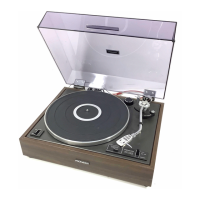
The Pioneer PL-707 is a stereo turntable designed for high-fidelity audio playback. It features a direct-drive system with a Quartz PLL Hall motor, ensuring stable and accurate platter rotation. The turntable is housed in a rosewood and grain vinyl cabinet, providing a classic aesthetic.

Function Description

The primary function of the PL-707 is to play vinyl records at either 33-1/3 or 45 revolutions per minute (rpm). It incorporates several automatic features to enhance user convenience, including auto lead-in, auto return, and auto cut. These features allow the tonearm to automatically position itself at the beginning of a record, return to the arm rest at the end of play, and stop rotation. A repeat play function is also available, enabling continuous playback of one side of a record.

The turntable is equipped with a static-balance type, straight pipe tonearm, designed for precise tracking of record grooves. It includes a tracking force adjustment weight and an anti-skate control, both crucial for optimizing playback performance and minimizing record wear. The tonearm also features an arm elevation switch, allowing users to manually raise or lower the stylus, which is useful for cueing specific tracks or temporarily suspending playback.

A line voltage selector switch is provided on the top of the cabinet for models HE, HB, HP, S, and S/G, allowing the turntable to be adapted to different power requirements (110 V, 120 V, 220 V, or 240 V). KUT and KCT models are factory-set for 120 V and do not include this switch.

Usage Features

  • Power Control: A power switch turns the unit on and off. When turned on, the speed and record size switches are automatically set, and the repeat switch is turned off.
  • Speed Selection: A dedicated speed switch allows users to select between 33-1/3 rpm and 45 rpm, indicated by corresponding lights.
  • Record Size Selection: The record size switch enables selection of 30 cm (12"), 25 cm (10"), or 17 cm (7") records, with indicator lights for each size. This setting guides the auto lead-in function.
  • Start/Stop Control: The START/STOP switch initiates auto play or stops playback. An indicator light confirms when auto play has started or when play is suspended.
  • Repeat Play: The repeat switch activates continuous playback of a record side. Pressing it again cancels the function.
  • Manual Play: For playing specific tracks or non-standard sized records, manual play is possible. This involves using the arm elevation switch to raise the tonearm, manually positioning it over the desired track, and then lowering it.
  • Cartridge Mounting: For KUT and KCT models, which do not include a cartridge, users must mount their own. The process involves removing the headshell, attaching the cartridge with screws, nuts, and washers, connecting the color-coded leads, and then adjusting the stylus position and ensuring the cartridge is parallel to the headshell.
  • Tracking Force and Anti-Skating Adjustment: These are critical for optimal sound quality and record longevity. The tracking force adjustment weight is rotated to balance the tonearm horizontally, and then the tracking force scale ring is set to the recommended value for the cartridge. The anti-skate control is adjusted to match the tracking force, preventing the tonearm from sliding inward or outward.
  • Tonearm Height Adjustment: The tonearm height can be adjusted to ensure it is parallel to the record surface when the stylus is placed, which is important when using different cartridges. This involves loosening an anchoring screw, moving the arm rest up or down, and then re-tightening the screw.
  • Connecting to an Amplifier: The turntable connects to an amplifier's "PHONO" input terminals using output cords (white for left channel, red for right channel) and a ground wire. For HE, HB, HP, S, and S/G models, the supplied MC (moving coil) cartridge has a high output similar to MM (moving magnet) cartridges, so it should be connected to MM input terminals. KUT and KCT models require connection to MM terminals for MM cartridges and MC terminals for MC cartridges.
  • Installation: The turntable should be placed on a horizontal, flat, and stable surface, away from speakers, direct sunlight, heat sources, dust, and moisture. Insulators on the bottom panel allow for horizontal adjustment of the cabinet.

Maintenance Features

  • Stylus Replacement: The stylus has a service life of 800 to 1,000 hours. It is crucial to replace a worn or damaged stylus promptly to prevent record damage and sound distortion. Only genuine Pioneer "PN-6MC" replacement styli should be used, as other brands may compromise performance. The replacement procedure involves anchoring the tonearm, removing the headshell, gently pulling the old stylus from the cartridge, attaching the new stylus holder, and then re-mounting the headshell. After replacement, tracking force and anti-skating adjustments should be re-performed.
  • Stylus Cleaning: The stylus should be cleaned before and after each play using a soft brush, moving the brush toward you to clear off dust and dirt. For stubborn dirt, a good quality stylus cleaner can be used, taking care to avoid contact with plastic parts.
  • Record Cleaning: Records should be cleaned before and after play with a good-quality record cleaner (velvet or nylon brush) to prevent distorted and discontinuous sound caused by dust and dirt.
  • Cabinet Cleaning: For general cleaning, a polishing cloth or a dry soft cloth can be used to remove dirt and dust. For stains, a soft cloth dipped in neutral detergent diluted with water, wrung out, and then wiped with a dry cloth is recommended.
  • Chemical Avoidance: Furniture wax, cleaners, thinners, benzene, and insecticide sprays should not be used on the cabinet, as they can mar, discolor, or spoil the surface finish.
  • Condensation Prevention: If the turntable is moved from a cold to a warm environment or if room temperature rises sharply, condensation may form. To prevent performance issues, allow the unit to stand for about an hour or gradually raise the room temperature.

Pioneer PL-707 Specifications

General IconGeneral
Speeds33 1/3, 45 RPM
Overhang15 mm
TypeBelt Drive
PlatterAluminium
Wow and Flutter0.025% (WRMS)
TonearmS-shaped Tonearm
Signal to Noise Ratio78 dB (DIN-B)

Related product manuals