EasyManua.ls Logo

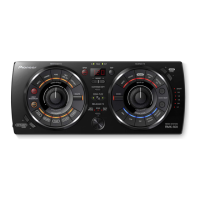
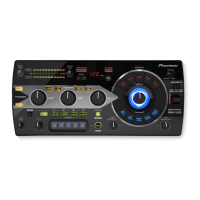
Pioneer RMX-1000 - User Manual

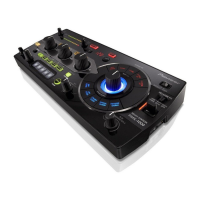
Pioneer RMX-1000
76 pages
Print Icon
To Next Page IconTo Next Page
Loading...
Operating Instructions
Mode d’emploi
Bedienungsanleitung
RMX-1000
REMIX STATION
TABLE DE REMIXAGE
REMIX-STATION
http://pioneerdj.com/support/
The Pioneer website shown above offers FAQs, information on software and various other types of information
and services to allow you to use your product in greater comfort.
Le site Pioneer ci-dessus offre une FAQ, des informations sur le logiciel et divers types d’informations et de
services permettant de tirer le meilleur parti de ce produit.
Die oben gezeigte Pioneer-Website enthält häufig gestellte Fragen, Informationen über Software und andere
wichtige Informationen und Dienste, die Ihnen helfen, Ihr Produkt optimal zu verwenden.

Table of Contents

Other manuals for Pioneer RMX-1000

Questions and Answers

  • D
    david46Aug 2, 2025
    Why Pioneer RMX-1000 won't turn on?
    • D
      Diane ZunigaAug 2, 2025
      If your Pioneer DJ Equipment fails to start, there could be several reasons. First, ensure the AC adapter is properly connected and not damaged; replace it if necessary. Also, check the FFC connection; secure it or replace it if broken. A standby power failure could be another cause, potentially due to defective parts like D1003, S1001, IC1001, or the FFC between the MAIN Assy and PNCE Assy, which would require replacement. Lastly, the K0R UCOM might be defective, indicating issues with IC7001, IC7002, or X7001, also requiring replacement.
  • J
    Julia SchultzAug 10, 2025
    What to do if buttons on my Pioneer RMX-1000 DJ Equipment don't work?
    • L
      Laura LuceroAug 10, 2025
      If the buttons, switches, or variable resistors (VR) on your Pioneer DJ Equipment are not working correctly, the individual parts may be defective and need replacement. Also, the terminal of IC7002 might be defective, requiring replacement.
  • J
    Jason RandallAug 17, 2025
    How to fix Pioneer RMX-1000 when INPUT, X-PAD, QUANTIZE, AUTO, HOLD buttons and X-PAD FX are flashing dimly?
    • B
      Brian NelsonAug 17, 2025
      If the INPUT, X-PAD, QUANTIZE, AUTO, and HOLD buttons, along with the X-PAD FX, are flashing dimly on your Pioneer DJ Equipment, it could be due to a V+1R2D power failure, possibly indicating a defective IC1004 that needs replacement. Ensure the FFC is securely connected and replace it if damaged. Alternatively, the SH UCOM or FLASH Memory might be defective, meaning IC2501, IC2502, or X2501 may need replacement.
  • B
    Brandon Smith DVMAug 25, 2025
    What to do if SD_LED flashes on Pioneer RMX-1000?
    • R
      Robert AvilaAug 25, 2025
      If the SD_LED on your Pioneer DJ Equipment is flashing with a period of 250 ms while other LEDs are off, it indicates a power failure. Check for any short circuits in the power supply and repair them. The DC/DC converter or regulator responsible for generating the voltages at NG points may also be defective and require replacement.

Summary

Safety and Precautions

Important Safety Warnings

Covers electrical, fire, and handling hazards.

Operating Environment

Specifies temperature, humidity, and installation conditions.

Quick Start Guide

Connecting Input;Output Terminals

Operation

Adjusting Input;Output Levels

How to set audio input and output levels.

BPM and Quantize Settings

Configuring tempo and beat synchronization.

SCENE FX Section

Details on using the SCENE FX function.

ISOLATE FX Section

Details on using the ISOLATE FX function.

X-PAD FX Section

Details on using the X-PAD FX function.

RELEASE FX Section

Details on using the RELEASE FX function.

Using remixbox Software

Changing Unit Settings

Update Function

Process for updating the unit's firmware.

Troubleshooting

Pioneer RMX-1000 Specifications

General IconGeneral
XLR inYes
USB connector typeUSB Type-B
USB ports quantity1
Apple docking compatibilityNot supported
Sample rate48 kHz
Product colorBlack
Frequency range20 - 20000 Hz
Built-in optical driveNo
Signal-to-Noise Ratio (SNR)102 dB
Number of dedicated effects controls24
Total Harmonic Distortion plus Noise (THD+N)0.005 %
Power supply type-
Weight and Dimensions IconWeight and Dimensions
Depth157 mm
Width334 mm
Height57 mm
Weight1300 g

Related product manuals