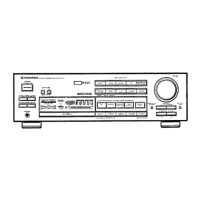
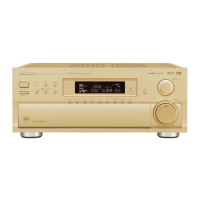
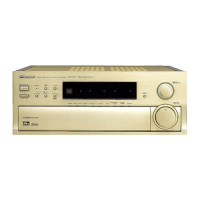
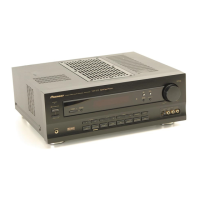
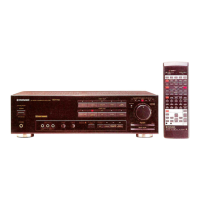
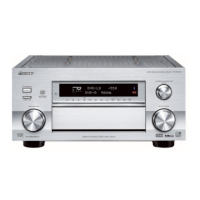
The Pioneer VSA-701S is an AV Digital Surround Amplifier that integrates the functions of an amplifier, a wireless remote control, an audio-visual selector, and a surround processor. It is designed to be a central component in an audio-video entertainment system.
Function Description:
The VSA-701S offers three surround modes: DOLBY PRO LOGIC SURROUND, SIMULATED SURROUND, and STUDIO.
- DOLBY PRO LOGIC SURROUND: This mode is ideal for movies and music, especially video discs and tapes bearing the Dolby Surround mark. It continuously detects the size and direction of the dominant signal, cancels undesirable crosstalk, and emphasizes the signal, providing a clear perception of sound direction and recreating a natural sound flow for an expansive sound field. A delay time setting of 20 ms is commonly used, though other settings can be chosen. It's important to note that Dolby Surround will not operate correctly if the signal passes through a graphic equalizer; the TAPE 2 MONITOR should be off, or the graphic equalizer set to flat response or "through" mode.
- SIMULATED SURROUND: This mode creates reverberated and reflected sound effects, similar to a concert hall, adding to the actual sound to create a more expanded spatial sensation. It is recommended for mono source sound signals.
- STUDIO: This mode provides the effect of listening to music in a recording studio. The source sound is output directly through the front speakers, with reverberation output through the rear speakers. This is particularly suitable for sources with a lot of natural reverberation.
The device also features DOLBY 3CH LOGIC, which combines the rear speaker signal with that of the front speakers to create a wider and more expansive sound field from the front three channels (front L, front R, and center speakers) compared to normal stereo reproduction. This mode can be used with stereo sources not encoded with Dolby Surround.
A Simulated Stereo function transforms monaural signals into simulated stereo sound, providing a sense of stereo presence when listening to monaural sources (e.g., AM or TV broadcasts). This function can also be used with stereo sound sources, but the effect will differ from normal stereo.
The VSA-701S includes a large, motor-driven volume knob for operational convenience and positive response. It can be operated via the remote control, and the knob turns by itself when the volume is changed remotely, making it easy to track the current setting.
A Video Signal Selector (Simulcast function) allows for free combination of various audio-visual sources during playback and over-dubbing, enabling users to produce original video products.
Two-way VCR copying and monitoring is supported, allowing video cassette tapes to be copied in either direction between VCR 1 and VCR 2.
An Acoustic Memory Function allows five types (A-E) of tone control settings to be preset. Settings for loudness and flat tone response can also be quickly selected.
A 90/60/30-minute Sleep Timer Function is included for convenience.
The device comes with an AV Programmable Remote Control Unit that can operate any Pioneer audio or video component bearing the SR mark. Its LEARN function allows memorization of remote commands from components without the SR mark, providing remote control over their functions. The MULTI-COMMAND feature allows up to seven commands to be memorized in sequence and transmitted with a single button press.
Important Technical Specifications:
-
Amplifier Section:
- Continuous Power Output (DIN):
- Stereo (1 kHz, T.H.D. 1%, 4 Ω): 100 W + 100 W
- Stereo (20 Hz - 20 kHz, T.H.D. 0.05%, 8 Ω): 55 W + 55 W
- Surround (Front, 1 kHz, T.H.D. 1%, 4 Ω): 55 W + 55 W
- Surround (Center, 1 kHz, T.H.D. 1%, 4 Ω): 55 W
- Surround (Rear, 1 kHz, T.H.D. 1%, 8 Ω): 20 W + 20 W
- Dynamic Power Output (8 Ω/4 Ω/2 Ω): 85 W/125 W/145 W
- Total Harmonic Distortion (Stereo, 20 Hz - 20 kHz, 8 Ω, 55 W): 0.05%
- Input Sensitivity/Impedance:
- PHONO MM: 2.5 mV/47 kΩ
- TUNER, CD, TAPE 1/DAT, TAPE 2, VIDEO, TV, LD, VCR 1, VCR 2: 150 mV/47 kΩ
- PHONO Overload Level (1 kHz, T.H.D. 1%, MM): 130 mV
- Output Level/Impedance:
- TAPE REC: 150 mV/2.2 kΩ
- VCR OUT: 150 mV/2.2 kΩ
- PRE OUT (Front, Centre, Rear): 1 V/2.2 kΩ
- Frequency Response:
- PHONO MM: 20 Hz - 20 kHz ±0.3 dB
- TUNER, CD, TAPE 1/DAT, TAPE 2, VIDEO, TV, LD, VCR 1, VCR 2: 5 Hz - 80 kHz ±3 dB
- Tone Control:
- BASS: ±8 dB (100 Hz)
- TREBLE: ±8 dB (10 kHz)
- Loudness Contour: 6 dB (100 Hz)/3 dB (10 kHz)
- SN Ratio (IHF A201, short-circuited, A-network):
- PHONO MM: 79 dB
- TUNER, CD, TAPE 1/DAT, TAPE 2, VIDEO, TV, LD, VCR 1, VCR 2: 97 dB
- SN Ratio (DIN, continuous power output/50 mW):
- PHONO MM: 69 dB/57 dB
- TUNER, CD, TAPE 1/DAT, TAPE 2, VIDEO, TV, LD, VCR 1, VCR 2: 86 dB/59 dB
-
Video Section:
- Input Terminal (Sensitivity/Impedance): VCR 1, VCR 2, LD, TV, VIDEO: 1 Vp-p/75 Ω
- Output Terminal (Sensitivity/Impedance): VCR 1, VCR 2, TO MONITOR TV: 1 Vp-p/75 Ω
- Frequency Characteristics: VCR 1, VCR 2, LD, VIDEO, TO MONITOR TV: 5 Hz - 10 MHz ±3 dB
- SN Ratio: 60 dB
- S Terminal (Sensitivity/Impedance):
- Input Terminal (VCR 1, LD, VIDEO): 1 Vp-p/75 Ω (Luminance Signal), 0.286 Vp-p/75 Ω (Color Signal)
- Output Terminal (VCR 1, TO MONITOR TV): 1 Vp-p/75 Ω (Luminance Signal), 0.286 Vp-p/75 Ω (Color Signal)
- Frequency Characteristics: VCR 1, LD, MONITOR OUT: 5 Hz - 10 MHz ±3 dB
- SN Ratio (Luminance Signal): 60 dB
-
Surround Section:
- Rear Frequency Response: 30 Hz - 7 kHz ±3 dB
- Delay Time (Dolby Pro Logic Surround, Simulated Surround): Variable Range: 16 ms - 30 ms (2 ms step)
-
Miscellaneous:
- Power Requirements: a.c. 230 Volts~, 50/60 Hz
- Power Consumption: 600 W (Max)
- Dimensions: 420 (W) x 162 (H) x 417 (D) mm
- Weight (without package): 10.4 kg
Usage Features:
- Speaker Installation: For optimal surround sound, speakers should be placed as shown in the provided diagrams. Rear speakers positioned at extreme distances may hinder surround level adjustment and full surround effect. Magnetically shielded speakers are recommended, especially for the center speaker, to avoid TV interference. Front L/R speakers should be equidistant from the TV and about two meters apart. The center speaker should be above, below, or behind the TV to ensure sound coincides with the picture. Rear speakers are best placed slightly above ear level.
- Speaker Connections: The unit supports connecting two center speakers for a dual-center setup. If only one center speaker is used, it should have an impedance of 8-16 Ω, and the SPEAKER SELECTOR switch should be set to "I ONLY." For front and rear speakers, impedance should be 4-16 Ω (front) and 8-16 Ω (rear). When connecting a super woofer system (e.g., Pioneer S-W1000), it should be connected to the same speaker terminals as the front speakers to avoid reduced volume from the front speakers.
- S-Video Connectors: The S-VIDEO (Y-C separate) and regular pin jacks are independent. Signals input via pin jacks must output from pin jacks, and S-VIDEO inputs must output from S-VIDEO connectors. S-VIDEO is for video only, so audio connections must also be made.
- Power Standby/On: The unit has a POWER STANDBY/ON switch. In ON position, power is supplied, and the unit is operational. In STANDBY, main power flow is cut, but a minute flow maintains readiness. The STANDBY indicator lights up in standby and goes out when on. A timer can be used for ON/OFF control.
- Muting: A MUTING button temporarily cuts off sound volume. Pressing it again restores the previous level.
- Test Tone: A TEST TONE button helps adjust speaker volume levels. When activated, "TEST" is displayed, and a test tone cycles through each speaker for about two seconds. Volume levels should be adjusted to be equal from each speaker. The test tone turns off if the INPUT SELECTOR is operated.
- Remote Control Operation: The remote control unit operates within a range of about 7 meters from the amplifier's front panel remote sensor, within angles of up to 30 degrees. Strong fluorescent light can adversely affect performance, so keep such lights away from the sensor window.
- Remote Control Programming (LEARN Mode): The remote can "learn" commands from other infrared remote controls. Up to 261 commands can be learned across different CONTROL MODES, with 50-100 commands typically learned from Pioneer remotes. The learning procedure involves pressing LEARN, selecting a CONTROL MODE button, pressing a function button, and receiving the signal twice from the other remote.
- Multi-Edit Mode: Up to seven commands can be programmed into the MULTI COMMAND button, allowing a sequence of commands to be transmitted with a single button press.
- Initialization: Individual CONTROL MODES or the entire memory can be initialized by removing batteries and pressing the M.CLEAR button (and RESET for full memory initialization).
Maintenance Features:
- External Surfaces: Dust and dirt should be wiped off with a polishing cloth or dry cloth. For very dirty surfaces, use a soft cloth dipped in a neutral cleanser diluted five or six times with water, wrung out well, and then wipe again with a dry cloth. Avoid furniture wax or cleaners.
- Chemicals: Never use thinners, benzene, insecticide sprays, or other chemicals on or near the unit, as they can corrode the surfaces.
- Power Cord: Always handle the power cord by the plug. Do not pull the plug by tugging the cord, touch it with wet hands, place objects on it, pinch it, or tie knots in it. Ensure the cord is routed to avoid being stepped on. Periodically check the power cord for damage; if damaged, contact a Pioneer authorized service center or dealer for replacement.
- Troubleshooting: In case of abnormal functioning (e.g., due to lightning or static electricity), turn the power off and then on again, or unplug and re-plug the AC power cord to restore normal operation. A detailed troubleshooting guide is provided for common issues like no power, no sound, no picture, or remote control malfunction, with suggested remedies.

 Need help?

 To Next Page
 General