
 Need help?
Do you have a question about the Pioneer VSX-5400 and is the answer not in the manual?
Essential safety guidelines for operation and maintenance, covering voltage, moisture, heat, and servicing.
Guidelines for properly grounding outdoor antennas to protect against voltage surges and static charges.
Instructions for setting voltage selectors and FM/AM de-emphasis switches for correct operation.
Overview of the VSX-5400/VSX-5500S capabilities, including surround, volume, enhancer, and memory functions.
Lists and illustrates the accessories provided with the unit for setup and operation.
Explains the unit's built-in surround processor and its modes like Stadium, Simulated, and Dolby Surround.
Provides examples of surround speaker placement and detailed procedures for Dolby Surround level adjustment.
Details functions like VCR Noise Filter and Simulated Stereo for enhancing audio playback quality.
Illustrates how to connect audio components like turntables, CD players, and tape decks to the receiver.
Explains the correct method for connecting the power cord, emphasizing polarity for improved sound quality.
Diagrams showing how to connect video sources like VCRs and TV antennas to the receiver.
Instructions on connecting speaker cables and setting the impedance selector for optimal speaker performance.
Illustrates how to connect the receiver to separate power amplifiers or preamplifiers for increased power.
A schematic illustrating a multi-amplifier setup using a crossover network and separate power amplifiers.
Explains how to use the receiver with audio devices like graphic equalizers and video components.
Detailed explanations of various rear panel terminals and controls, including antenna, remote, and audio jacks.
Covers jacks for multi-room remote, video out, speakers, AC outlets, impedance selector, and input/output jacks.
Details connections for VDP/CDV players and VCRs, plus information on AC outlets and power cord.
Explains how to connect the multi-room remote control adapter for extended system control.
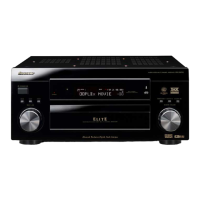
Illustrates the front panel controls and the display section for the VSX-5500S model.
Details switches for power, VCR noise filter, TV ANT, simulated stereo, acoustic memory, and tuning modes.
Explains switches and knobs for FM mode, tuning, rear level, return, muting, balance, volume, split screen, and enhancer.
Covers surround mode, headphone jack, input selectors, memory scan, band selection, and station call functions.
Explains the various indicators on the display section, such as MUTING, STEREO, TUNED, and ENHANCER indicators.
Instructions for directly inputting station frequencies using the STATION CALL switches for tuning.
Explains how to use automatic scanning or manual step-by-step tuning to find broadcast stations.
Step-by-step guide for presetting broadcast stations and their names using the STATION CALL switches.
How to memorize and display custom names or call letters for preset stations on the front panel.
Details how to select various program sources like records, CDs, tapes, VCRs, and video discs using the INPUT SELECTOR switches.
How to receive stereo TV sound transmitted via FM radio signals while viewing video on a TV.
Instructions for connecting and playing back video sources through the receiver to a TV.
Guide to connecting and recording audio sources onto a cassette deck or DAT.
Instructions for copying cassette tapes from one deck to another, including monitoring capabilities.
Procedures for recording audio onto Hi-Fi VCR tapes, referencing connection and operation details.
How to copy video tapes between VCRs or make identical copies from other sources, with enhancer options.
Functionality for listening to playback sound while changing video images independently during recording.
A schematic illustrating the internal audio and video signal paths and component interconnections of the receiver.
Tips for optimizing FM and AM reception, including antenna types, grounding, and placement.
Instructions for inserting batteries into the remote control and guidelines for correct battery usage and replacement.
Specifies the effective range and angle for operating the remote control unit with the receiver.
Explains how to set the transmit mode selector switch for controlling audio or video equipment.
Details the remote's keys for input selection, surround modes, acoustics, sleep timer, power, return, muting, delay, surround levels, and volume.
How to use the remote for tuning radio stations, recalling presets, and controlling a turntable.
Functions for controlling TV display, channels, volume, and power using the remote's TV function keys.
Details on using the remote for CD player operations like track search, programming, playback, and stop.
How to operate an LD player with the remote, including chapter skip, display, scan, and playback controls.
Explains using the remote for cassette deck operations like recording, playback, pause, and tape transport.
Details on using the remote for VCR functions such as power, recording, pause, channel selection, and tape search.
Instructions for inserting batteries into the remote control and guidelines for correct battery usage and replacement.
Specifies the remote's operating range and procedures for replacing batteries, noting memory retention.
Explains setting the transmit mode for audio/video/AUX and the LEARN switch for programming functions.
Details the VSX-5500S remote's keys for input selection, surround modes, acoustics, sleep timer, power, return, muting, delay, surround levels, and volume.
How to use the VSX-5500S remote for tuner presets, band selection, frequency tuning, and turntable operation.
Functions for controlling TV display, channels, volume, and power using the VSX-5500S remote's TV function keys.
Explains using the VSX-5500S remote for cassette deck operations like recording, playback, pause, and tape transport.
Details on using the VSX-5500S remote for VCR functions such as power, recording, pause, channel selection, and tape search.
Details on using the VSX-5500S remote for CD player operations like track search, programming, playback, and stop.
How to operate an LD player with the VSX-5500S remote, including chapter search, display, and playback controls.
Overview of the remote's ability to learn commands from other infrared remote controls for comprehensive system operation.
Explains which keys can be programmed and the maximum number of commands the remote can learn.
Explains the LEARN and TRANSMIT indicators, and the settings for the LEARN selector switch.
Addresses common questions about learning functions and operating other equipment with the programmable remote.
Procedure to clear learned commands and reset the remote control to its original Pioneer uniform codes.
A comprehensive list of symptoms, potential causes, and remedies for operational problems with the receiver.
Detailed technical specifications for the amplifier, FM tuner, and AM tuner sections of the receiver.
Technical details for video section, miscellaneous items like power consumption, dimensions, and furnished parts.
 General
| Brand | Pioneer |
|---|---|
| Model | VSX-5400 |
| Category | Stereo Receiver |
| Language | English |



 To Next Page
