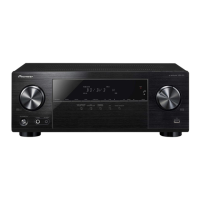
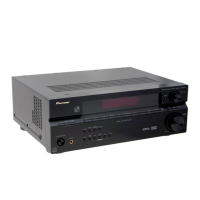
Need help?
Do you have a question about the Pioneer VSX-56TXi and is the answer not in the manual?
Specifies the necessary PC operating system, CPU, memory, and display resolution for the application.
Lists the core functionalities of the application, such as displaying graphs and saving data.
Details how the application aids in EQ setup and listening room acoustics analysis.
Explains the physical connection process between the receiver and PC using an RS-232C cable.
Provides a detailed pin-out diagram for the RS-232C cable connection.
Details the receiver-side operations needed to prepare for data transmission to the PC.
Covers receiving data, selecting COM ports, and understanding application graph interfaces.
Explains application menu options, icons, and controls for manipulating graph displays.
Guides on saving measurement data to files and opening existing data files for analysis.
Details the procedure for closing the Advanced MCACC application software.
Explains how graphs aid in optimizing EQ setup and assessing listening room acoustics.
Details how to interpret reverb graphs, including explanations of figures A and B.
Guides on selecting the optimal time period for Advanced EQ Setup based on graph patterns.
Explains how to interpret various graph patterns representing different room and speaker characteristics.
Lists the types of data that can be received from the receiver to the PC.
Covers the process of receiving and saving additional parameter data from the receiver.
Explains how to open saved data files using other applications like spreadsheets.
Provides instructions on how to update the Advanced MCACC application to a newer version.
Details the methods for uninstalling or removing the Advanced MCACC application from the PC.
Addresses issues where the application is unstable, slow, or freezes due to PC requirement mismatches.
Covers common errors encountered during installation, such as insufficient resources or incompatibilities.
Helps resolve issues related to failed data transmission from the receiver to the PC.
Solves problems with updating the application and printing graphs from the ALL display mode.
Addresses issues with using application functions and malfunctions caused by the PC-receiver connection.
 General
| Audio Channels | 7.1 |
|---|---|
| Frequency Response | 5 Hz - 100 kHz |
| Total Harmonic Distortion (THD) | 0.09% |
| HDMI Inputs | 3 |
| HDMI Outputs | 1 |
| Component Video Inputs | 3 |
| Component Video Outputs | 1 |
| i.LINK (IEEE 1394) | Yes |
| Multi-Room Zones | 3 |
| MCACC | Yes |
| S-Video switching | Yes |
| Composite video switching | Yes |
| Phono input | Yes |
| Tuner Section | AM/FM |
| Ethernet port | No |
| RS-232C interface | Yes |
| Surround Sound Formats | Dolby Digital, DTS |
| Digital Audio Inputs | 5 (3 Optical, 2 Coaxial) |
| Digital Audio Outputs | 1 (optical) |
| Input Sensitivity/Impedance | 200 mV / 47 kΩ |
| Remote control | Yes |

 To Next Page