
 Need help?
Do you have a question about the Pioneer VSX-815-S/-K and is the answer not in the manual?
Explains the concept of home theater and the receiver's role in it.
Lists all the accessories included with the receiver.
Instructions for inserting batteries into the remote control.
Recommendations for placing the receiver safely and optimally.
Guidance on ensuring proper airflow for the unit.
Quick guide to connecting and setting up for surround sound.
Instructions for connecting speakers to the receiver.
Detailed guide to the quick setup process for system configuration.
Explains the automatic room calibration process.
Discusses issues and troubleshooting for the auto setup.
General advice on connecting cables without interference.
Details on using RCA and digital cables for audio connections.
Explains standard RCA video cable usage for composite video.
Benefits of S-video and component video for picture quality.
Step-by-step guide for connecting DVD player and TV to the receiver.
How to connect multi-channel analog outputs for surround sound.
Guide for connecting satellite and digital set-top boxes.
How to connect CD players, tape recorders, and other audio devices.
Information on the unit's WMA9 Pro audio decoder capability.
Connecting VCRs, DVD recorders, and HDD recorders.
Details on using component video for better picture quality.
How to use front panel video inputs for convenience.
Instructions for connecting AM and FM antennas.
Guidance on using external antennas for improved reception.
Guide for connecting speakers to the receiver's terminals.
How to use the receiver's dual speaker system (A/B) feature.
Tips for optimal speaker positioning for best sound.
Visual guide to speaker arrangement for surround sound.
How to link and control other Pioneer devices using SR+ CONTROL.
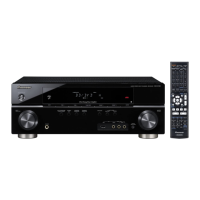
Overview of buttons and indicators on the receiver's front panel.
Buttons for selecting audio playback modes.
Controls for tuner operations and system setup.
Controls for signal selection, input attenuation, and volume.
Controls for selecting surround modes and EQ.
Explains the indicators and information shown on the receiver's display.
Shows input signal type (auto, digital, analog, DTS, etc.).
Shows mono or stereo FM broadcast reception status.
Explains the controls on the VSX-815/915 remote.
Shows remote status for speakers, decoding, and modes.
Buttons for selecting components and direct input.
Controls for tuner, components, and TV functions.
Main playback controls for components.
Buttons for receiver operations like Standard, Surround, Stereo.
Controls for volume, tone, EQ, and input attenuation.
Selects channels and adjusts levels for surround effects.
Modes for configuring remote control (Setup, Preset, Learn, Erase).
Receiver control selection and volume adjustment.
Explains the controls on the VSX-515 remote.
Buttons for selecting receiver inputs and control modes.
Buttons for selecting listening modes and adjusting sound.
Controls for audio, DVD, DTV menus, and system setup.
Buttons for tuner operations and menu navigation.
Buttons for controlling TV and component functions.
Switches display modes and tuner bands.
Overview of remote control operations.
Dedicated buttons for controlling TV functions.
Factors affecting remote control performance.
Receiver automatically selects playback mode based on source.
How to listen to any source in surround sound.
Explains various surround sound modes (Pro Logic IIx, Neo:6).
Using various modes for enhanced surround sound.
Modes like EXPANDED, 7-STEREO, VIR. SURR, PHONES SURROUND.
Adjusts parameters like Center Width, Dimension, Panorama.
Listening using only front speakers, downmixing multichannel sources.
Using EQ settings for calibrated sound.
How to select between analog and digital inputs.
How to use surround back channels for 6.1/7.1 sound.
Creates a virtual back channel through surround speakers.
Features for adjusting sound at low volumes.
Localizes dialog for clarity in center channel.
Adjusting bass and treble levels.
How to select and play sources like CD, DVD, or TV.
Selecting multi-channel analog inputs for surround playback.
Sets the receiver to turn off automatically after a set time.
Overview of accessing and navigating the System Setup menu.
Options like A. MCACC, M. MCACC, SP SETUP, IN ASSIG, OTHER.
Configures surround back speaker usage.
Detailed manual adjustments for speaker setup and EQ.
Options like CH LEVEL, CH DISTN., EQ settings.
Options for EQ adjustment (EQ A. SET, EQ COPY, C1 ADJ/C2 ADJ, EQ CHECK).
Adjusts speaker volume levels for optimal balance.
Sets speaker distances for proper surround sound delay.
Room EQ that measures acoustics and neutralizes ambient characteristics.
How the system automatically sets EQ based on room acoustics.
Copying EQ settings to custom presets for manual adjustment.
Manual adjustments for frequency balance and channel levels.
Verifying the results of EQ adjustments.
Fine-tuning speaker settings beyond automatic setup.
Specifies speaker configuration (size, number, bass handling).
Setting subwoofer presence and bass output.
Sets cutoff frequency for bass sounds between speakers and subwoofer.
Adjusts overall balance of speaker system levels.
Specifies speaker distances for proper surround sound delay.
Tuning to FM and AM radio broadcasts manually or automatically.
Automatic, manual, and high-speed tuning options.
Switching to mono reception for weak signals.
Storing station frequencies for easy recall.
Assigning names to stored radio station presets.
Recalling stored station presets.
Adjusting tuning step for region compatibility.
Recording from tuner or connected sources.
Assigning remote control buttons to other devices.
Entering manufacturer codes to control components.
Controlling one component while receiver plays another.
Restoring remote control to factory default settings.
Buttons for controlling TV functions via the remote.
Remote control functions for various components like CD/DVD players.
List of codes for controlling various manufacturers' components.
Assigning remote control buttons to other devices.
Entering manufacturer codes to control components.
Teaching the remote new commands from other remotes.
Removing a programmed button setting.
Resetting all remote control presets to factory defaults.
Controlling one component while receiver plays another.
Checking which preset code is assigned to a button.
Buttons for controlling TV functions via the remote.
Remote control functions for various components.
Using surround back terminals for stereo playback in another room.
Selecting speaker output (A, B, or A+B).
Connecting speakers to different amplifiers for better performance.
Connecting speakers with separate wires for improved sound.
Adding external amplifiers using pre-out terminals.
Connecting to a Pioneer plasma display for enhanced features.
Enabling SR+ mode for plasma display integration.
Assigning inputs for digital and component video connections.
Mapping digital inputs to specific components.
Mapping component video inputs to specific components.
Accessing customized settings for receiver usage.
Adjusting dynamic range for movie soundtracks at low volumes.
Specifying playback for dual mono encoded soundtracks.
Adjusting LFE channel attenuator for bass tones.
Configuring SR+ settings for Pioneer plasma displays.
Common problems and their solutions for the receiver.
Procedure to reset all receiver settings to factory defaults.
Changing impedance setting for 6-ohm speakers.
Technical specifications for the receiver's sections.
Details on continuous power output.
Specs for input, frequency response, tone controls, SNR.
Specs for video inputs, outputs, and frequency response.
Specifications for AM tuner frequency range and sensitivity.
Power requirements, consumption, dimensions, and weight.
Safety warnings regarding the power cord.
Instructions for cleaning the receiver.





 To Next Page
 General