EasyManua.ls Logo

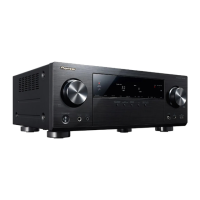
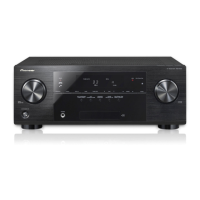
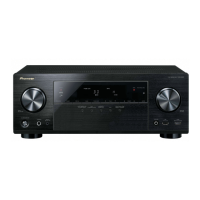
Pioneer VSX-821-K - Service Manual

Pioneer VSX-821-K
76 pages
Print Icon
To Next Page IconTo Next Page
Loading...
ORDER NO.
PIONEER CORPORATION 1-1, Shin-ogura, Saiwai-ku, Kawasaki-shi, Kanagawa 212-0031, Japan
PIONEER ELECTRONICS (USA) INC. P.O. Box 1760, Long Beach, CA 90801-1760, U.S.A.
PIONEER EUROPE NV Haven 1087, Keetberglaan 1, 9120 Melsele, Belgium
PIONEER ELECTRONICS ASIACENTRE PTE. LTD. 253 Alexandra Road, #04-01, Singapore 159936
PIONEER CORPORATION
2011
2011 Printed in Japan
VSX-821-K
RRV4167
AUDIO/VIDEO MULTI-CHANNEL RECEIVER
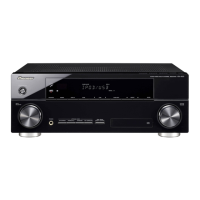
VSX-821-K
VSX-921-K
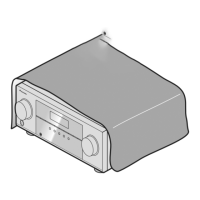
VSX-521-K
THIS MANUAL IS APPLICABLE TO THE FOLLOWING MODEL(S) AND TYPE(S).
Model Type Power Requirement Remarks
VSX-821-K CUXCNSM AC 120 V
VSX-921-K UXCNCB AC 120 V
VSX-521-K CUXCNSM AC 120 V
For details, refer to "Important Check Points for good servicing".
K-IZV MAR.

Table of Contents

Other manuals for Pioneer VSX-821-K

Questions and Answers

  • A
    Amanda WarrenSep 18, 2025
    Why doesn't Phase Control have an audible effect on Pioneer VSX-821-K?
    • S
      susangrahamSep 18, 2025
      If the Phase Control feature on your Pioneer Receiver doesn’t seem to have an audible effect, check that the lowpass filter switch on your subwoofer is off, or the lowpass cutoff is set to the highest frequency setting. Also, ensure the speaker distance setting is correct for all speakers.
  • A
    Ashley LittleAug 25, 2025
    What to do if my Pioneer VSX-821-K Receiver shows OVERHEAT and turns off?
    • C
      Claudia ValdezAug 25, 2025
      If your Pioneer Receiver displays 'OVERHEAT' and shuts down, it means the internal temperature is too high. Try moving the unit to a location with better ventilation and also consider lowering the volume level.
  • J
    Jasmine RamosAug 25, 2025
    Why does my Pioneer Receiver say OVERHEAT and turn off?
    • R
      Robin RaymondAug 26, 2025
      If OVERHEAT appears on the display and the Pioneer Receiver turns off, it means the unit's internal temperature is too high. Try improving ventilation around the unit, and lower the volume level.
  • S
    Sandra NicholsonAug 27, 2025
    Why is there no sound from my Pioneer VSX-821-K Receiver when I select an input?
    • E
      Eric AlexanderAug 27, 2025
      If you're not getting any sound from your Pioneer Receiver when you select an input function, here are a few things to check: * Use MASTER VOLUME to increase the volume. * Ensure muting is off by pressing MUTE on the remote control. * Select the correct speaker set by pressing SPEAKERS. * Set the SIGNAL SEL to the appropriate setting (H for HDMI, C1/O1/O2 for digital, or A for analog) based on your connections. * Verify that the component is connected correctly. * Check the audio output settings of the source component.
  • M
    matthewjosephSep 22, 2025
    What does ‘SUB UPDT’ mean on Pioneer Receiver?
    • K
      Kimberly PerezSep 22, 2025
      If ‘SUB UPDT’ appears on your Pioneer Receiver, the unit is updating its subscription. Wait until the encryption code has been updated.
  • J
    James LeeSep 23, 2025
    What does ‘INVLD CH’ mean on my Pioneer Receiver?
    • N
      nleSep 23, 2025
      If ‘INVLD CH’ appears on your Pioneer Receiver, the selected channel is not available or does not exist. Select another channel.
  • S
    Sabrina LynnSep 9, 2025
    How to resolve ‘iPod/USB Error 2’ on Pioneer Receiver?
    • C
      Christopher WilliamsSep 9, 2025
      If you are getting an ‘iPod/USB Error 2 (I/U ERR2)’ message on your Pioneer Receiver, switch off the receiver and reconnect the iPod. If that doesn’t work, try resetting your iPod.
  • S
    simpsonandreaSep 12, 2025
    What to do if no image output from Pioneer Receiver?
    • F
      fosterjustinSep 12, 2025
      If no picture is output when an input function is selected on your Pioneer Receiver, ensure the component is connected correctly.
  • A
    austinchanSep 3, 2025
    Why does my Pioneer Receiver show TEMP and the volume drops?
    • R
      riley24Sep 3, 2025
      If your Pioneer Receiver displays 'TEMP' and the volume level decreases, it indicates that the unit is overheating. To resolve this, try moving the receiver to a location with improved ventilation. You might also want to lower the volume level.
  • H
    hmartinezSep 1, 2025
    How to fix no sound from my Pioneer VSX-821-K?
    • C
      Christina HuntSep 1, 2025
      If no sound is output when an input function is selected on your Pioneer Receiver: * Use MASTER VOLUME to increase the volume. * Press MUTE on the remote control to turn off muting. * Press SPEAKERS to choose the correct speaker set. * Set the SIGNAL SEL to H (HDMI), C1/O1/O2 (digital) or A (analog) according to your connections. * Make sure the component is connected correctly. * Check the audio output settings of the source component.

Summary

SAFETY INFORMATION

1. Safety Precautions

General safety guidelines and checks for qualified service technicians.

2. Product Safety Notice

Information on special safety characteristics of replacement components.

BLOCK DIAGRAM

4.1 Overall Wiring Diagram

A comprehensive block diagram illustrating the unit's internal electrical connections.

4.2 Audio Block Diagram (for VSX-821-K, VSX-521-K)

Detailed block diagram of the audio signal processing path.

4.3 Audio Block Diagram (for VSX-921-K)

Block diagram detailing the audio signal flow for a specific model variant.

4.4 D-MAIN Block Diagram (for VSX-821-K, VSX-521-K)

Block diagram for the D-MAIN board, covering HDMI and digital I/O.

4.5 D-MAIN Block Diagram (for VSX-921-K)

Block diagram of the D-MAIN board for a specific model variant.

DIAGNOSIS

5.1 Troubleshooting

General troubleshooting guide for diagnosing common operational issues and errors.

[1] No Power

Troubleshooting steps for diagnosing and resolving power-on issues.

[2] DSP Troubleshooting

Diagnostic procedures for issues related to the Digital Signal Processing (DSP) section.

HDMI TROUBLESHOOTING

Step 1: Connect the HDMI Equipment

Instructions for connecting source and sink devices for testing HDMI functionality.

iPod TROUBLESHOOTING

Step 1: Power Supply

Verifying power supply voltages essential for iPod/USB functionality.

BT (Bluetooth) TROUBLESHOOTING

Step 0: Preliminary Confirmation

Initial checks for Bluetooth connectivity and operational problems.

Step 4: Communication

Verifying communication between Bluetooth modules and the main unit's processor.

DETECTION CIRCUIT

The units operation when a error is detected

DISASSEMBLY

1. Discharging

Procedures for safely discharging capacitors before disassembly to prevent electrical shock.

IDLE CURRENT ADJUSTMENT

Pioneer VSX-821-K Specifications

General IconGeneral
Receiver typeSurround
RMS rated power550 W
Audio output channels5.1 channels
Signal-to-Noise Ratio (SNR)79 dB
Total Harmonic Distortion (THD)0.05 %
Power output per channel (20-20KHz@8 Ohm)130 W
AirPlayNo
Display-
Product colorBlack
Audio decodersDolby Digital Plus, Dolby Pro Logic IIz, Dolby TrueHD, DTS Neo:6, DTS-HD
Apple docking compatibilityNot supported
HDMI in4
Digital audio coaxial in1
Digital audio optical in2
Multichannel audio input typeTerminals
Headphone outputs7
Headphone connectivity3.5 mm
Connectivity technologyWired
Audio formats supportedAAC, MP3, WMA
Video formats supportedMPEG4
AM band range530 - 1700 kHz
FM band range87.5 - 108 MHz
Supported radio bandsAM, FM
Preset stations quantity30
AC input voltage120 V
AC input frequency60 Hz
Power consumption (standby)0.4 W
Power consumption (typical)415 W
Weight and Dimensions IconWeight and Dimensions
Depth363 mm
Width435 mm
Height168 mm
Weight9200 g

Related product manuals