
 Need help?
Do you have a question about the Pioneer VSX-D557 and is the answer not in the manual?
Serial number location for security and reference.
Explains safety symbols and cautions for preventing electric shock and hazards.
Procedure to reset the unit to normal operating conditions.
Details the effect of unauthorized modifications on equipment operation.
Covers basic operating, cleaning, and placement guidelines.
Details on electrical safety, grounding, servicing, and hazard prevention.
Enables playback of Dolby Digital compatible LD and DVD software.
Reproduces surround effects for movies and music.
How to select the audio/video source for playback.
Utilizing DSP modes to enhance audio experience.
Tuning and listening to radio stations.
Steps for recording audio sources.
Controlling external Pioneer devices.
Configuring speaker settings and other operational parameters.
Explanation of Dolby Digital and Dolby Pro Logic audio formats.
Guidance on resolving common operational issues.
Technical details and performance characteristics of the unit.
Explanation of symbols used in the manual for operational guidance.
Explanation of graphical icons used to represent actions.
List of included items with the receiver.
Details on battery installation and remote operation.
Precautions for safe and proper battery usage.
Placement and ventilation guidelines for the main unit.
Recommended speaker placement for optimal surround effects.
Considerations for placing a cassette deck to avoid noise.
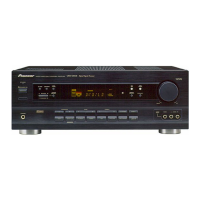
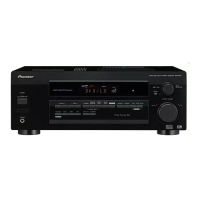
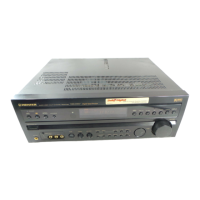
Identification of components on the receiver's front panel.
Instructions on how to connect various audio and video devices.
Explains indicators for input signals, surround modes, and operational status.
Explains indicators for tuner functions, memory, and general system status.
Buttons for selecting sources, power, volume, and muting.
Buttons for surround, DSP, channel levels, and component operations.
Guide for connecting an FM external antenna for better reception.
Tips for improving AM broadcast reception.
Instructions for assembling and positioning the AM loop antenna.
Details on connecting antennas and input/output plugs.
Information on speaker connections and front panel hookups.
Guidelines and cautions for the switched AC outlet.
Connecting PCM/Dolby Digital signals.
Connecting AC-3 RF signals via demodulator.
Diagrams for connecting with a demodulator.
Connecting with third-party RF demodulators.
Connecting a digital satellite system.
Step-by-step guide to choosing an input source.
Performing input selection using the receiver's controls.
How to choose between digital and analog inputs.
Configuring optical inputs for PCM/Dolby Digital.
How to select and adjust DSP sound modes.
Controlling the intensity of surround effects.
Activating and deactivating Dolby Surround modes.
How the unit automatically switches to Dolby Digital.
Selecting desired surround and DSP modes.
Calibrating speaker levels for optimal surround sound.
Methods for selecting FM/AM stations.
Utilizing automatic and manual tuning features.
How to select stations using the receiver's controls.
Using the remote for direct station access.
How to memorize stations using the main unit.
How to select previously stored stations.
How the unit remembers the last tuned station.
Steps for recording onto TAPE 1 or TAPE 2.
Using the TAPE 2 MONITOR for simultaneous playback monitoring.
Steps for recording audio to a VCR.
Instructions for operating an LD player via the receiver's remote.
Instructions for operating a DVD player via the receiver's remote.
Instructions for operating a CD player via the receiver's remote.
Instructions for operating a cassette deck.
Instructions for controlling TV functions.
How to enter and navigate the setting menu.
Configuring speaker settings, crossover, and delay times.
Setting speaker usage and sizes (Front, Center, Rear).
Configuring subwoofer and crossover frequencies.
Adjusting the level for ultra bass components.
Configuring low cut filter and center speaker delay.
Setting the delay time for rear speakers.
Adjusting dynamic range for playback.
Adjusting the left/right volume balance for rear speakers.
Explains Dolby Digital and Dolby Pro Logic.
Describes Hall, Jazz, Dance, Theater 1, and Theater 2 modes.
Explains Dolby Digital audio on Laser Discs.
Compares Dolby Digital and Dolby Pro Logic features.
Solutions for power, button, and sound output issues.
Troubleshooting noise and station selection problems.
Solutions for remote control and other operational issues.
Cleaning instructions for the unit's exterior.
Details on amplifier power, FM/AM tuner performance.
General specs, power requirements, and furnished items.
Advice on preventing hearing damage from loud noise.
Contact information for service and inquiries.


 To Next Page
 General