EasyManua.ls Logo

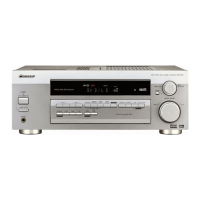
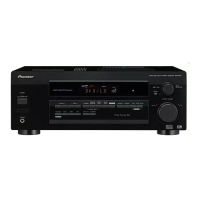
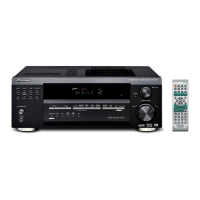
Pioneer VSX-D511-S - Service Manual

Pioneer VSX-D511-S
78 pages
Print Icon
To Next Page IconTo Next Page
Loading...
ORDER NO.
PIONEER CORPORATION 4-1, Meguro 1-chome, Meguro-ku, Tokyo 153-8654, Japan
PIONEER ELECTRONICS (USA) INC. P.O. Box 1760, Long Beach, CA 90801-1760, U.S.A.
PIONEER EUROPE NV Haven 1087, Keetberglaan 1, 9120 Melsele, Belgium
PIONEER ELECTRONICS ASIACENTRE PTE. LTD. 253 Alexandra Road, #04-01, Singapore 159936
PIONEER CORPORATION 2002
DOWN
STATION
TUNER EDIT INPUT ATT FL DIMMERCLASS BAND MPX
STANDARD
ADVANCED
SURROUND
STEREO/
DIRECT
SIGNAL
SELECT
UP
ENTER
INPUT
SELECTOR
MASTER VOLUME
MULTI JOG
AUDIO/VIDEO MULTI-CHANNEL RECEIVER
R
STANDBY
STANDBY
/
ON
PHONES
TUNING
MONITOR
MULTI J OG
MULTIJOG
MIDNIGHT LOUDNESS TONE QUICK SETUP
LISTENING MODE
N∫m-Û.,,
VSX-D511-K
RRV2599
AUDIO/VIDEO MULTI-CHANNEL RECEIVER
VSX-D511-K
VSX-D511-S
THIS MANUAL IS APPLICABLE TO THE FOLLOWING MODEL(S) AND TYPE(S).
Model Type Power Requirement Remarks
VSX-D511-K MVXJI AC230V
VSX-D511-S MYXJIEW AC220-230V
VSX-D511-K MYXJIEW AC220-230V
VSX-D511-K MYXJIGR AC220-230V
For details, refer to "Important symbols for good services" on the next page.
T-ZZR APR.2002.printed in Japan

Other manuals for Pioneer VSX-D511-S

Question and Answer IconNeed help?

Do you have a question about the Pioneer VSX-D511-S and is the answer not in the manual?

Summary

Safety Information

Safety Precautions

Essential safety checks for customer and service technician protection.

Product Safety Notice

Highlights safety-related characteristics of parts and potential hazards of substitutes.

Important Symbols for Service

Product Safety Compliance

Conformity to regulations and adherence to safety instructions during servicing.

Performance Adjustments

Procedures for maintaining original performance through optimum adjustments.

Component Cleaning Procedures

Proper cleaning methods to restore performance of optical parts and heads.

Shipping Mode and Screws

Setting shipping mode or installing screws to prevent transit damage.

Lubricants, Glues, and Parts

Proper application of lubricants/glues and use of prescribed replacement parts/tools.

Specifications

Amplifier Specifications

Details on continuous power output, sensitivity, frequency response, and tone controls.

FM Tuner Specifications

Covers frequency range, sensitivity, S/N ratio, selectivity, and frequency response.

AM Tuner Specifications

Details frequency range, sensitivity, selectivity, and signal-to-noise ratio.

Miscellaneous Specifications

Includes power requirements, consumption, dimensions, and weight.

Video Specifications

Input/output levels, impedance, and frequency response for video signals.

Included Accessories

List of parts provided with the unit, like antennas, batteries, and remote.

Exploded Views and Parts List

Packing Details

Exploded view illustrating the packing components and their arrangement.

Contrast Table for Parts

Details variations in parts across different models like MVXJI, MYXJIEW, MYXJIGR.

Exterior Section Parts

Visual identification and parts list for the exterior section.

Front Panel Section Diagram

Visual identification and parts list for the front panel section.

Block Diagrams and Schematics

Overall Block Diagram

High-level functional overview of the receiver's main signal paths and ICs.

Overall Wiring Diagram

Shows interconnections between various assemblies and connectors.

D.D & Input Assembly Schematics

Schematics for D.D & Input Assy, covering multiple sections (1/4 to 4/4).

Amp & Primary, Trans2, Trans3 Schematics

Schematics for Amp & Primary, Trans2, and Trans3 assemblies.

Amp & Primary Assy Schematic (1;2)

Schematic for Amp & Primary Assy, covering 1/2 of the circuit.

Trans2 Assembly Schematic

Schematic diagram for the Trans2 assembly.

Trans3 Assembly Schematic

Schematic diagram for the Trans3 assembly.

Amp & Prim (2;2), Reg, Hashigeta, B2 B, Mech SW Schematics

Schematics for Amp & Primary (2/2), Regulator, Hashigeta, B2B, Mech SW.

Hashigeta Assembly Schematic

Schematic for the Hashigeta assembly.

Board to Board Assembly Schematic

Schematic for the Board to Board assembly.

Regulator Assembly Schematic

Schematic for the Regulator assembly.

Amp & Primary Assy Schematic (2;2)

Schematic for Amp & Primary Assy, covering 2/2 of the circuit.

Video, 6 CH In, S.Video Schematics

Schematics for Video, 6CH In, and S.Video assemblies.

Video Assembly Schematic

Schematic for the Video assembly.

6 CH In Assembly Schematic

Schematic for the 6CH In assembly.

S.Video Assembly Schematic

Schematic for the S.Video assembly.

Front, R.Encoder, Power SW Schematics

Schematics for Front, R.Encoder, and Power SW assemblies.

R.Encoder Assembly Schematic

Schematic for the R.Encoder assembly.

Front Assembly Schematic

Schematic for the Front assembly.

Digital In, H.P., Kawa Schematics

Schematics for Digital In, H.P., and Kawa assemblies.

Digital In Assembly Schematic

Schematic for the Digital In assembly.

H.P. Assembly Schematic

Schematic for the H.P. assembly.

Kawa Assembly Schematic

Schematic for the Kawa assembly.

FM;AM Tuner Module Schematics

Schematics for the FM/AM Tuner module.

FM;AM Tuner Module (Top View)

Top view of the FM/AM Tuner module circuit board.

PCB Connection Diagrams

Trans1, Trans2, Trans3 Assembly Layouts

PCB layouts for Trans1, Trans2, and Trans3 assemblies.

D.D & Input Assembly Layouts

PCB layouts for the D.D & Input assembly (Side A & B).

Amp Input, Amp & Primary, Mecha SW Layouts

PCB layouts for Amp Input, Amp & Primary, and Mecha SW assemblies.

Front, Power SW, H.P., R.Encoder Layouts

PCB layouts for Front, Power SW, H.P., and R.Encoder assemblies.

Regulator, Hashigeta, Kawa Layouts

PCB layouts for Regulator, Hashigeta, and Kawa assemblies.

Kawa Assembly Layouts

PCB layouts for the Kawa assembly (Side A & B).

Digital In, 6 CH In, Video, Board to Board Layouts

PCB layouts for Digital In, 6CH In, Video, and Board to Board assemblies.

FM;AM Tuner Module Layouts

PCB layout for the FM/AM Tuner module.

PCB Parts List

Integrated Circuits (ICs) List

List of integrated circuits used in the unit with part numbers.

IC Pin Functions

Details the function of each pin for various ICs.

AK4586 VQ IC Details

Information on the AK4586VQ IC, including pin arrangement and block diagram.

AK4586 VQ Pin Functions

Details the function of each pin for the AK4586VQ IC.

BD3812 F IC Details

Information on the BD3812F IC, including pin arrangement and block diagram.

BD3812 F Pin Functions

Details the function of each pin for the BD3812F IC.

NJU7312 AM IC Details

Information on the NJU7312AM IC, including pin arrangement and block diagram.

NJU7312 AM Pin Functions

Details the function of each pin for the NJU7312AM IC.

PD8097 A IC Details

Information on the PD8097A IC, including pin arrangement and block diagram.

AK4382 AVT IC Details

Information on the AK4382AVT IC, including block diagram.

AK4382 AVT Pin Functions

Details the function of each pin for the AK4382AVT IC.

Adjustment Procedures

AM Tuner Adjustment

Notes that there is no adjustment required for the AM tuner section.

FM Tuner Adjustment

Instructions for setting FM band and connecting for adjustment.

General Information and Diagnosis

Disassembly and Diagnosis

Procedures for disassembling the unit and identifying faults.

Disassembly and PCB Location

Steps for disassembly and identifying the location of major PCBs.

Diagnosis Steps

Step-by-step guide for disassembling the unit for diagnosis.

PCB Location Guide

Diagram showing the location of main assemblies and PCBs within the unit.

U-COM Block Diagram

System control block diagram illustrating MCU and peripheral ICs.

Protection Circuit Operation

Explains the unit's protection circuit for DC abnormal and overload detection.

DC Abnormal Detection

Describes protection sequence for DC abnormal states and power supply shutoff.

Overload Detection

Details protection sequence for overload conditions and power supply shutoff.

Power On Sequence

Timing diagram detailing the sequence of operations during power-on.

Power Off Sequence

Timing diagram detailing the sequence of operations during power-off.

Display Operation

FL Display Details

Information on the front panel FL display, including pin and grid assignments.

FL Display Pin Assignment

Details the pin connections for the FL display.

FL Display Grid Assignment

Shows the grid assignments for segments on the FL display.

FL Display Segment Designation

Illustrates segment labeling for the FL display grids.

FL Display Pin Connections

Details the pin connections for the FL display.

FL Display Anode Connections

Shows the anode connections for different display grids.

Front Panel Controls and Indicators

Standby;On Button

Switches the receiver between on and standby modes.

Standby Indicator

Light indicating when the receiver is in standby mode.

Station Buttons

Selects station presets when using the tuner.

Tuning Buttons

Selects the frequency when using the tuner.

Remote Sensor

Receives signals from the remote control.

Enter Button

Confirms selections or enters modes.

Multi Jog;Input Selector Dial

Selects options and input sources, performs various tasks.

Headphones Jack

Port for connecting headphones.

Tuner Edit Function

Memorizes and names stations for recall using station buttons.

Class Button

Switches between three banks (classes) of station presets.

Band Button

Switches between AM and FM radio bands.

MPX Button

Receives FM broadcasts in mono; improves sound quality on weak signals.

PTY Search Button

Searches for different program types in RDS mode.

EON Mode Button

Searches for programs transmitting traffic/news via EON data service.

Listening Mode Buttons

Selects decoding and surround modes like Standard and Advanced Surround.

Signal Select Button

Selects between analog or digital signal input.

Monitor Button

Switches tape monitoring on/off.

Midnight Listening Button

Enhances movie soundtracks at low volumes.

Loudness Button

Boosts bass and treble at low volumes.

Tone Control Button

Accesses bass and treble controls adjustable via the Multi Jog dial.

Quick Setup Button

Initiates the quick setup process.

Master Volume Control

Adjusts the overall listening volume.

Remote Control Overview

Receiver Power Button

Switches the receiver between on and standby modes.

Midnight;Loudness Buttons

Switches to Midnight or Loudness listening modes.

Listening Mode Buttons

Selects decoding and surround modes like Standard and Advanced Surround.

Input Attenuator Button

Attenuates analog input signal level to prevent distortion.

FL Dimmer Button

Adjusts the brightness of the fluorescent display.

DVD Menu Control Buttons

Accesses different menus associated with the DVD player.

DVD Source Button

Switches to DVD controls on the remote control.

Input Selector Buttons

Used to select the input source for the receiver.

Volume Control Buttons

Adjusts overall listening volume and mutes/unmutes sound.

Tuner Control Buttons

Tune frequencies and select preset radio stations.

Band Button

Switches between AM and FM bands for tuner selection.

Class Button

Switches between three banks (classes) of station presets.

MPX Button

Switches between auto stereo and mono reception for FM.

Display Button

Switches display between station name and frequency.

Top Menu Button

Displays the disc 'top' menu of a DVD.

RF Attenuator Button

Lowers radio signal level to prevent distortion from interference.

Navigation and Setup Buttons

Used for surround sound setup and DVD menu navigation.

Receiver Control Button

Switches to receiver controls or aids surround sound setup.

Channel Select Button

Selects a channel during surround sound setup.

Test Tone Button

Sounds test tones for surround sound setup.

Level Adjustment Buttons

Sets the levels of the surround sound for each channel.

Effect Adjustment Buttons

Adds or subtracts effect amount in sound modes.

DVD Control Buttons

Controls a connected Pioneer DVD player.

Rear Panel Connections

Diagram and labels for all rear panel input/output and terminal connections.

Summary

Safety Information

Safety Precautions

Essential safety checks for customer and service technician protection.

Product Safety Notice

Highlights safety-related characteristics of parts and potential hazards of substitutes.

Important Symbols for Service

Product Safety Compliance

Conformity to regulations and adherence to safety instructions during servicing.

Performance Adjustments

Procedures for maintaining original performance through optimum adjustments.

Component Cleaning Procedures

Proper cleaning methods to restore performance of optical parts and heads.

Shipping Mode and Screws

Setting shipping mode or installing screws to prevent transit damage.

Lubricants, Glues, and Parts

Proper application of lubricants/glues and use of prescribed replacement parts/tools.

Specifications

Amplifier Specifications

Details on continuous power output, sensitivity, frequency response, and tone controls.

FM Tuner Specifications

Covers frequency range, sensitivity, S/N ratio, selectivity, and frequency response.

AM Tuner Specifications

Details frequency range, sensitivity, selectivity, and signal-to-noise ratio.

Miscellaneous Specifications

Includes power requirements, consumption, dimensions, and weight.

Video Specifications

Input/output levels, impedance, and frequency response for video signals.

Included Accessories

List of parts provided with the unit, like antennas, batteries, and remote.

Exploded Views and Parts List

Packing Details

Exploded view illustrating the packing components and their arrangement.

Contrast Table for Parts

Details variations in parts across different models like MVXJI, MYXJIEW, MYXJIGR.

Exterior Section Parts

Visual identification and parts list for the exterior section.

Front Panel Section Diagram

Visual identification and parts list for the front panel section.

Block Diagrams and Schematics

Overall Block Diagram

High-level functional overview of the receiver's main signal paths and ICs.

Overall Wiring Diagram

Shows interconnections between various assemblies and connectors.

D.D & Input Assembly Schematics

Schematics for D.D & Input Assy, covering multiple sections (1/4 to 4/4).

Amp & Primary, Trans2, Trans3 Schematics

Schematics for Amp & Primary, Trans2, and Trans3 assemblies.

Amp & Primary Assy Schematic (1;2)

Schematic for Amp & Primary Assy, covering 1/2 of the circuit.

Trans2 Assembly Schematic

Schematic diagram for the Trans2 assembly.

Trans3 Assembly Schematic

Schematic diagram for the Trans3 assembly.

Amp & Prim (2;2), Reg, Hashigeta, B2 B, Mech SW Schematics

Schematics for Amp & Primary (2/2), Regulator, Hashigeta, B2B, Mech SW.

Hashigeta Assembly Schematic

Schematic for the Hashigeta assembly.

Board to Board Assembly Schematic

Schematic for the Board to Board assembly.

Regulator Assembly Schematic

Schematic for the Regulator assembly.

Amp & Primary Assy Schematic (2;2)

Schematic for Amp & Primary Assy, covering 2/2 of the circuit.

Video, 6 CH In, S.Video Schematics

Schematics for Video, 6CH In, and S.Video assemblies.

Video Assembly Schematic

Schematic for the Video assembly.

6 CH In Assembly Schematic

Schematic for the 6CH In assembly.

S.Video Assembly Schematic

Schematic for the S.Video assembly.

Front, R.Encoder, Power SW Schematics

Schematics for Front, R.Encoder, and Power SW assemblies.

R.Encoder Assembly Schematic

Schematic for the R.Encoder assembly.

Front Assembly Schematic

Schematic for the Front assembly.

Digital In, H.P., Kawa Schematics

Schematics for Digital In, H.P., and Kawa assemblies.

Digital In Assembly Schematic

Schematic for the Digital In assembly.

H.P. Assembly Schematic

Schematic for the H.P. assembly.

Kawa Assembly Schematic

Schematic for the Kawa assembly.

FM;AM Tuner Module Schematics

Schematics for the FM/AM Tuner module.

FM;AM Tuner Module (Top View)

Top view of the FM/AM Tuner module circuit board.

PCB Connection Diagrams

Trans1, Trans2, Trans3 Assembly Layouts

PCB layouts for Trans1, Trans2, and Trans3 assemblies.

D.D & Input Assembly Layouts

PCB layouts for the D.D & Input assembly (Side A & B).

Amp Input, Amp & Primary, Mecha SW Layouts

PCB layouts for Amp Input, Amp & Primary, and Mecha SW assemblies.

Front, Power SW, H.P., R.Encoder Layouts

PCB layouts for Front, Power SW, H.P., and R.Encoder assemblies.

Regulator, Hashigeta, Kawa Layouts

PCB layouts for Regulator, Hashigeta, and Kawa assemblies.

Kawa Assembly Layouts

PCB layouts for the Kawa assembly (Side A & B).

Digital In, 6 CH In, Video, Board to Board Layouts

PCB layouts for Digital In, 6CH In, Video, and Board to Board assemblies.

FM;AM Tuner Module Layouts

PCB layout for the FM/AM Tuner module.

PCB Parts List

Integrated Circuits (ICs) List

List of integrated circuits used in the unit with part numbers.

IC Pin Functions

Details the function of each pin for various ICs.

AK4586 VQ IC Details

Information on the AK4586VQ IC, including pin arrangement and block diagram.

AK4586 VQ Pin Functions

Details the function of each pin for the AK4586VQ IC.

BD3812 F IC Details

Information on the BD3812F IC, including pin arrangement and block diagram.

BD3812 F Pin Functions

Details the function of each pin for the BD3812F IC.

NJU7312 AM IC Details

Information on the NJU7312AM IC, including pin arrangement and block diagram.

NJU7312 AM Pin Functions

Details the function of each pin for the NJU7312AM IC.

PD8097 A IC Details

Information on the PD8097A IC, including pin arrangement and block diagram.

AK4382 AVT IC Details

Information on the AK4382AVT IC, including block diagram.

AK4382 AVT Pin Functions

Details the function of each pin for the AK4382AVT IC.

Adjustment Procedures

AM Tuner Adjustment

Notes that there is no adjustment required for the AM tuner section.

FM Tuner Adjustment

Instructions for setting FM band and connecting for adjustment.

General Information and Diagnosis

Disassembly and Diagnosis

Procedures for disassembling the unit and identifying faults.

Disassembly and PCB Location

Steps for disassembly and identifying the location of major PCBs.

Diagnosis Steps

Step-by-step guide for disassembling the unit for diagnosis.

PCB Location Guide

Diagram showing the location of main assemblies and PCBs within the unit.

U-COM Block Diagram

System control block diagram illustrating MCU and peripheral ICs.

Protection Circuit Operation

Explains the unit's protection circuit for DC abnormal and overload detection.

DC Abnormal Detection

Describes protection sequence for DC abnormal states and power supply shutoff.

Overload Detection

Details protection sequence for overload conditions and power supply shutoff.

Power On Sequence

Timing diagram detailing the sequence of operations during power-on.

Power Off Sequence

Timing diagram detailing the sequence of operations during power-off.

Display Operation

FL Display Details

Information on the front panel FL display, including pin and grid assignments.

FL Display Pin Assignment

Details the pin connections for the FL display.

FL Display Grid Assignment

Shows the grid assignments for segments on the FL display.

FL Display Segment Designation

Illustrates segment labeling for the FL display grids.

FL Display Pin Connections

Details the pin connections for the FL display.

FL Display Anode Connections

Shows the anode connections for different display grids.

Front Panel Controls and Indicators

Standby;On Button

Switches the receiver between on and standby modes.

Standby Indicator

Light indicating when the receiver is in standby mode.

Station Buttons

Selects station presets when using the tuner.

Tuning Buttons

Selects the frequency when using the tuner.

Remote Sensor

Receives signals from the remote control.

Enter Button

Confirms selections or enters modes.

Multi Jog;Input Selector Dial

Selects options and input sources, performs various tasks.

Headphones Jack

Port for connecting headphones.

Tuner Edit Function

Memorizes and names stations for recall using station buttons.

Class Button

Switches between three banks (classes) of station presets.

Band Button

Switches between AM and FM radio bands.

MPX Button

Receives FM broadcasts in mono; improves sound quality on weak signals.

PTY Search Button

Searches for different program types in RDS mode.

EON Mode Button

Searches for programs transmitting traffic/news via EON data service.

Listening Mode Buttons

Selects decoding and surround modes like Standard and Advanced Surround.

Signal Select Button

Selects between analog or digital signal input.

Monitor Button

Switches tape monitoring on/off.

Midnight Listening Button

Enhances movie soundtracks at low volumes.

Loudness Button

Boosts bass and treble at low volumes.

Tone Control Button

Accesses bass and treble controls adjustable via the Multi Jog dial.

Quick Setup Button

Initiates the quick setup process.

Master Volume Control

Adjusts the overall listening volume.

Remote Control Overview

Receiver Power Button

Switches the receiver between on and standby modes.

Midnight;Loudness Buttons

Switches to Midnight or Loudness listening modes.

Listening Mode Buttons

Selects decoding and surround modes like Standard and Advanced Surround.

Input Attenuator Button

Attenuates analog input signal level to prevent distortion.

FL Dimmer Button

Adjusts the brightness of the fluorescent display.

DVD Menu Control Buttons

Accesses different menus associated with the DVD player.

DVD Source Button

Switches to DVD controls on the remote control.

Input Selector Buttons

Used to select the input source for the receiver.

Volume Control Buttons

Adjusts overall listening volume and mutes/unmutes sound.

Tuner Control Buttons

Tune frequencies and select preset radio stations.

Band Button

Switches between AM and FM bands for tuner selection.

Class Button

Switches between three banks (classes) of station presets.

MPX Button

Switches between auto stereo and mono reception for FM.

Display Button

Switches display between station name and frequency.

Top Menu Button

Displays the disc 'top' menu of a DVD.

RF Attenuator Button

Lowers radio signal level to prevent distortion from interference.

Navigation and Setup Buttons

Used for surround sound setup and DVD menu navigation.

Receiver Control Button

Switches to receiver controls or aids surround sound setup.

Channel Select Button

Selects a channel during surround sound setup.

Test Tone Button

Sounds test tones for surround sound setup.

Level Adjustment Buttons

Sets the levels of the surround sound for each channel.

Effect Adjustment Buttons

Adds or subtracts effect amount in sound modes.

DVD Control Buttons

Controls a connected Pioneer DVD player.

Rear Panel Connections

Diagram and labels for all rear panel input/output and terminal connections.

Pioneer VSX-D511-S Specifications

General IconGeneral
TypeAV Receiver
Channels5.1
Power Output (8 ohms)100 W
Total Harmonic Distortion0.08%
Input Sensitivity200 mV
Signal to Noise Ratio100 dB
Speaker Load Impedance6 - 16 ohms
Power Output100 W
Input Impedance47 kΩ
Speaker Impedance8 ohms
Digital Inputs2 optical, 1 coaxial
Video Inputs3 composite, 1 S-Video
Surround Sound ModesDolby Digital
Video Outputs1 x Composite, 1 x S-Video

Related product manuals