EasyManua.ls Logo

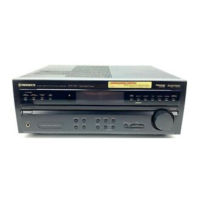
Pioneer VSX-D5O3S - User Manual

Pioneer VSX-D5O3S
32 pages
Print Icon
To Next Page IconTo Next Page
Loading...
~
SPARE
PARTS
MASTER
sna
Operating
-
H
upio/vivco
sTEREO
RECEIVER
inane
\/S
X-L)5O35
SSePRENSS
SAI
SSESEBA
DEMO
MODE
*
The
demonstration
mode
is
activated
by
turning
on
the
power
switch
while
holding
down
the
RETURN
button
(from
power
standby
condition}.
The
demonstration
will
appear
on
the
display.
©
Press
the
POWER
switch
to
cancel
the
demonstration.
¢
Activating
the
demonstration
mode
causes
memory
contents
to
return
to
their
origina!
default
condition
except
tuner.
Thank
you
for
buying
this
Pioneer
product.
IMPORTANT
NOTICE
Please
read
through
these
operating
instructions
so
you
will
know
how
to
operate
your
model
properly.
After
you
have
finished
reading
the
instructions,
put
them
away
in
a
safe
place
for
future
reference.
In
some
countries
or
regions,
the
shape
of
the
power
plug
and
power
outlet
may
sometimes
differ
from
that
shown
in
the
explanatory
drawings.
However,
the
method
af
connecting
and
operating
the
unit
is
the
same.
The
serial
number
for
this
equipment
is
located
on
the
rear
panel.
Please
write
this
serial
number
on
your
enclosed
warranty
card
and
keep
it
in
a
secure
area.
This
is
for
your
security.
RETURN
function
This
function
returns
the
unit
to
a
set
of
initial
settings
and
ready
to
broadcast
tuner.
This
is
helpful
during
troubleshooting
or
when
no
sound
is
output.
For
details,
refer
to
page
14,
WARNING:
to
prevent
FIRE
OR
SHOCK
HAZARD,
DO
NOT
EXPOSE
THIS
APPLIANCE
TO
RAIN
OR
MOISTURE.
information
to
User
Alteration
or
modifications
carried
out
without
appropriate
authorization
may
invalidate
the
user's
right
to
operate
the
equipment.
@)
PIONEER’
The
Art
of
Entertainment
Question and Answer IconNeed help?

Do you have a question about the Pioneer VSX-D5O3S and is the answer not in the manual?

Pioneer VSX-D5O3S Specifications

General IconGeneral
BrandPioneer
ModelVSX-D5O3S
CategoryReceiver
LanguageEnglish

Related product manuals