EasyManua.ls Logo

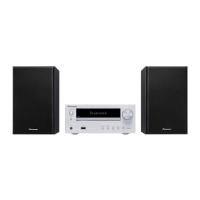
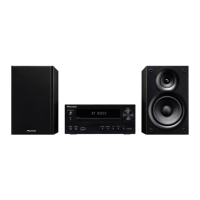
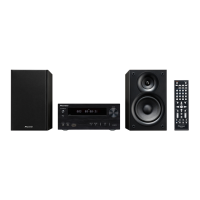
Pioneer X-HM30V-K - User Manual

Pioneer X-HM30V-K
268 pages
Print Icon
To Next Page IconTo Next Page
Loading...
En-1
DVD Receiver System
|
Micro chaîne DVD
|
Sistema receptor de DVD
DVD-Receiversystem
| Sistema DVD con amplificatore | DVD Receiver System
X-HM30V-S/-K
Operating Instructions | Mode d’emploi | Bedienungsanleitung |
Istruzioni per I’uso | Manual de instrucciones | Handleiding
Discover the benefits of registering your product online at
http://www.pioneer.co.uk
(or http://www.pioneer.eu).
Découvrez les nombreux avantages offerts en enregistrant votre produit en ligne
maintenant sur
http://www.pioneer.fr
(ou http://www.pioneer.eu).
Bitte nutzen Sie die Möglichkeit zur Registrierung Ihres Produktes
unter
http://www.pioneer.de
(oder http://www.pioneer.eu)
Registra il tuo prodotto su
http://www.pioneer.it
(o http://www.pioneer.eu) e
scopri subito quali vantaggi puoi ottenere!
Registre su producto en
http://www.pioneer.es
(o en http://www.pioneer.eu) Descubra los beneficios de registrarse on-line:
Ontdek nu de voordelen van online registratie! Registreer uw Pioneer product via
http://www.pioneer.nl - http://www.pioneer.be
(of http://www.pioneer.eu).


Table of Contents

Questions and Answers

Summary

Important Safety and Operational Guidelines

Electrical Safety Warnings

Covers risks of electric shock, warnings about opening the unit, and safe handling of the power cord.

General Usage and Environmental Precautions

Guidelines on preventing fire hazards, ensuring proper ventilation, and operating environment conditions.

Environmental, Safety, and Disposal Information

Laser Product Safety Information

Cautionary notes regarding Class 1 laser product classification and internal laser diodes.

General Product Information and Controls

General Usage Guidelines and Precautions

Covers placement, environmental factors, power handling, and general unit care.

Front Panel Controls and Indicators

Identifies and explains the functions of buttons and indicators on the main unit's front panel.

Remote Control Operations

Remote Control Functions and Layout

Details all buttons on the remote control and their corresponding functions and page references.

Disc Compatibility and Usage

Supported Disc Types

Lists all disc formats compatible with the unit, including DVD, CD, DivX, and JPEG.

Disc Playback Details

DVD Disc Information and Icons

Explains DVD disc icons, format types, subtitle options, camera angles, and audio tracks.

System Connectivity

Antenna and Speaker Connections

Guides on connecting FM/AM aerials and speakers, including wiring precautions.

Connecting to a Television for Video Output

Explains how to connect the unit to a TV using various video output options.

Advanced Connection Options

High-Quality Video Connections

Details using Component and HDMI video connections for superior picture quality.

Configuring System Settings

Accessing Setup Menus

Step-by-step guide on how to access and navigate the unit's setup menus.

Advanced Setup Configurations

Video Output and Resolution Settings

Adjusts video output format, resolution, and color settings for optimal display.

Preference and Parental Settings

Advanced Control Features

Parental and Password Management

Details setting parental restrictions and managing the unit's password.

iPod, iPhone, and iPad Integration

Supported Device Models and Compatibility Notes

Lists compatible iPod, iPhone, and iPad models and important compatibility notes.

iPod;iPhone;iPad Playback and Video Output

iPod;iPhone;iPad Playback Operations

Covers playback controls, handling incoming calls, and disconnecting devices.

DVD and iPod;iPhone;iPad Functions

iPod;iPhone;iPad Playback Functions

Details various functions for iPod, iPhone, and iPad playback, including track navigation and repeat modes.

Starting DVD Playback

Provides basic steps to insert a disc and start DVD playback.

DVD Playback Operations

Advanced DVD Playback Modes

Programmed and Direct Playback

Guides on setting custom playback orders and starting playback from specific titles or chapters.

DVD Visual Playback Enhancements

Video CD (VCD) and Super Video CD (SVCD) Playback

CD Playback and Disc Navigation

Digital Media Playback (Disc)

DivX, MP3, WMA, and JPEG Formats

Introduction to supported digital media formats and their characteristics.

Multi-Format Playback and USB Audio

USB MP3;WMA Playback (Folder Mode Off)

Guides on playing MP3/WMA files from a USB device without using folder mode.

USB Media Playback and Folder Management

USB MP3;WMA Playback (Folder Mode On)

Instructions for playing MP3/WMA files from USB devices using folder mode.

USB Audio Functions and Controls

USB Playback Controls

Details basic playback functions for USB audio, including play, pause, and track navigation.

USB Programmed and Random Playback

Programmed Playback Setup

Instructions for creating custom playlists by programming tracks from USB devices.

Radio Tuning and Station Memory

Memorizing and Recalling Stations

Instructions for storing favorite stations in memory and recalling them.

Radio Data System (RDS) Features

Auto Station Programme Memory (ASPM)

Details the automatic scanning and storage of RDS stations.

RDS Station Search and Recall

Timer and Sleep Operations

Timer Playback Setup

Instructions for setting up once-time and daily-time playback events.

Advanced Timer, Sleep and Audio Output

Timer and Sleep Management

Covers checking, cancelling, reusing timers, and setting sleep operation.

Troubleshooting Guide

General and Disc Playback Issues

Addresses common problems related to clock settings, button response, sound, and disc playback.

USB and iPod;iPhone Troubleshooting

Covers problems with device detection, playback, charging, and connectivity.

Pioneer X-HM30V-K Specifications

General IconGeneral
TypeMicro Hi-Fi System
Power Output30W
RMS rated power30 W
Audio output channels2.0
Speaker type2-way
Number of speakers2
USB direct playbackYes
Card reader integratedNo
Radio Data System (RDS)Yes
Preset stations quantity30
Ethernet LANNo
Wi-FiNo
BluetoothNo
Playback MP3Yes
Playback WMAYes
Audio formats supportedMP3, WMA
USB 2.0 ports quantity1
Headphone outputs1
Headphone connectivity3.5 mm
Line-inYes
Power sourceAC
Remote control includedYes
Disc types supportedCD-R, CD-RW
Supported radio bandsFM
Speaker Depth180 mm
Frequency Response20000 Hz

Related product manuals