
 Need help?
Do you have a question about the Pioneer X-HM32VD-K and is the answer not in the manual?
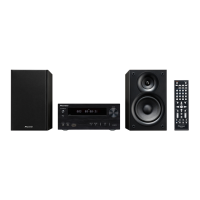
Lists the items included in the product package.
Instructions for inserting batteries into the remote control.
Guidelines and tips for operating the remote control effectively.
Identifies and explains the buttons and functions of the remote control.
Details the buttons and ports located on the front of the unit.
Explains the icons and information shown on the unit's display.
Instructions for connecting speakers to the unit's terminals.
Details how to connect the unit to a TV via HDMI or component video.
Instructions for connecting DAB/FM antennas for optimal reception.
Guide on connecting an external antenna to improve DAB/FM reception.
Steps for connecting the power cord and powering on the unit.
Steps to power on the unit, set the clock, and control basic functions.
Adjusts audio settings like equalizer, bass, treble, and P.BASS.
Instructions for setting the wake-up timer and using the sleep timer.
Guide on connecting and using headphones with the unit.
Lists compatible Apple devices and instructions for connection.
Steps to select the input and start playback of connected Apple devices.
Basic steps to insert and start playback of discs.
How to select and play specific tracks, chapters, or files by number.
Plays a specified section or entire track/file repeatedly.
Plays tracks randomly or in a user-defined order.
Explains search modes, downloading music, and playback order.
Procedure to play specific video and audio file types.
Instructions for playing audio files from USB storage devices.
Steps to play specific DivX, MP3, WMA, or JPEG files from USB.
How to play folders stored on the USB device in a programmed sequence.
How to tune into FM radio stations using automatic or manual methods.
Instructions for memorizing stations and using RDS for information.
Guide to tuning, scanning, and selecting stations for DAB+ radio.
How to store DAB stations and cycle through information displays.
How to connect external audio devices using the front or rear panel jacks.
Overview of playing music wirelessly from Bluetooth devices.
Steps to pair a Bluetooth device with the unit for the first time.
Guidelines for operating Bluetooth audio and potential interference issues.
How to adjust settings for disc and USB content playback.
Options for adjusting audio settings like DRC and picture settings.
Options for setting system parameters, languages, and display.
Procedure to reset HDMI resolution settings to factory defaults.
Comprehensive guide to resolving common operational issues and problems.
Details on language codes, disc formats, file compatibility, and regional restrictions.
Guidelines for safe operation, installation, cleaning, and disc handling.
Detailed technical specifications for amplifier, tuner, Bluetooth, and other components.
 General
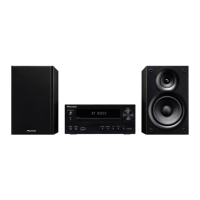
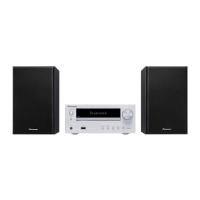
| Type | Home audio micro system |
|---|---|
| Cassette deck | No |
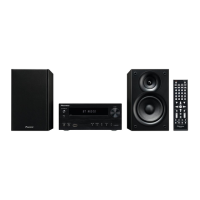
| Product color | Black |
| Optical disc player | Yes |
| Number of optical discs | 1 discs |
| Impedance | 4 Ω |
| Speaker type | 2-way |
| RMS rated power | 60 W |
| Woofer diameter | 100 mm |
| Tweeter diameter | 50 mm |
| Number of speakers | 2 |
| Supported radio bands | DAB+, FM |
| Preset stations quantity | 40 |
| Display type | FL |
| Headphone connectivity | 3.5 mm |
| USB 2.0 ports quantity | 1 |
| On Screen Display (OSD) languages | DEU, ENG, ESP, FRE, ITA |
| Disc types supported | CD, CD-R, CD-RW, DVD, DVD-R, DVD-RW |
| Audio formats supported | MP3, WMA |
| Image formats supported | JPG |
| Video formats supported | DIVX |
| Volume control | Rotary |
| Equalizer modes | Flat |
| Equalizer bands quantity | 4 |
| Power source | AC |
| Input voltage | 220-240 V |
| Input frequency | 50 - 60 Hz |
 Weight and Dimensions
| Main unit dimensions (WxDxH) | 215 x 325 x 95 mm |
|---|





 To Next Page