58
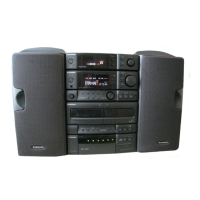
XR-MT3
1
2
3
4
5
6
7
9
10
8
11
12
13
14
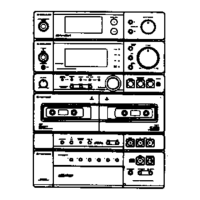
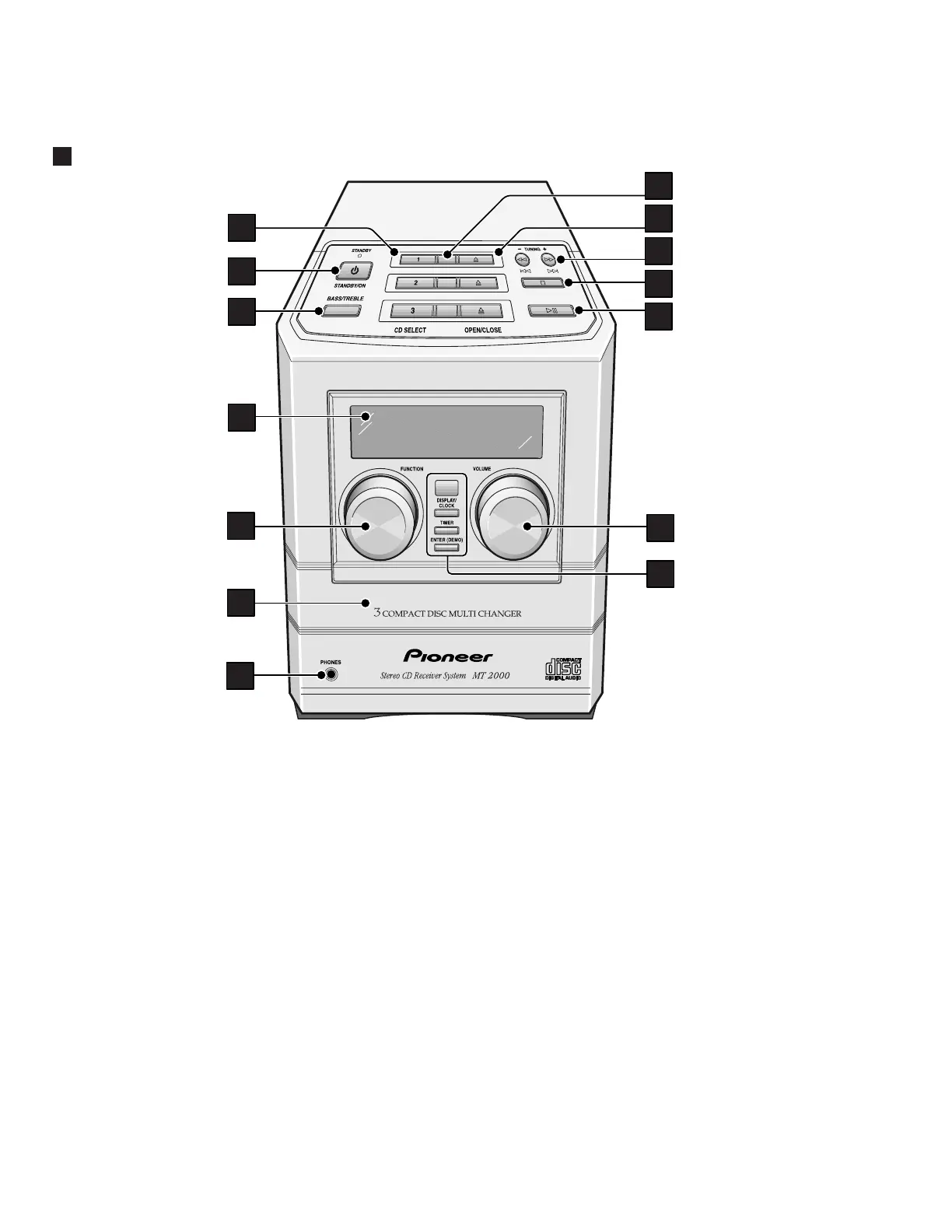
8.1 PANEL FACILITIES
8. PANEL FACILITIES AND SPECIFICATIONS
1 CD SELECT 1 / 2 / 3 – Use to select CDs, and
start playback if there's a disc loaded. Also
switches the system on if it was in standby.
2 STANDBY / ON – Press to switch on or into
standby.
3 BASS / TREBLE – Use to adjust the tone of the
sound.
4 Fluorescent display
5 FUNCTION – Turn to select the source to listen to:
CD, radio or an external component.
6 Disc tray
7 PHONES socket – Plug in a pair of headphones
for private listening.
8 Disc indicators – Indicate whether a disc is
loaded in that disc tray (blinks while loading; lights
when loaded)
9 OPEN / CLOSE 0 – Use to open or close indi-
vidual disc trays. Also switches the system on if it
was in standby.
10 1 / 4 / TUNING – – When using the CD
player, use to scan backwards, or skip back
tracks. When using the radio, use for tuning and to
select preset stations.
¡ / ¢ / TUNING + – When using the CD
player, use to scan forwards, or skip forward
tracks. When using the radio, use for tuning and to
select preset stations.
11 7 – Press to stop a CD playing. Also cancels auto
scan tuning.
12 38 – Press to start or restart a CD playing, or
pause a disc that's already playing. Also switches
the system on if it was in standby.
13 VOLUME – Turn to adjust the volume.
14 DISPLAY / CLOCK – Press to change the CD or
station information shown in the display. Also use
to set/display the clock.
TIMER – Use to set the wake up.
ENTER (DEMO) – Use to save a radio station
preset; set the clock or timer. Also switches the
demo on/off.
Front Panel


 To Next Page
 Loading...