EasyManua.ls Logo

Pioneer XV-DV180 - User Manual

Pioneer XV-DV180
106 pages
Print Icon
To Next Page IconTo Next Page
Loading...
Operating Instructions
Manual de instrucciones
HTZ180DVD
DVD/CD Receiver | Receptor con DVD/CD
XV-DV180
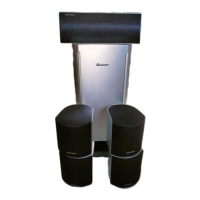
Speaker System | Sistema de altavoces
S-DV180
HTZ180DVD_en_RXJ.book 1 ペー 093月7日 火曜 午6時3分

Table of Contents

Other manuals for Pioneer XV-DV180

Question and Answer IconNeed help?

Do you have a question about the Pioneer XV-DV180 and is the answer not in the manual?

Summary

FEDERAL COMMUNICATIONS COMMISSION DECLARATION OF CONFORMITY

01 Speaker Setup Guide

Home theater sound setup

Guides for setting up speakers in different configurations for optimal home theater sound.

Preparing the speakers

Instructions on attaching non-skid pads and preparing speakers for placement or mounting.

Wall mounting the speakers

Details on safely mounting front and surround speakers, including cautions and mounting screw requirements.

02 Connecting up

Basic connections

Diagram and instructions for connecting speakers, TV, and power for initial setup.

Connect the AM and FM antennas

Steps for connecting the supplied AM loop and FM antennas for radio reception.

Connect each speaker

Guidance on connecting speaker wires to the receiver terminals, ensuring correct polarity and security.

03 Controls and displays

Front panel

Identification and description of buttons and indicators on the front panel of the main unit.

Display

Explanation of the various indicator lights and their meanings during operation and playback.

Remote control

Overview of the remote control buttons, their functions, and how to use them for system operation.

04 Getting started

Setting Speaker Layout

Guide to select the appropriate speaker layout (5 SPOT or 3 SPOT) based on room setup.

Setting the channel levels

Procedure for adjusting individual speaker volume levels using a test tone for balanced sound.

Using the on-screen displays

Explanation of how to navigate and use the graphical on-screen displays (OSDs) for system operation.

05 Listening to your system

Selecting Listening mode

How to choose various listening modes to enjoy different sound effects based on speaker setup.

Auto listening mode

Automatically selects the best listening mode based on the source material for optimal playback.

Listening in surround sound

How to activate and select surround sound modes for a more immersive audio experience.

06 Disc playback features

Scanning discs

Instructions on how to fast-scan discs forward or backward at different speeds during playback.

Playing in slow motion

Guide to play DVDs, Video CDs, and DivX video discs in various forward and reverse slow motion speeds.

Browsing DVD or Video CD;Super VCD discs with the Disc Navigator

How to use the Disc Navigator to browse and select content on discs for playback.

07 USB playback and Recording

Using the USB interface

Connect and play audio, DivX video, and JPEG files from USB mass storage devices.

Recording the tracks of a music CD on a USB device

Steps to record music tracks from a CD onto a connected USB device.

08 Singing karaoke

Singing karaoke

Instructions on plugging in a microphone, selecting backing tracks, and adjusting levels for karaoke.

09 Audio Settings and Video Adjust menus

Audio Settings menu

Adjust audio parameters like Dynamic Range Control (DRC) for optimized sound output.

Video Adjust menu

Settings to fine-tune picture quality, including sharpness, brightness, contrast, hue, and chroma level.

10 Initial Settings menu

Using the Initial Settings menu

Guide to access and configure initial system settings like video output and parental locks.

Video Output settings

Configure TV screen aspect ratio and component output format for optimal video display.

Language settings

Set preferred audio, subtitle, and DVD menu languages for playback.

11 Other connections

Connecting auxiliary audio components

Connect external audio devices like tape decks or MD players for playback.

Connecting using the component video output

How to use component video cables for improved picture quality.

Connecting using HDMI

Connect to HDMI-compatible displays for high-quality digital video and audio.

12 Additional information

Disc;content format playback compatibility

Information on the various disc types and formats supported by the player.

About DualDisc playback

Details on playing DualDiscs, including compatibility and limitations.

About DivX

Explanation of DivX video format, playback compatibility, and subtitle file support.

Troubleshooting

General

Common operational problems like no power, no sound, or remote control issues and their solutions.

DVD;CD;Video CD player

Specific issues related to disc playback, such as automatic ejection or playback errors.

Tuner

Solutions for radio reception problems like noise, static, or auto-tuning failures.

Error Messages

Language code list

Country;Area code list

Specifications

System Components

Technical details for Amplifier, Disc, Tuner, and Speaker sections.

System Dimensions and Accessories

Overall system measurements, power details, and included accessories.

Summary

FEDERAL COMMUNICATIONS COMMISSION DECLARATION OF CONFORMITY

01 Speaker Setup Guide

Home theater sound setup

Guides for setting up speakers in different configurations for optimal home theater sound.

Preparing the speakers

Instructions on attaching non-skid pads and preparing speakers for placement or mounting.

Wall mounting the speakers

Details on safely mounting front and surround speakers, including cautions and mounting screw requirements.

02 Connecting up

Basic connections

Diagram and instructions for connecting speakers, TV, and power for initial setup.

Connect the AM and FM antennas

Steps for connecting the supplied AM loop and FM antennas for radio reception.

Connect each speaker

Guidance on connecting speaker wires to the receiver terminals, ensuring correct polarity and security.

03 Controls and displays

Front panel

Identification and description of buttons and indicators on the front panel of the main unit.

Display

Explanation of the various indicator lights and their meanings during operation and playback.

Remote control

Overview of the remote control buttons, their functions, and how to use them for system operation.

04 Getting started

Setting Speaker Layout

Guide to select the appropriate speaker layout (5 SPOT or 3 SPOT) based on room setup.

Setting the channel levels

Procedure for adjusting individual speaker volume levels using a test tone for balanced sound.

Using the on-screen displays

Explanation of how to navigate and use the graphical on-screen displays (OSDs) for system operation.

05 Listening to your system

Selecting Listening mode

How to choose various listening modes to enjoy different sound effects based on speaker setup.

Auto listening mode

Automatically selects the best listening mode based on the source material for optimal playback.

Listening in surround sound

How to activate and select surround sound modes for a more immersive audio experience.

06 Disc playback features

Scanning discs

Instructions on how to fast-scan discs forward or backward at different speeds during playback.

Playing in slow motion

Guide to play DVDs, Video CDs, and DivX video discs in various forward and reverse slow motion speeds.

Browsing DVD or Video CD;Super VCD discs with the Disc Navigator

How to use the Disc Navigator to browse and select content on discs for playback.

07 USB playback and Recording

Using the USB interface

Connect and play audio, DivX video, and JPEG files from USB mass storage devices.

Recording the tracks of a music CD on a USB device

Steps to record music tracks from a CD onto a connected USB device.

08 Singing karaoke

Singing karaoke

Instructions on plugging in a microphone, selecting backing tracks, and adjusting levels for karaoke.

09 Audio Settings and Video Adjust menus

Audio Settings menu

Adjust audio parameters like Dynamic Range Control (DRC) for optimized sound output.

Video Adjust menu

Settings to fine-tune picture quality, including sharpness, brightness, contrast, hue, and chroma level.

10 Initial Settings menu

Using the Initial Settings menu

Guide to access and configure initial system settings like video output and parental locks.

Video Output settings

Configure TV screen aspect ratio and component output format for optimal video display.

Language settings

Set preferred audio, subtitle, and DVD menu languages for playback.

11 Other connections

Connecting auxiliary audio components

Connect external audio devices like tape decks or MD players for playback.

Connecting using the component video output

How to use component video cables for improved picture quality.

Connecting using HDMI

Connect to HDMI-compatible displays for high-quality digital video and audio.

12 Additional information

Disc;content format playback compatibility

Information on the various disc types and formats supported by the player.

About DualDisc playback

Details on playing DualDiscs, including compatibility and limitations.

About DivX

Explanation of DivX video format, playback compatibility, and subtitle file support.

Troubleshooting

General

Common operational problems like no power, no sound, or remote control issues and their solutions.

DVD;CD;Video CD player

Specific issues related to disc playback, such as automatic ejection or playback errors.

Tuner

Solutions for radio reception problems like noise, static, or auto-tuning failures.

Error Messages

Language code list

Country;Area code list

Specifications

System Components

Technical details for Amplifier, Disc, Tuner, and Speaker sections.

System Dimensions and Accessories

Overall system measurements, power details, and included accessories.

Pioneer XV-DV180 Specifications

General IconGeneral
Number of Channels5.1
DVD PlayerYes
FM TunerYes
Tuner BandsFM
Remote ControlYes
FunctionsDVD player
Disc Formats SupportedDVD, CD
HDMI OutputsYes
Component Video OutputsYes
Digital Audio InputsYes
USB PortYes
Speaker TypeSatellite
SubwooferYes
Audio D/A Converter24-bit/192kHz

Related product manuals