EasyManua.ls Logo

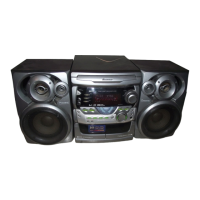
Pioneer XV-GX3 - User Manual

Pioneer XV-GX3
96 pages
Print Icon
To Next Page IconTo Next Page
Loading...
ORDER NO.
PIONEER CORPORATION 4-1, Meguro 1-chome, Meguro-ku, Tokyo 153-8654, Japan
PIONEER ELECTRONICS (USA) INC. P.O. Box 1760, Long Beach, CA 90801-1760, U.S.A.
PIONEER EUROPE NV Haven 1087, Keetberglaan 1, 9120 Melsele, Belgium
PIONEER ELECTRONICS ASIACENTRE PTE. LTD. 253 Alexandra Road, #04-01, Singapore 159936
PIONEER CORPORATION 2005
STANDBY/ON
OPEN/CLOSE
P.BASS
PUSH OPEN
REVERSE
MODE
MIC MIC VOL
MAIN SUB MIN MAX
REC/STOP FUNCTION
XV-GX3
RRV3262
STEREO DVD CASETTE DECK RECEIVER
XV-GX3
THIS MANUAL IS APPLICABLE TO THE FOLLOWING MODEL(S) AND TYPE(S).
Model Type Power Requirement
Regional
restriction codes
(Region No.)
The voltage can be
converted by the
following method.
Remarks
XV-GX3 DFLXJ
AC 110-120V/220-230V/240V
3 With the voltage selector
XV-GX3 DDXJ/RD AC 110-127V/220-230V/240V 4 With the voltage selector
XV-GX3 DDXJ/RB AC 110-120V/220-230V/240V 2 With the voltage selector
XV-GX3 MTXJ AC 220-230V 3 –––––
For details, refer to "Important Check Points for good servicing".
T-ZZS NOV. 2005 printed in Japan

Questions and Answers

  • G
    gibbstaraAug 13, 2025
    How to troubleshoot a Pioneer XV-GX3 that will not turn on?
    • L
      Laura DennisAug 13, 2025
      If your Pioneer Stereo System isn't powering on, check the wires of the output connector (POWER SUPPLY Unit) and CN901 (DVDM Assy) for disconnections or damage. If the wiring is intact, verify that the voltage output at the + side of C739 is 3.3V, and if not, the issue may be with the DVDM Assy 3.3V Regulator IC (IC341).
  • O
    Olivia WillisAug 16, 2025
    What to do if the tray of my Pioneer XV-GX3 won't open?
    • H
      Haley MoodyAug 16, 2025
      If your Pioneer Stereo System's tray won't open and an opening screen is displayed, check if the voltage of CN104-pin 3 and pin 5 on the DVDM Assy changes normally. Pin 3 (SW2(TRIN)) should be "L" when the tray is fully closed, and pin 5 (SW1(TROUT)) should be "L" when the tray is fully opened. Also, verify the signal input into IC101-pin 11 (TROPEN) on the DVDM Assy: it should be 3.3V when open and 0V when closed.
  • R
    Randall AdamsAug 20, 2025
    Why is there no display on my Pioneer XV-GX3 Stereo System monitor?
    • N
      Natalie FloresAug 20, 2025
      If your Pioneer Stereo System shows no picture but the FL display lights and the mechanism works, check the video signal path between the DVD IC (DVDM Assy IC201) and the video-out terminal, referring to the block diagram. The issue may be in the DVDM Assy video circuit after DVD IC (IC201).
  • D
    Dave TaylorAug 25, 2025
    Why won't my Pioneer Stereo System play discs (no focusing)?
    • R
      Richard AustinAug 25, 2025
      If your Pioneer Stereo System is unable to play discs (no focusing), check if the signals are output from IC101-pin 3 (FOCS_DRV) and pin 4 (FOCS_RTN) on the DVDM Assy. Also, check if the 650-nm LD emits light and if the pickup lens moves up and down, and if an actuator spring bend.
  • C
    Christopher LloydAug 27, 2025
    Why won't my Pioneer Stereo System play discs (spindle does not turn)?
    • P
      pnelsonAug 28, 2025
      If your Pioneer Stereo System is unable to play discs (spindle does not turn), check if the signals are output from IC101-pin 30 (W), pin 33 (V) and pin 35 (U) on the DVDM Assy. Ensure pin 26 (STBY) is not fixed LOW (it should be High, 3V, during playback).
  • S
    Shelby BartlettAug 31, 2025
    Why does my Pioneer XV-GX3 Stereo System stop playback?
    • D
      David SilvaAug 31, 2025
      If your Pioneer Stereo System stops playback, it might be due to a deteriorated 650-nm LD. Check if the voltage at each end of R322 and R325 on the DVDM Assy is 0.4 V or more. If so, the 650-nm LD has deteriorated. If playback of a CD is impossible, check the voltage at each end of R321 and R326 on the DVDM Assy. Also, examine the disc for scratches or dirt.
  • M
    Mark SosaSep 4, 2025
    How to fix picture disturbance during playback on Pioneer XV-GX3?
    • B
      Brandi LoganSep 5, 2025
      If your Pioneer Stereo System shows picture disturbance during playback (block noise, freeze, etc.), check the disc for scratches or dirt, and ensure there are no format issues with the disc. Also, check the video signals: Composite video signal (IC401-pin 25), S video signal (IC401-pin 21, pin 26), RGB video signal (IC401-pin 16, pin 18, pin 20).
  • B
    Brent HullSep 8, 2025
    Why is there no sound on my Pioneer XV-GX3, but the picture is normal?
    • J
      James TuckerSep 8, 2025
      If your Pioneer Stereo System has no sound but the picture is normal, check the waveform at SPDIF: CN901-pin 16.

Summary

SAFETY INFORMATION

LASER DIODE CHARACTERISTICS

Technical specifications for laser diodes used in the device.

IMPORTANT CHECK POINTS FOR GOOD SERVICING

PRODUCT SAFETY AND REPAIR GUIDELINES

Guidelines for safe repair, parts, modifications, and environment.

1. SPECIFICATIONS

AMPLIFIER, DISC, AND TUNER SPECIFICATIONS

Technical specs for amplifier, disc playback, FM/AM tuner.

2. EXPLODED VIEWS AND PARTS LIST

2.4 05 LOADER ASSY

2.5 TRAVERSE MECHANISM ASSY-S

2.6 DECK MECHANISM ASSY

3. BLOCK DIAGRAM AND SCHEMATIC DIAGRAM

3.1 BLOCK DIAGRAM

High-level block diagram of system functional units.

3.2 OVERALL WIRING CONNECTION DIAGRAM

LOAB ASSY AND WIRING CONNECTIONS

Diagrams for LOAB Assy and overall wiring connections.

3.3 DVDM ASSY (1;2)

3.4 DVDM ASSY (2;2)

3.5 MAIN ASSY (1;4)

3.6 MAIN ASSY (2;4)

3.7 MAIN ASSY (3;4)

3.8 MAIN ASSY (4;4)

3.9 DISPLAY AND MIC ASSYS SCHEMATICS

5. PCB PARTS LIST

6. ADJUSTMENT

6.1 DECK SECTION ADJUSTMENTS

Adjustment procedures for the cassette deck section.

6.1.2 PLAYBACK AND RECORDING SECTION ADJUSTMENTS

6.2 DVD SECTION ADJUSTMENTS

6.2.4 TEST MODE OPERATIONS

6.2.5 MECHANISM ADJUSTMENT

2 DVD ERROR RATE ADJUSTMENT

7. GENERAL INFORMATION

7.1 DIAGNOSIS

General diagnostic procedures for troubleshooting the unit.

7.1.6 SERVICE TEST MODE OPERATIONS

FAILURES AND ERROR MESSAGES

7.1.7 LD DEGRADATION DIAGNOSIS

7.1.8 DVD TROUBLE SHOOTING

DVD TROUBLE SHOOTING

IC FAILURE SYMPTOMS

7.1.9 ID NUMBER AND ID DATA SETTING

ID NUMBER INPUT MODE

Procedure for inputting the player's 9-digit ID number.

ID DATA INPUT MODE

7.1.10 DISASSEMBLY PROCEDURES

TRAVERSE MECHANISM & PICKUP ASSEMBLY REMOVAL

7.2 PARTS LIST

8. PANEL FACILITIES

REMOTE CONTROL FUNCTIONS

Pioneer XV-GX3 Specifications

General IconGeneral
BrandPioneer
ModelXV-GX3
CategoryStereo System
LanguageEnglish

Related product manuals