12
The instruction as below is only for the compatible flash and camera.
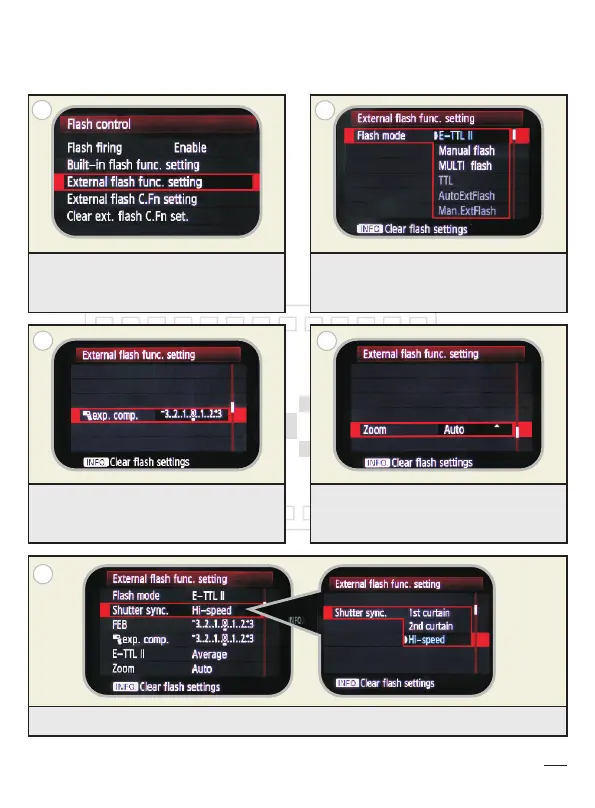
External flash function setting in camera menu:
E-TTL II mode:
After the installation, press MENU
button and enter to External flash
function setting.
Switch flash mode to manual flash
or E-TTL II
Exposure compensation setting can
be set as short-cut menu or camera
button. (Depend on the camera model)
Zoom setting: Auto or Manual
A
C
E
B
D
Shutter sync setting: 1st curtain, 2nd curtain, hi-speed. (Default as hi-speed)


 To Next Page