EasyManua.ls Logo

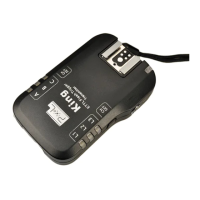
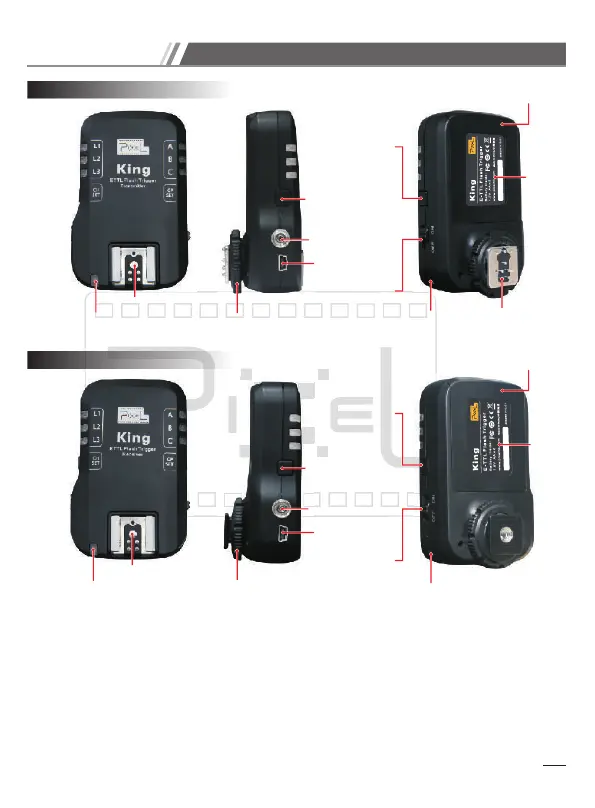
Pixel King - Name of each Part

Pixel King
16 pages
Print Icon
To Next Page IconTo Next Page
To Previous Page IconTo Previous Page
Loading...
6
Eyelet: Use strap or lanyard to hold the device
Hot Shoe: Transmitter side---Only for use with N-ETTL (flash power controller).
Receiver side---For attaching to the flashgun.
Channel setting button (CH SET): Set the device channel. Slightly press the
buttonto check the current status; press again or hold for 2sec to enter setting mode.
Name of each part
Name of each part
{
{
{
{
Eyelet
Mounting Foot
Mounting Foot
Receiver
Transmitter
Eyelet
Battery Compartment
Battery Compartment
Trigger pin
Group
Indicator
Group
Indicator
Group setting
button (GP SET)
Group setting
button (GP SET)
Power Switch
Power Switch
Hot Shoe
Hot Shoe
USB Socket
USB Socket
Channel
Indicator
Channel
Indicator
PC sync socket
PC sync socket
Channel setting
button (CH SET)
Channel setting
button (CH SET)
Operation Indicator
Operation Indicator
Sticker
Sticker

Related product manuals