14
Manually set transmitter group. Press GP SET button for 2sec to enter setting
mode.
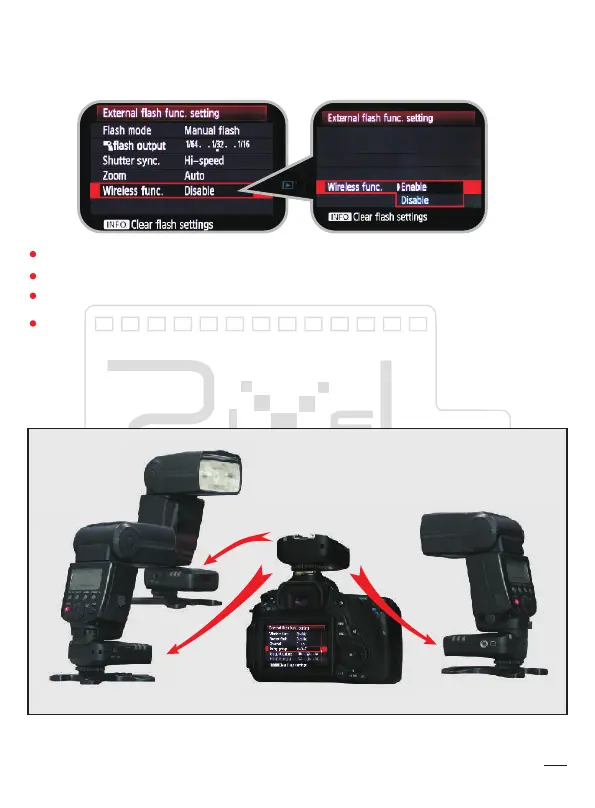
Wireless function in external flash control:
Set this mode in external flash control menu.(This is only support with some
compatible camera and flash)
1CH is corresponded with L1; 2 CH is corresponded with L2; 3 CH is corresponded
with L3; 4 CH is corresponded with L1,L2,L3.
Set each flash group power through camera menu.
Set this mode in external flash control menu.
Master flash in this menu is not support.


 To Next Page