under focus state until the button is
released or fully pressed.
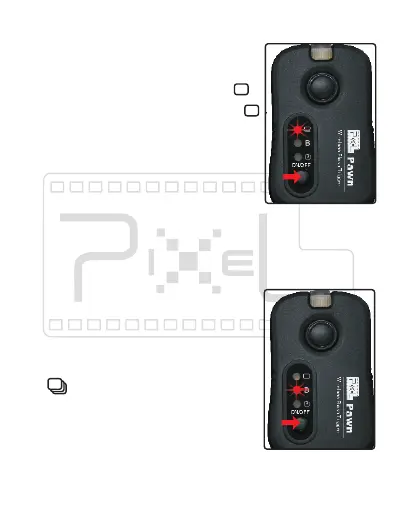
1) Press “SET” button of transmitter
slightly and choose the mode as[ ].
2) Set the camera function mode as [ ].
3) Half press the shutter release button
for sending out the focus signal. The
light indicator of the transmitter and
receiver will show green. Camera is
Single shoot function:
Control camera shooting
4) Full press the shutter release button to send out the
shooting signal. The light indicator of the transmitter
and receiver will show red. Camera is starting to shoot.
Continuous shoot (or [BULB] shoot)
function:
1)Press the TX 'setting' button and
set it as 'B'.
2)Set the Camera shooting mode as
[ ]or [BULB].
3)Half press the TX shutter release
button for sending out focus signals,
both TX and RX green indicator
lights are on. The Camera is under focus state till
released or fully pressed.


 To Next Page