6
Troubleshooting
• Display panel is blank:Pressacontrolpanelbutton,ifthe
displaystilldoesnotshow,checktheinputpowerand
fuse.
• No response during DMX control:Checkwhethera
master intensity input is required. 4+E and EF d modes
alwaysrequireamasterintensityinput(channels10
and7respectively).DMX and 16bThaveanoptional
masterintensity,dependingonthesettingofPERS >
MINT(channels4and7respectively).IftheMINT set-
ting is Onthennooutputwilloccuruntilalevelgreater
than zero is applied to the master intensity channel. See
pages2and3fordetails.
Note: It is good practice to perform a factory reset
before these fixtures are used on any new installation.
This will ensure that settings like the MINT option are set
to off and do not create the potential for confusion. See
page 1 for details of how to perform a factory reset.
• No response during DMX control:IfliveDMXiscon-
nected,therighthanddecimalpointonthedisplay
shouldash-ifnot,checktheDMXcable(s)andthe
desk output.
• Erratic operation during DMX control: Check that the
nalxturewithintheDMXdaisychainiscorrectlytermi-
natedwitha120ohmterminatorplug.
• Erratic operation during DMX control: Check that the
selected MODEmatchesthepersonalitybeingusedon
the control desk.
• Erratic operation during DMX control: Ensure that only
oneDMXdeviceinthedaisychainissetasmaster.
• Rapid colour/intensity changes not occuring: Check
whetherthetungstendimmermodeisselected(PERS >
dIMR > TUNG).Thiswouldslowthereactiontimesofthe
emittersandcouldmeanthatrapidchangesareblended
intoeachother.Chooseafasterreactingdimmermode.
• Standalone chase effects not working: Check that a
chasehasbeenprogrammedusingPROG
>
C1 and/or
PROG
>
C2 and also that MODE
>
EF M is selected.
Check also that PROG
>
LEVL is not set at zero.
• Standalone RGBA/W mixing not working: Check that
oneormorecolourvalueshavebeensetwithinMAN
section and also that the MODE
>
MANU is selected.
Firmware upgrades
Firmwareupgradesarereleasedfromtimetotimeinorder
toprovidenewoperationalfeatures.ThePixelParhasbeen
designedtoallowstraightforwardrmwareupgradingvia
itsDMXinterface,aPixelU2DUSBdeviceandacomputer.
PleasecontactPixelRangetechnicalsupportfordetails.
Weight
Fixtureandyoke: 7.5kg(16.5lbs)
Power
Inputvoltage: 100to240VAC,47to63Hzautosensing
Earthleakage 0.39mA
Connectors: Suppliedwithcableonly:live,neutral&earth
Powerrequirements: @ 230V/50Hz @ 115V/60Hz
Standby 8watts 8watts
Maximum (const.) 96watts 96watts
Start up (peak*) 30amps 15amps
* The peak value occurs only at first power up and
lasts only for a period measured in microseconds.
Approvals
Miscellaneous
Enclosurerating: IP20(notprotectedagainstmoistureingress)
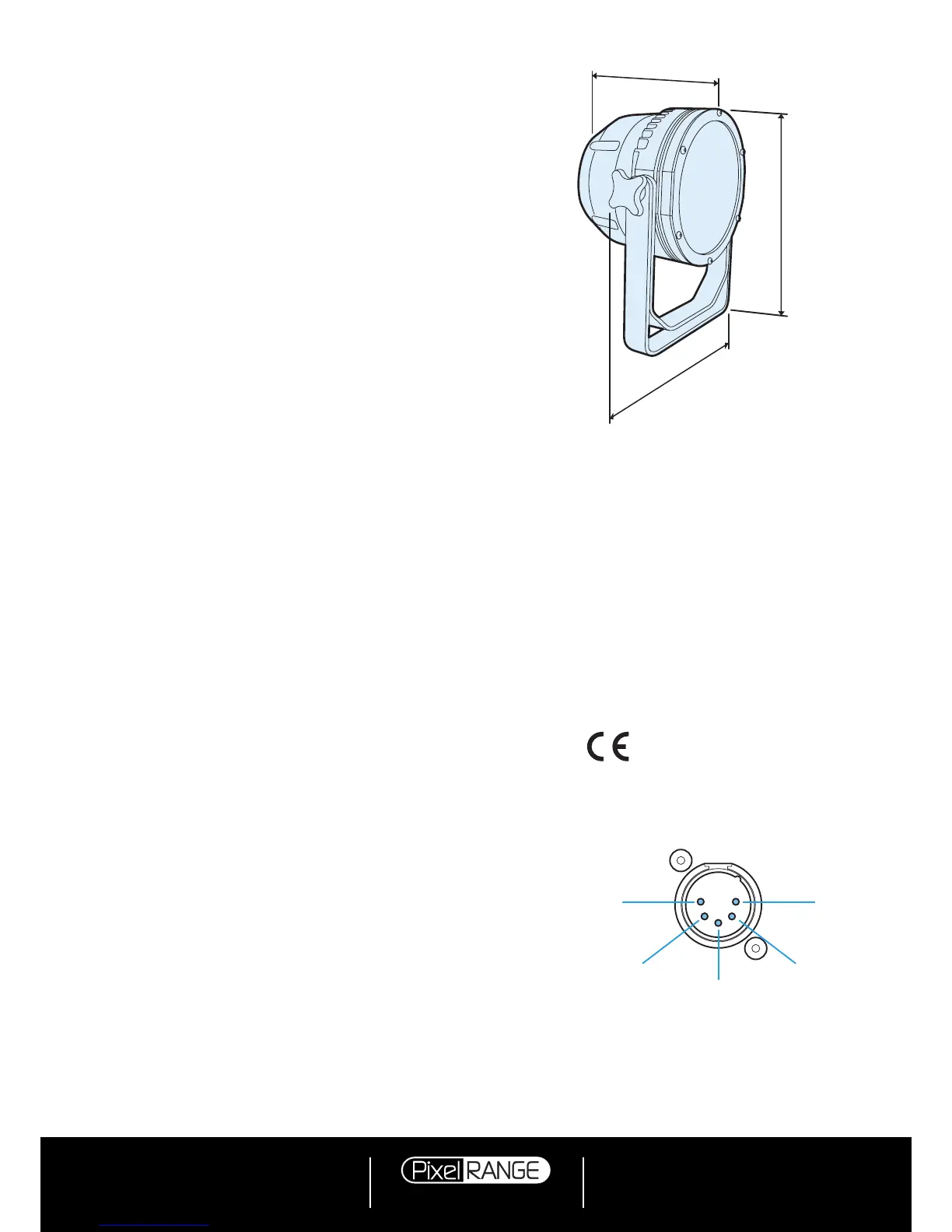
Controlinput: USITTDMX512(inputconnectorpinoutbelow)
Specifications
Dimensions
PIN 1
Ground
PIN 2
Data
–
PIN 3
Data +
PIN 5
Not used
PIN 4
Not used



 To Previous Page