Display
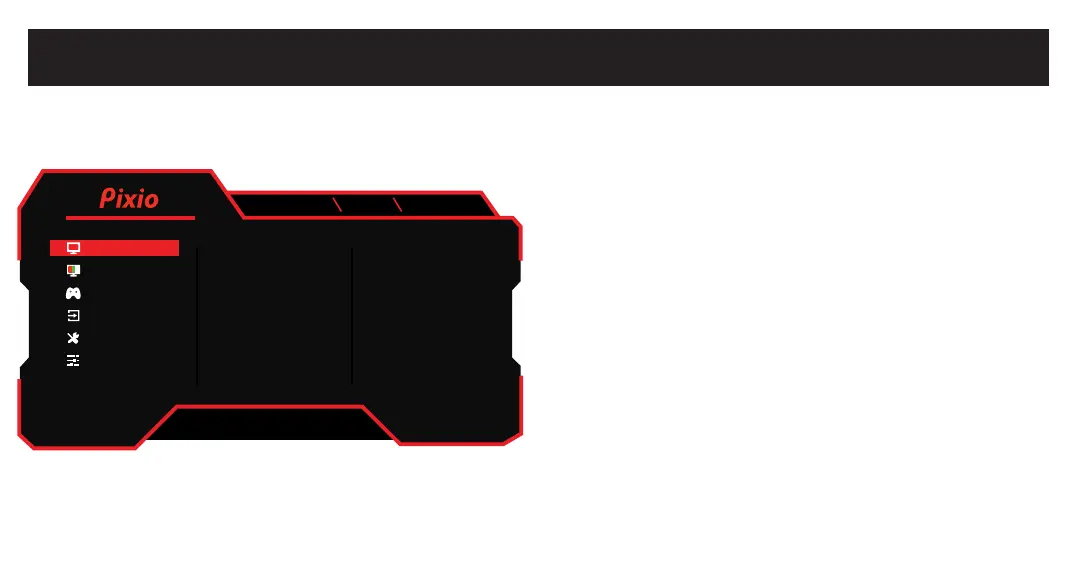
OSD Menu.
•Brightness: Adjust the display brightness value from 0 to 100.
•Contrast: Adjust the display contrast value from 0 to 100.
•Black Equalizer: Adjust the Black Equalizer value from 0 to 100.
•Preset: Select Preset from Standard, User, Movie, Photo, RTS,
FPS1, and FPS2.
•Aspect Ratio: Select Aspect Ratio from Full, 16:9, and 4:3.
[disabled when turn on the FreeSync]
•Sharpness: Adjust the Sharpness value from 0 to 100.
DP1(1.4)
3840x2160 160Hz Adaptive Sync
Brightness 90
50
50
User
Full
50
Contrast
Black Equalizer
Preset
Aspect Ratio
Sharpness
Color
Gaming Setup
Input
System Setup
User Data
V1.0
Display



 To Next Page