LC1503R/LC1503R‐CUser’sGuide
11
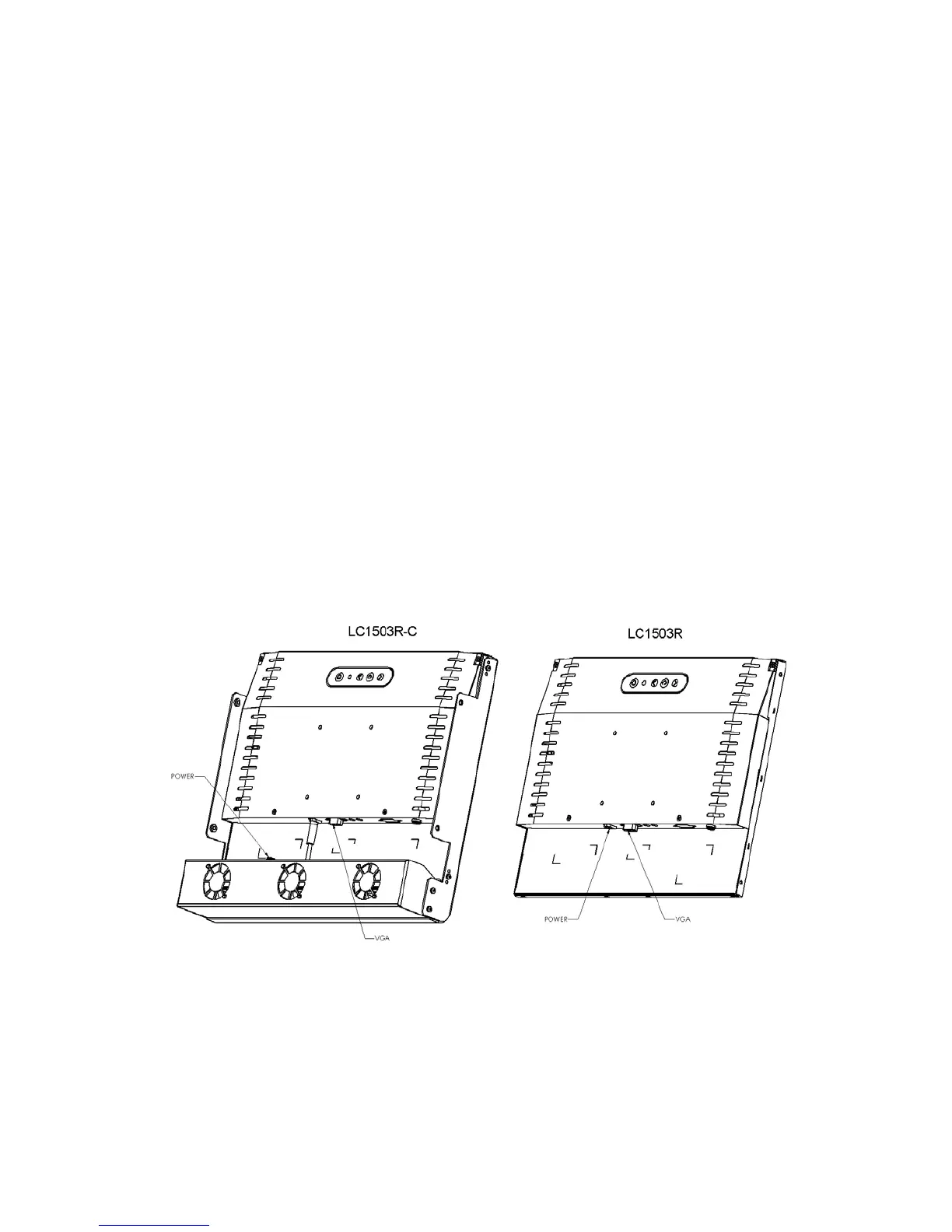
ConnectingtheDisplay(Figure1.1)
Tosetupthisdisplay,pleaserefertothefollowingfigureandprocedures.
1. Besureallequipmentisoff.
2. ConnecttheDCadaptertothepowerconnectoronthemonitorandtheotherendto
thepowercordandthepowercordintoanelectricaloutlet.
3. ConnecttheVGAsignalcablefromthedisplay’sVGAinputconnectortotheVGAport
connectorofyourhostcomputerandtightenthethumb‐screws(1.1).
4. Poweronthedisplayandthenpoweronyourhostcomputer.
Notice:ToensuretheLCDdisplayworks wellwithyourcomputer,configurethedisplaymode
ofyourgraphiccard,lessthanorequalto1024x768resolutionandmakesurethetimingof
thedisplaymodeiscompatiblewiththeLCDpanel.“VideoModes”ofthisLCDpanelarelisted
intheappendicesforyourreference.
Figure1.1



 To Next Page