9
Quick Installation
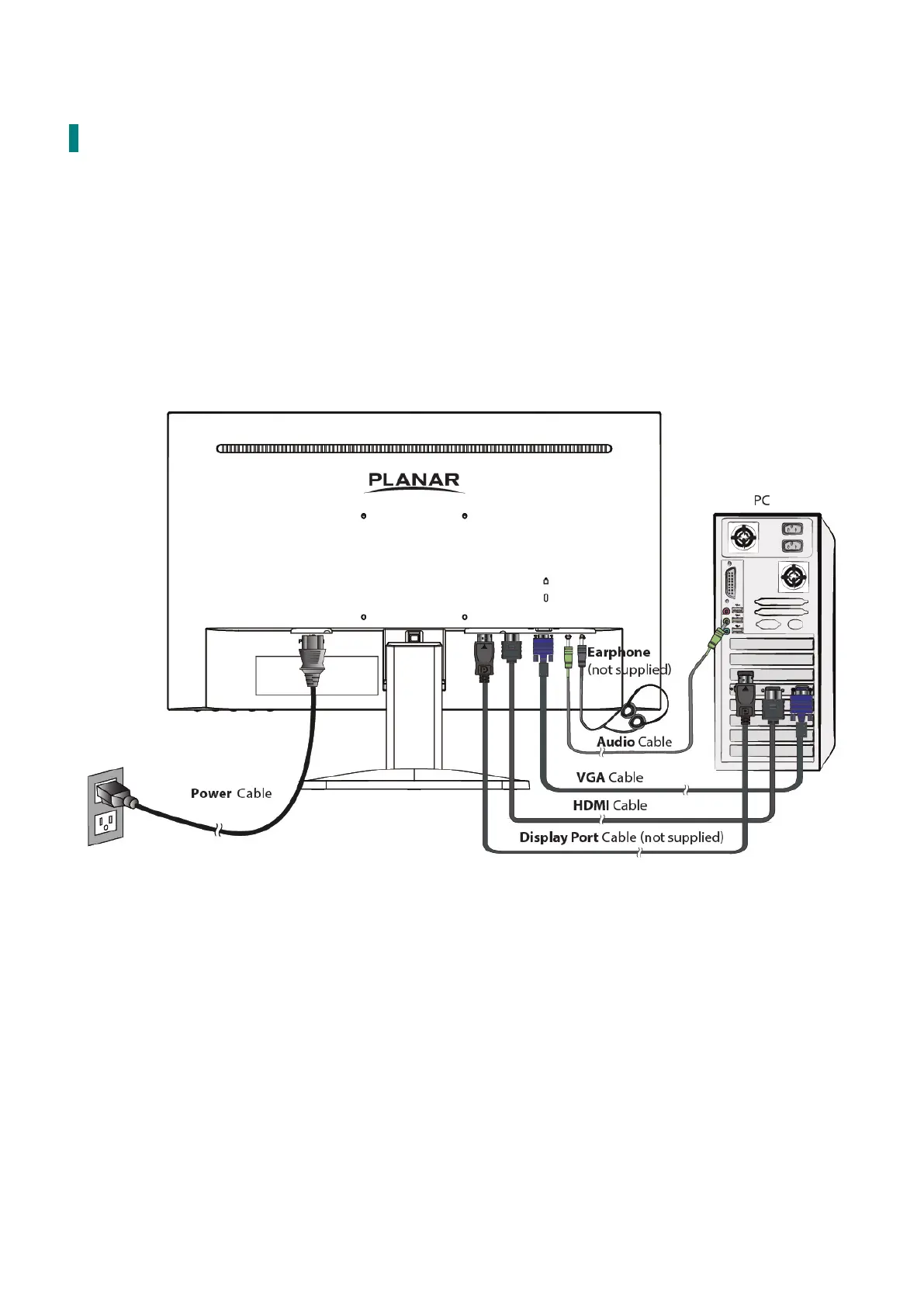
1. Connect either VGA or HDMI or DP Video Source from the monitor to the computer. Make
sure both monitor and computer are powered OFF.
2. Connect the earphone to the earphone output terminal of the monitor (Earphone not
supplied).
3. Connect the power cord to a properly grounded AC outlet, then to the monitor.
4.
Power-ON computer and then POWER-ON the monitor.
Set the timing mode on your
computer. Recommended resolution and refresh rate is 1920 x 1080 @ 60Hz
.
Figure 1:


 To Next Page