12
Advanced Operation—OSD Menu
You can use the OSD menu to adjust various settings for your
LED LCD monitor
.
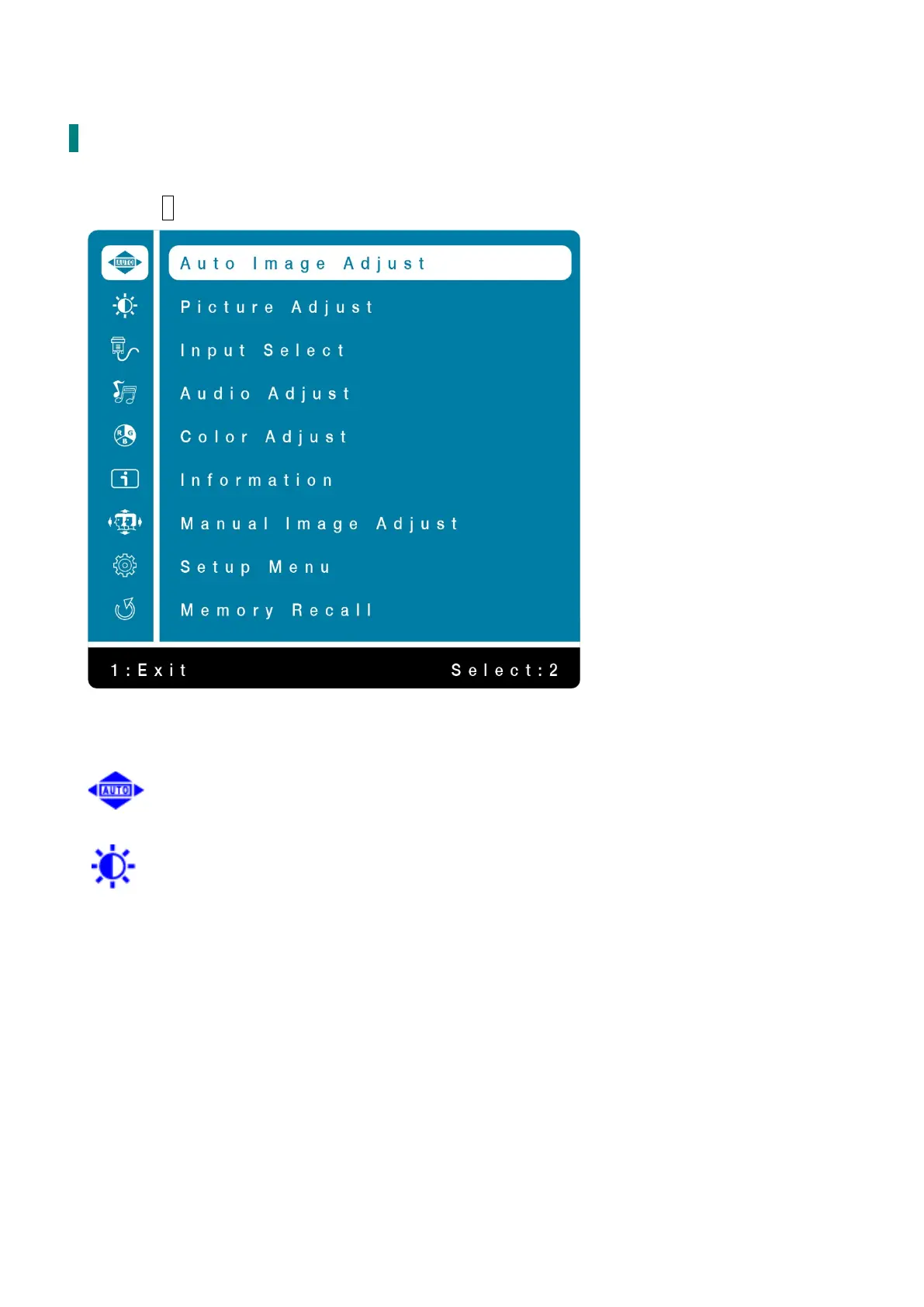
Press the 1 button to display the OSD Menu, and use ▲▼ to select the desired OSD menu.
Short Cuts Function from the button(s)
Auto Image Adjust: To auto adjust Horizontal Position, Vertical Position, Phase (Fine
Tune) and Clock (H. Size) of the screen. (Only for VGA input)
Picture Adjust: To manually adjust the Contrast, Brightness, ECO and Over Drive of
screen image.
Contrast: To adjust the foreground white level of screen image.
▲: increase contrast, ▼: decrease contrast.
Brightness: To adjust the luminance of the video.
▲: increase brightness, ▼: decrease brightness.
ECO Mode: Allows the user to change the ECO mode. Brightness adjustment will be
disabled when ECO is active.
Press ▲ or ▼ key to adjust the ECO Mode in four levels.
(Mode 1: Backlight 75%, Mode 2: Backlight 50%, Mode 3: Backlight 15%, Off: Backlight
0%)


 To Next Page