36 Liquidus Tracker
8. A Liquidus Tracker button will then appear.
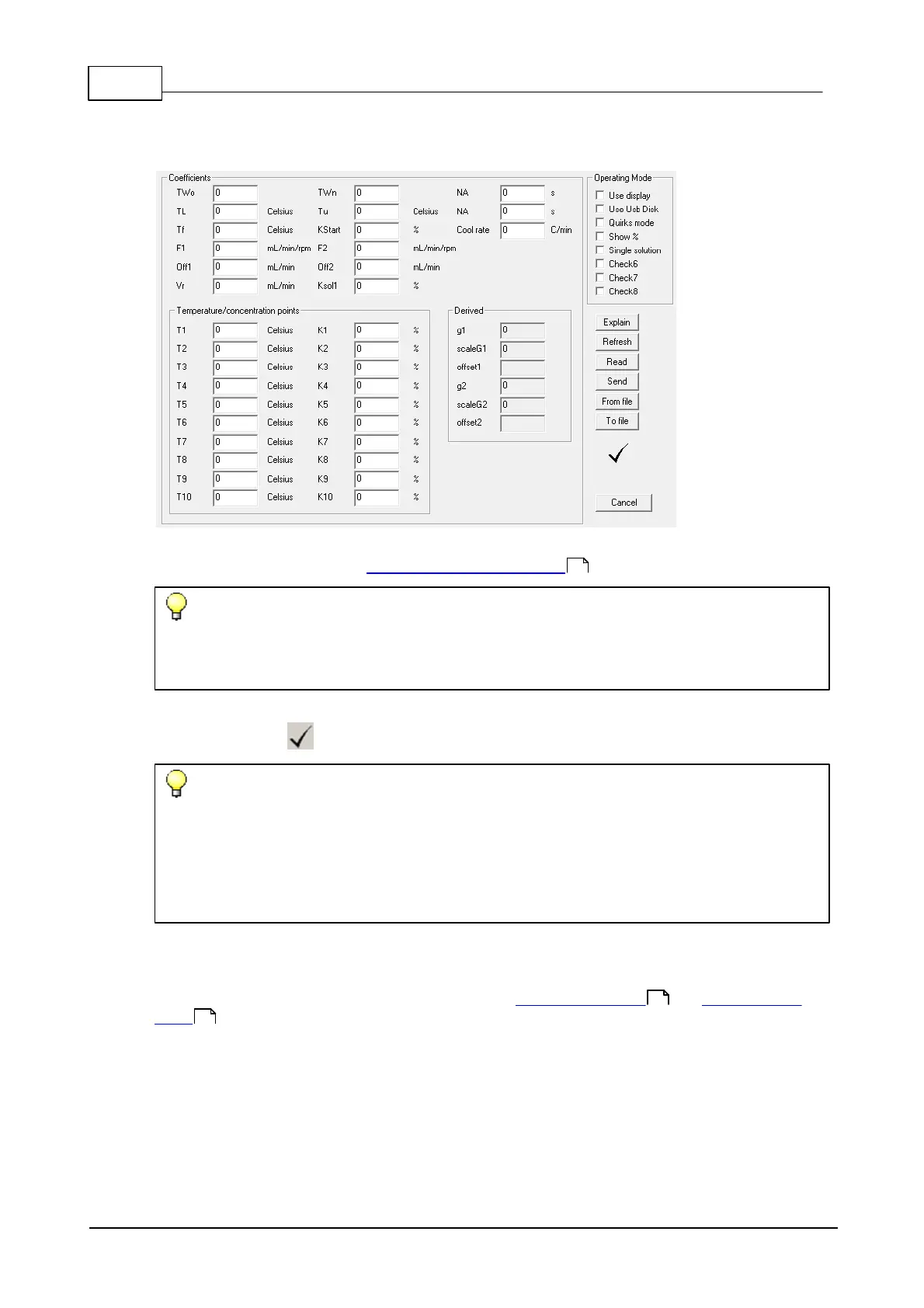
9. Click the Liquidus Tracker button to display the Special values for PID Extended window.
10.In the Coefficients section enter the appropriate parameters for the liquidus tracker. The terms
are explained in the section, Liquidus Tracking parameters .
Tip
If you want to retain the information for future use, click on the To file button to store the
parameters on your computer. They can then be retrieved by using the From file button.
11.When complete, click the Send button to transmit the values to the controller. Ensure that the
window shows a indicating successful transmission.
Tip
It is possible to check the coefficients in the controller by clicking the Read button. However,
some values are derived from the controller's stored parameters and as such the returned
coefficients will not be exactly the same as originally entered. In particular, dual solution mode,
the Vr parameter will always be returned as 1 and the F factor will be modified by the same ratio as
the new Vr.
3.2.2.1 Liquidus Tracking parameters
The system is able to operate in two different modes; Dual solution mode and Single solution
mode .
In dual solution mode, two pumps are used to provide high and low concentration solutions that are
mixed before entering the sample container thereby providing the sample with cryoprotectant at the
required concentration.
36
38
40



 To Next Page