EasyManua.ls Logo

Planet Audio P9630B - User Manual

Planet Audio P9630B
23 pages
Print Icon
To Next Page IconTo Next Page
Loading...
TELEPHONE
888-990-1236 US Toll-free
805-751-4854 Customer Service
TECHNICAL SUPPORT
www.planetaudiousa.com/customer-support
www.planetaudiousa.com
USER’S MANUAL
USER’S MANUAL
P9630B
P9630B
0518
BLUETOOTH
®
DVD/MP3 AM/FM RECEIVER
6.2" (157 mm) WIDESCREEN TOUCHSCREEN
DIGITAL TFT LED MONITOR
BLUETOOTH
®
DVD/MP3 AM/FM RECEIVER
6.2" (157 mm) WIDESCREEN TOUCHSCREEN
DIGITAL TFT LED MONITOR
iPod
®
is a trademark of Apple, Inc. registered in the U.S. and other countries.
Planet Audio is not affiliated with Apple, Inc.
The Bluetooth
®
word mark and logos are registered trademarks owned by Bluetooth SIG, Inc.
and any use of such marks by Planet Audio is under license. Other trademarks and trade
names are those of their respective owners.

Questions and Answers

Summary

Installation & Wiring

Unit Installation

Install the main unit and brackets.

Wire Connection

Connect the unit's wiring harness.

Safety Connections

Parking Brake Connection

Connect the parking brake wire for video playback.

Audio Setup

Speaker Connection

Connect speakers to the unit correctly.

User Interface

Button Description

Overview of unit buttons and functions.

Remote Operation

Source Operations

Settings & Configuration

Bluetooth Functionality

Troubleshooting Guide

Common Issues & Solutions

Resolve power, sound, and operation problems.

Overview

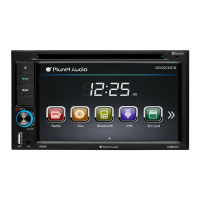
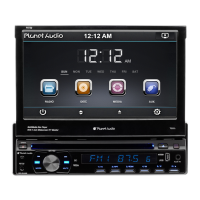
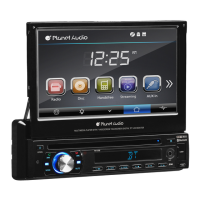
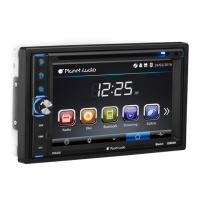
This document describes the Planet Audio P9630B multimedia receiver, a Bluetooth® DVD/MP3 AM/FM receiver featuring a 6.2" (157 mm) widescreen touchscreen digital TFT LED monitor. The manual provides comprehensive instructions for installation, operation, and troubleshooting, ensuring users can maximize their entertainment experience.

Function Description

The P9630B serves as a central entertainment hub for vehicles, offering a variety of audio and video playback options. Its core functions include:

  • Radio Operation: The unit supports AM/FM radio reception across multiple bands (FM1, FM2, FM3, AM1, AM2) and allows users to manually or automatically search for stations. It includes features like preset scan (PS) to scan all preset stations and auto save (AS) to automatically save stations with good reception. Users can switch between stereo and mono sound reception.
  • DVD/CD Playback: The device plays DVDs and CDs, supporting various formats including DVD±R/RW Video and CD±R/RW Audio & Video. It automatically starts playing when a disc is inserted and offers controls for skipping tracks, fast forward/reverse, pause/play, and selecting audio tracks or subtitles.
  • USB/SD Operation: The unit features USB and SD card slots for multimedia playback of MP3, WMA, MPEG1, MPEG2, and AVI files. It supports repeat functions (REP 1, REP DIR, REP ALL) and random playback. Users can skip tracks, pause/play, and manage files.
  • Bluetooth® Connectivity: The P9630B enables hands-free calling and audio streaming (A2DP) via Bluetooth. Users can pair their mobile phones, make and receive calls, access phonebook contacts, and transfer calls between the unit and the phone. The device can store up to five paired phone names and automatically connect to the last paired phone upon power-on.
  • Aux-In Mode: An Aux-In jack on the front panel allows connection of external audio signal sources. This mode displays "NOW PLAYING" when an audio signal is detected. Note that Aux-In does not support video display.
  • Rear View Camera Support: The unit is equipped with a Rear View Camera input, enabling users to view the area behind the vehicle when backing up, enhancing safety.
  • Subwoofer Output: The device includes a SUB output for connecting a subwoofer, allowing users to enhance bass audio.

Usage Features

The P9630B is designed for intuitive operation through its touchscreen and physical buttons, complemented by a remote control.

  • Touchscreen Interface: The 6.2" widescreen touchscreen provides a user-friendly interface for navigating menus, selecting modes, and controlling playback. Icons represent different functions, and users can swipe left or right to switch between menu pages.
  • Button Description:
    • MIC: For hands-free communication.
    • EJECT Button: Ejects a disc. If not removed, the disc is reinserted automatically.
    • HOME BUTTON: Returns to the main menu.
    • SOURCE BUTTON: Changes the operating mode (Radio, Disc, USB, SD, Bluetooth, Aux-In).
    • POWER / MUTE Button / VOL Knob: Powers the unit on/off, mutes/unmutes audio, and adjusts volume.
    • USB/SD/AUX Slots: Front-panel slots for connecting USB devices, SD cards, and Aux-In cables.
    • DISC Slot: For inserting DVDs/CDs.
    • Display: LCD screen showing operational information.
    • Remote Sensor: Receives signals from the remote control.
  • Remote Control: A comprehensive remote control duplicates most touchscreen and physical button functions, offering convenience for users. It includes buttons for mode selection, power, navigation (UP, DOWN, LEFT, RIGHT, ENTER), eject, stereo/mono toggle, preset scan, seek, loudness, stop/PBC, OSD, play/pause, mute/Bluetooth, menu/root, subtitle, setup, dial/angle, hang up, volume up/down, zoom, select, audio, and numeric input.
  • Settings Operation: The unit offers extensive customization options through its settings menu:
    • General Control: Allows selection of OSD language, wallpaper, panel touch calibration, radio area, and clock/calendar settings.
    • SWC (Steering Wheel Control): Enables programming of steering wheel buttons for unit control, enhancing driving safety and convenience.
    • Key Beep: Toggles beep sounds for button presses.
    • Standby Display: Configures standby display options.
    • DVD Setup Menu: Provides settings for audio language, subtitle language, menu language, password, and rating.
    • Sound Control: Includes sound effects (subwoofer on/off, loudness, loud cut off frequency), EQ settings (User, Classic, Rock, Pop, Jazz, Electric, Flat), balance, fader, and surround sound options (Concert, Wide, Church, Live, Passive, None).
    • TV Type: Adjusts aspect ratio (4:3PS, 4:3LB, 16:9), screen brightness, contrast, hue, saturation, sharpness, and backlight time.
    • Bluetooth Section: Manages auto-connect and auto-answer features for Bluetooth.
  • Parking Brake Connection: For safety and legal compliance, video playback is only enabled when the parking brake wire is connected and the vehicle is parked.
  • Brightness Adjustment: The unit allows adjustment of the TFT panel brightness.

Maintenance Features

The manual provides guidelines for proper care and troubleshooting to ensure the longevity and optimal performance of the P9630B.

  • Disc Handling:
    • Always handle discs by the edges to avoid fingerprints and scratches.
    • Clean discs gently from the center outwards with a soft cloth.
    • Avoid using benzene, thinner, or other volatile chemicals for cleaning.
    • Do not use damaged, cracked, warped, or irregularly shaped discs, as they can damage the player.
    • Store discs vertically in their cases, away from direct sunlight, high temperatures, or humidity.
  • Remote Control Battery:
    • Remove the battery if the remote control will not be used for an extended period to prevent leakage and corrosion.
    • Replace the battery with a new CR2025 (3V) lithium cell when the remote control stops working effectively.
    • Dispose of empty batteries according to local regulations.
    • Keep batteries out of reach of children and seek medical attention if swallowed.
  • Troubleshooting Guide: The manual includes a detailed troubleshooting section to help users diagnose and resolve common issues such as:
    • No Power: Check ignition, fuse, and power supply connections.
    • No Sound Output: Verify speaker connections, power antenna lead, and amplifier remote wires.
    • Buttons Not Responding/Display Inaccurate: Reset the unit using a pen or toothpick, or clean panel/main unit connectors.
    • Disc Loading/Reading Issues: Ensure the disc is inserted correctly (label facing upward), clean dirty discs, replace scratched/warped discs, and allow the unit to dry if condensation occurs.
    • Sound Skips: Adjust installation angle (less than 30 degrees) and ensure discs are clean and undamaged.
    • Radio Reception Issues: Check antenna cable connection and manually select stations if signals are weak.

By following these guidelines, users can maintain their Planet Audio P9630B multimedia receiver in excellent condition and enjoy years of reliable entertainment.

Planet Audio P9630B Specifications

General IconGeneral
BluetoothYes
USB PortYes
Aux InputYes
AM/FM RadioYes
Preamp OutputsYes
EqualizerYes
Display TypeLCD
SD Card PortYes
DIN SizeDouble DIN
TouchscreenNo
Steering Wheel Control CompatibleYes
Rear Camera InputYes
Remote ControlYes
Subwoofer OutputYes
Detachable FaceplateNo
Power Output80 Watts x 4 Channels
Screen SizeNo Screen
Peak Power Output80 Watts x 4 Channels

Related product manuals