EasyManua.ls Logo

Planet Audio P9628B - User Manual

Planet Audio P9628B
23 pages
Print Icon
To Next Page IconTo Next Page
Loading...
TELEPHONE
888-990-1236 US Toll-free
805-751-4854 Customer Service
TECHNICAL SUPPORT
www.planetaudiousa.com/customer-support
www.planetaudiousa.com
USER’S MANUAL
USER’S MANUAL
P9628B
P9628B
0118
BLUETOOTH
®
| DVD/MP3 AM/FM RECEIVER
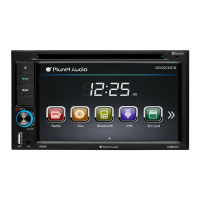
6.2" (157 mm) WIDESCREEN TOUCHSCREEN
DIGITAL TFT LCD MONITOR
BLUETOOTH
®
| DVD/MP3 AM/FM RECEIVER
iPod
®
is a trademark of Apple, Inc. registered in the U.S. and other countries.
Planet Audio is not affiliated with Apple, Inc.
The Bluetooth
®
word mark and logos are registered trademarks owned by Bluetooth SIG, Inc.
and any use of such marks by Planet Audio is under license. Other trademarks and trade
names are those of their respective owners.

Questions and Answers

Summary

Unit Installation

Bracket Installation

Instructions for attaching mounting brackets to the unit.

Wire Connection

Input;Output Interface Description

Details the rear cabinet's input/output connections and wiring harness.

Parking Brake Connection

Connecting Reversing Line to Taillight

Explains how to connect the reversing line to the car's taillight.

Speaker Connection

Correct and Incorrect Speaker Wiring

Illustrates correct and incorrect speaker wiring diagrams to prevent damage.

Intro

Unit Component Identification

Identifies and describes the main components and controls of the unit.

Remote Control

Remote Control Button Functions

Details the functions of various buttons on the remote control.

Main Menu

Navigating the Main Menu

Explains how to navigate the main menu and access different modes.

Radio Operation

Radio Function Controls

Describes how to operate radio functions like tuning, presets, and reception.

DVD Operation

DVD Player Controls

Explains how to use the DVD player controls for playback and settings.

USB;SD Operation

USB;SD Media Playback Controls

Details controls for playing media from USB and SD cards.

Settings Operation

General Control Settings

Explains how to customize general system settings like language and wallpaper.

Bluetooth Operation

Bluetooth Pairing and Auto-Connect

Guides on pairing phones and the auto-connect feature.

Aux In Operation

AUX-IN Mode Operation

Explains how to use the AUX input for audio playback.

Notes of Disc

Disc Handling and Storage Guidelines

Provides instructions for handling, cleaning, and storing discs properly.

Troubleshooting

General Troubleshooting Guide

Lists common symptoms, causes, and remedies for unit issues.

General Specification

Technical Specifications

Lists detailed technical specifications of the receiver.

Overview

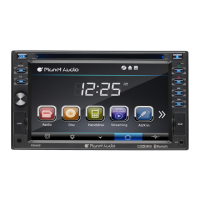
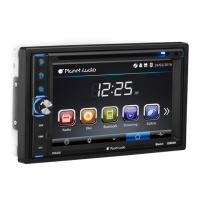
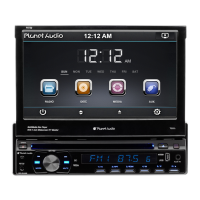
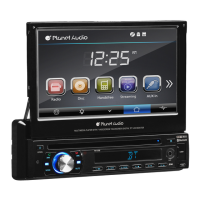
The Planet Audio P9628B is a multimedia receiver featuring Bluetooth connectivity, DVD/MP3 playback, and AM/FM radio. It boasts a 6.2-inch (157 mm) widescreen touchscreen digital TFT LCD monitor, designed to provide a high level of performance and quality for in-car entertainment.

Function Description:

The P9628B serves as a central entertainment hub for vehicles, offering various audio and video playback options. Its core functions include:

  • Radio Operation: Supports FM and AM bands with preset memory stations. Users can manually or automatically search for stations, switch between FM1, FM2, FM3, AM1, and AM2 bands, and select mono sound reception. A PS (preset scan) function allows scanning all preset stations in the current band, while AS (auto save) automatically saves stations with good reception.
  • DVD/CD Playback: Plays DVDs, CDs, and various multimedia formats including SVCD, VCD, HDCD, MP3, MP4, VIDEO, CDDA, PICTURE CD, CD-R/-RW, and DVD±R/±RW. It supports functions like track skipping, pause/play, repeat (REP 1, REP Title, REP ALL), random playback, subtitle selection, audio language selection, and viewing angle changes. Video playback is restricted when the parking brake is not engaged for safety reasons.
  • USB/SD Operation: Allows playback of music, video, and photo files from USB drives and SD/MMC cards. Supported music file formats include MP3 and WMA. Video formats include mpeg1, mpeg2, and avi. Features include repeat (REP 1, REP DIR, REP ALL), track skipping, pause/play, random playback, image rotation, and zoom functions for photos.
  • Bluetooth Connectivity: Enables hands-free telephone conversations and A2DP (Advanced Audio Distribution Profile) music streaming. Users can pair mobile phones, dial numbers, accept/reject calls, transfer calls between the unit and phone, and stream audio from their mobile device. The unit can store up to five paired phone names and automatically connect to the last paired device.
  • Aux-In Mode: Provides an auxiliary input jack on the front panel for connecting external audio signal sources. The unit displays "NOW PLAYING" when an audio signal is detected, but does not support video display via Aux-In.
  • System Settings: Offers a comprehensive settings menu to customize the device. This includes OSD language selection, wallpaper settings, touch panel calibration, radio area selection (Europe, USA, South America, Russia, Asia), clock and calendar settings, Steering Wheel Control (SWC) programming, key beep sound on/off, standby display settings, and firmware version display. DVD-specific settings include auto language for audio, subtitle, and menu, password protection, and rating control. Sound control settings include subwoofer on/off, loudness on/off, and loud cut-off frequency. EQ settings allow for various sound presets (User, Classic, Rock, Pop, Jazz, Electric, Flat) and balance/fader adjustments. TV type settings allow adjusting aspect ratio, screen brightness, contrast, hue, saturation, sharpness, and backlight time.

Important Technical Specifications:

  • Power Supply: 11~16V DC
  • Current Consumption: Max. 10 A
  • Maximum Power Output: 80W x 4 channels (max)
  • Working Temperature Range: -20°C to +60°C
  • ESP Function: 10 sec. for Audio CD, 120 sec. for MP3
  • Screen Size: 6.2 inch
  • Resolution: 800x480 pixel
  • Aspect Ratio: 4:3/16:9
  • Brightness: 460 cd/m²
  • Contrast Ratio: 500:1
  • FM Radio Frequency Range:
    • Europe: 87.5-108MHz (50KHz step)
    • America: 87.5-107.9MHz (200KHz step)
    • Asia: 87.5-108MHz (100KHz step)
    • South America: 87.5-108MHz (100KHz step)
    • Russia: 65-74MHz (30KHz step)
  • AM Radio Frequency Range:
    • Europe: 522-1620KHz (9KHz step)
    • America: 530-1710KHz (10KHz step)
    • Asia: 531-1602KHz (9KHz step)
    • South America: 520-1710KHz (10KHz step)
    • Russia: 522-1620KHz (9KHz step)
  • Audio Frequency Response: 20 Hz-20 KHz
  • TV Color System: NTSC/PAL
  • USB Interface: USB 2.0 full speed
  • Dimensions (W x D x H) / Weight: 657039 inch / 46 Pounds (Note: The unit of weight seems incorrect, likely referring to ounces or a similar small unit, not pounds for these dimensions).

Usage Features:

  • Touchscreen Interface: The primary method of interaction is through the 6.2-inch touchscreen, allowing intuitive navigation through menus and functions by tapping icons.
  • Remote Control: A full-function remote control is included, providing access to all major operations, including mode selection, power, volume, track control, menu navigation, and Bluetooth call management.
  • Front Panel Controls: Physical buttons on the unit's front panel include MODE, EJECT, POWER/MUTE/VOL knob, and an RST (reset) button.
  • Parking Brake Safety Feature: Video playback is enabled only when the parking brake wire is connected and the vehicle is parked, ensuring driver safety and compliance with laws.
  • Rear View Camera Input: Supports connection to a rear view camera, automatically displaying the camera feed when the vehicle is in reverse gear.
  • Steering Wheel Control (SWC): Allows programming the unit to respond to existing steering wheel controls for convenient operation without taking hands off the wheel.
  • Customizable Display: Users can adjust wallpaper, brightness, contrast, hue, saturation, and sharpness of the TFT panel.

Maintenance Features:

  • Disc Handling: Instructions are provided for proper handling of discs to prevent damage and maintain playback quality, including holding techniques, cleaning methods (using a soft cloth and water for tough dirt), and storage recommendations. Warnings against using damaged, scratched, or irregularly shaped discs are also given.
  • Troubleshooting Guide: A comprehensive troubleshooting section helps users diagnose and resolve common issues such as no power, no sound, disc loading/reading errors, unresponsive buttons, inaccurate display, sound skips, and radio reception problems. Solutions often involve checking connections, replacing fuses, cleaning discs, resetting the unit, or adjusting settings.
  • Battery Replacement (Remote Control): The remote control uses a CR2025 (3V) lithium cell battery. Instructions are provided for replacement and proper disposal, along with safety warnings regarding battery handling.
  • Reset Function: A dedicated RST button on the front panel allows users to reset the device to factory default settings, which can resolve various operational issues.

Planet Audio P9628B Specifications

General IconGeneral
BrandPlanet Audio
ModelP9628B
CategoryCar Receiver
LanguageEnglish

Related product manuals