To Next Page
S
Samuel HarrellAug 17, 2025
What to do if parking break wiring is not correct in Planet Audio Car Receiver?
- MMark SanchezAug 17, 2025
If the parking brake wiring is not correct in your Planet Audio Car Receiver, check the wiring and correct it.

What to do if parking break wiring is not correct in Planet Audio Car Receiver?
If the parking brake wiring is not correct in your Planet Audio Car Receiver, check the wiring and correct it.
Why is there no/low audio output from my Planet Audio PNV9680?
If you're experiencing no or low audio output from your Planet Audio Car Receiver, here's what you can check: * First, make sure the volume isn't set too low and increase it. * Verify the audio output connections are properly wired and correct any issues. * Adjust the channel balance to the center position if it's heavily biased. * Ensure the speaker wiring isn't in contact with any metal parts of the car; if it is, insulate the connections. * Finally, the speakers may be damaged and need replacing.
How to fix a Planet Audio PNV9680 Car Receiver that will not power on?
If your Planet Audio Car Receiver won't power on, here are a few things to check: * First, inspect the unit's fuse and the car battery fuse. If either is blown, replace it with a new fuse of the correct rating. * If the issue persists, try resetting the unit, as it may be due to an illegal operation.
What to do if my Planet Audio PNV9680 has poor sound quality or distortion?
If you're experiencing poor sound quality or distortion with your Planet Audio Car Receiver, consider the following: * If you are using a disc, ensure it is an original and not a pirated copy. * Also, verify that your speaker's power rating matches the unit. If not, consider replacing the speakers. * Check the speaker wiring and correct if needed. The speaker may be shorted.
Why does my Planet Audio PNV9680 Car Receiver disc not play back?
If a disc does not play back in your Planet Audio Car Receiver, consider the following: * Ensure the disc is in good condition, not warped or scratched. If it is, use a disc in good condition. * Clean the disc with a soft cloth if it's dirty or wet. * Make sure you're using a compatible disc, inserted with the label side up. * Verify the disc region code is compatible with your unit.
Why does my Planet Audio PNV9680 reset itself when the engine is off?
If your Planet Audio Car Receiver resets itself when the engine is off, it might be due to an incorrect connection between the ACC and BATT. Check the wiring and correct it if necessary.
How to fix color system mismatch on Planet Audio Car Receiver DVD disc?
If the color system of the DVD disc does not match the monitor on your Planet Audio Car Receiver, you can try the following: * Adjust the color system of the DVD disc or the monitor. * If you are using a disc, ensure it is an original and not a pirated copy. * Check the video cables and replace them if damaged. * Also, check the video signal connections and correct if necessary.
What does 'bad disc' mean on my Planet Audio PNV9680?
If your Planet Audio Car Receiver indicates a bad disc, try these steps: * Clean the disc with a soft cloth. * Ensure the disc is inserted with the label side up.
Why can't I insert a disc into my Planet Audio PNV9680 Car Receiver?
If you cannot insert a disc into your Planet Audio Car Receiver, it might be because a disc is already inside the unit. Eject the current disc and then try to insert the new one.
What does 'unknown disc' mean on my Planet Audio Car Receiver?
If your Planet Audio Car Receiver displays 'Unknown disc', it means the disc format is not compatible with the unit. Use a disc with a compatible format.
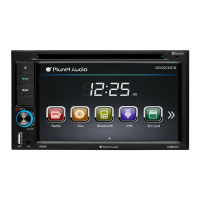
Details the controls and indicators on the front of the unit.
Explains the functions of the remote control buttons.
Instructions for turning the unit on and off.
How to choose the active audio/video source for playback.
Method for increasing or decreasing the audio volume.
How to choose the radio as the active audio source.
Methods for finding and selecting radio stations.
How to store and recall favorite radio stations.
Accessing previously saved radio stations.
Information on supported disc types and their playback.
Procedure for removing a disc from the unit.
How to access and use on-screen playback controls.
Steps for connecting a USB storage device for playback.
Safe procedure for disconnecting a USB device.
Instructions for inserting and removing SD memory cards.
Basic controls for starting, pausing, and resuming playback.
Navigating between tracks or chapters.
Steps to connect a Bluetooth-enabled phone or device.
Instructions for initiating phone calls via Bluetooth.
How incoming calls are handled and answered.
Playing audio from Bluetooth-enabled devices.
Fine-tuning Bluetooth connection and pairing options.
Accessing and using the navigation system.
Lists supported file formats for USB and discs.
Common problems and solutions for disc playback issues.
Explanations and fixes for various error messages displayed.
 General
| Display Size | 6.2 inches |
|---|---|
| Resolution | 800 x 480 pixels |
| Bluetooth | Yes |
| USB Port | Yes |
| SD Card Slot | Yes |
| Power Output | 80 watts |
| Radio Tuner | AM/FM |
| Screen Size | 6.2 inches |
| Touchscreen | Yes |
| DVD Player | Yes |
| Aux Input | Yes |
| Preamp Outputs (Pairs) | 3 |
| Subwoofer Output | Yes |
| Steering Wheel Control Compatible | Yes |
| Remote Control | Yes |
| Preamp Outputs | Front, Rear, Sub |
| Display Type | TFT LCD |