EasyManua.ls Logo

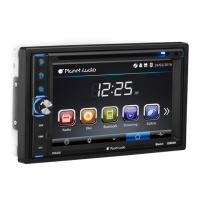
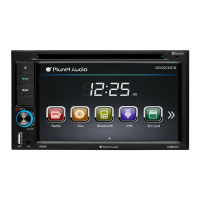
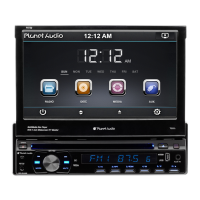
Planet Audio P9640B - User Manual

Planet Audio P9640B
24 pages
Print Icon
To Next Page IconTo Next Page
Loading...
TELEPHONE
888-990-1236 US Toll-free
805-751-4854 Customer Service
TECHNICAL SUPPORT
www.planetaudiousa.com/customer-support
www.planetaudiousa.com
USER’S MANUAL
USER’S MANUAL
P9640B
P9640B
0518
BLUETOOTH
®
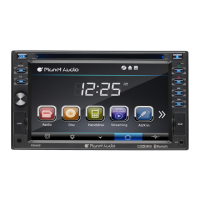
DVD/MP3 AM/FM RECEIVER
6.2" (157 mm) WIDESCREEN TOUCHSCREEN
DIGITAL TFT LED MONITOR
BLUETOOTH
®
DVD/MP3 AM/FM RECEIVER
6.2" (157 mm) WIDESCREEN TOUCHSCREEN
DIGITAL TFT LED MONITOR
iPod
®
is a trademark of Apple, Inc. registered in the U.S. and other countries.
Planet Audio is not affiliated with Apple, Inc.
The Bluetooth
®
word mark and logos are registered trademarks owned by Bluetooth SIG, Inc.
and any use of such marks by Planet Audio is under license. Other trademarks and trade
names are those of their respective owners.

Questions and Answers

  • K
    Katrina MurphySep 9, 2025
    What to do if I cannot watch image during driving on Planet Audio Car Receiver?
    • B
      Brittany YoungSep 9, 2025
      If you can't watch images on your Planet Audio Car Receiver while driving, it is because viewing images is not permitted while the vehicle is in motion. To watch images, park the car in a safe location, shift the gear to the 'P' (Park) position, engage the hand brake, and ensure the parking brake wire is grounded.
  • S
    Stephen MannAug 23, 2025
    Why is there no sound coming from my Planet Audio Car Receiver?
    • J
      Jessica JohnsonAug 23, 2025
      If you have no sound from your Planet Audio Car Receiver, first, ensure that the volume isn't set to the minimum; adjust it to a suitable level. Also, check the wiring connections to make sure they are properly connected.
  • B
    Beth MosesAug 25, 2025
    What to do if Planet Audio P9640B Car Receiver fuse is blown?
    • A
      Anna HuffmanAug 25, 2025
      If the fuse is blown, replace it with a fuse of the same amperage.
  • S
    snyderjustinAug 26, 2025
    Why my Planet Audio P9640B Car Receiver says disc cannot be read?
    • W
      wcookAug 26, 2025
      If your Planet Audio Car Receiver can't read the disc, ensure the disc is inserted with the label facing upward. If that's not the issue, the disc might be extremely dirty or defective; try cleaning it or playing a new one. Lastly, if the temperature inside the car is too high, cool off the car until the ambient temperature returns to normal.
  • T
    Timothy SmithAug 27, 2025
    Why is my Planet Audio P9640B Car Receiver showing no power?
    • A
      ashley35Aug 27, 2025
      If your Planet Audio Car Receiver has no power, make sure the car ignition is on. If the power supply is properly connected to the car accessory switch, turn the ignition key to “ACC”. Also, check if the fuse is blown and replace it if necessary.
  • N
    Nicole CobbAug 29, 2025
    How to stop my Planet Audio P9640B from skipping?
    • T
      tpattersonAug 29, 2025
      If the sound skips on your Planet Audio Car Receiver, it could be due to the installation angle being more than 30 degrees. Adjust the installation angle to less than 30 degrees. Alternatively, the disc might be extremely dirty or defective, so try cleaning the compact disc or playing a new one.
  • P
    Pamela FigueroaSep 18, 2025
    Why does Planet Audio Car Receiver lose setting information after ignition switch off?
    • D
      Deborah JohnsonSep 18, 2025
      If your Planet Audio Car Receiver loses all setting information after the ignition switch is turned off, it is likely due to a battery or fuse change. To resolve this, reset your desired settings and save them again.
  • X
    xaviermartinSep 18, 2025
    Why Planet Audio Car Receiver cannot switch language/subtitle?
    • W
      williamsangelaSep 19, 2025
      If you are unable to switch the language or subtitles on your Planet Audio Car Receiver, it is likely because the disc only contains one language or subtitle option. If a disc does not have multiple language or subtitle tracks, you will not be able to switch them.
  • E
    Eric MillerSep 7, 2025
    How to fix Planet Audio Car Receiver that cannot power on?
    • J
      Joshua HenrySep 7, 2025
      To resolve the issue of your Planet Audio Car Receiver not powering on, first, check the fuse. If it's broken, replace it with a new one that is identical to the old fuse. If the issue persists, it might be due to incorrect MPU operation. In this case, use a pen to press the RES button located on the panel, and then attempt to power on the device.
  • A
    Amy BurgessSep 4, 2025
    Why is the radio not working on my Planet Audio P9640B Car Receiver?
    • C
      Christopher RobertsSep 4, 2025
      If the radio on your Planet Audio Car Receiver isn't working or the automatic station selection fails, the antenna cable might not be connected, or the signals are too weak. Ensure the antenna cable is firmly inserted and manually select a station.

Summary

Accessories

Unit Installation

Wire Connection

Parking Brake Connection

Speaker Connection

Button Description

Remote Control

Main Menu

Radio Operation

Guide to radio operation, covering station tuning, band selection, and reception modes.

DVD Operation

USB;SD Operation

Settings Operation

General Control

General settings configuration for language, wallpaper, panel calibration, and clock.

DVD Setup Menu

Sound Control

TV Type

Bluetooth Operation

Aux-In Operation

Notes of Disc

Handling discs

Proper methods for handling and cleaning discs to ensure optimal playback and prevent physical damage.

Storing discs

Recommendations for storing discs to maintain condition and prevent damage from environmental factors like heat or humidity.

Troubleshooting

General Specification

Planet Audio P9640B Specifications

General IconGeneral
BrandPlanet Audio
ModelP9640B
CategoryCar Receiver
LanguageEnglish

Related product manuals