EasyManua.ls Logo

Planet Audio P9640B - User Manual

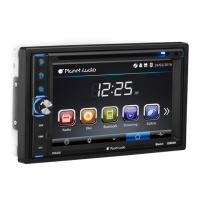
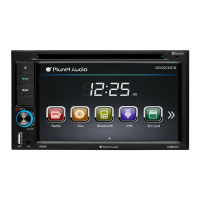
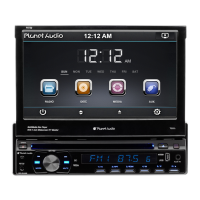
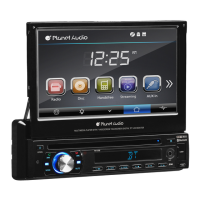
Planet Audio P9640B
24 pages
Print Icon
To Next Page IconTo Next Page
Loading...
TELEPHONE
888-990-1236 US Toll-free
805-751-4854 Customer Service
TECHNICAL SUPPORT
www.planetaudiousa.com/customer-support
www.planetaudiousa.com
USER’S MANUAL
USER’S MANUAL
P9640B
P9640B
0518
BLUETOOTH
®
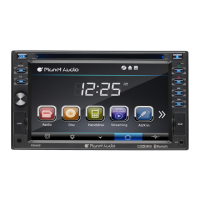
DVD/MP3 AM/FM RECEIVER
6.2" (157 mm) WIDESCREEN TOUCHSCREEN
DIGITAL TFT LED MONITOR
BLUETOOTH
®
DVD/MP3 AM/FM RECEIVER
6.2" (157 mm) WIDESCREEN TOUCHSCREEN
DIGITAL TFT LED MONITOR
iPod
®
is a trademark of Apple, Inc. registered in the U.S. and other countries.
Planet Audio is not affiliated with Apple, Inc.
The Bluetooth
®
word mark and logos are registered trademarks owned by Bluetooth SIG, Inc.
and any use of such marks by Planet Audio is under license. Other trademarks and trade
names are those of their respective owners.

Questions and Answers

  • S
    Sean JenningsAug 21, 2025
    How to fix a Planet Audio Car Receiver when the power does not turn on?
    • H
      Heather HayesAug 21, 2025
      If your Planet Audio Car Receiver isn't powering on and there's no sound, the fuse might be blown. Replace it with a fuse of the same amperage. If it blows again, consult your store of purchase. Also, incorrect wiring could be the cause, in which case you should consult your local retailer.
  • V
    vdavisSep 2, 2025
    Why does my Planet Audio P9640B sound bad when first turned on?
    • C
      Cathy AnthonySep 3, 2025
      If the sound quality of your Planet Audio Car Receiver is poor immediately after turning it on, the compact disc might be dirty. Clean the compact disc without scratching it. Also, the compact disc may be heavily scratched or warped, in that case replace it with a compact disc without scratches. Alternatively, water droplets may have formed on the internal lens if the car is parked in a humid place. Let it dry for about 1 hour with the power on.
  • M
    Mark FieldsSep 1, 2025
    Why are the operation keys not working on my Planet Audio P9640B Car Receiver?
    • A
      Angela SmithSep 1, 2025
      If the operation keys on your Planet Audio Car Receiver do not work, the built-in microcomputer may not be operating properly due to noise. Try pressing the power button for about 10 seconds to reset the unit.
  • P
    Patricia MartinAug 30, 2025
    What to do if buttons aren't working on my Planet Audio P9640B Car Receiver?
    • C
      craneabigailAug 30, 2025
      If nothing happens when you press the buttons on your Planet Audio Car Receiver and the display is not accurate, the unit may need to be reset. Use a pen or toothpick to press and release the Reset button. Also, the panel or main unit connectors could be dirty; wipe the dirt off with a soft cloth moistened with cleaning alcohol.
  • N
    Nicole CobbAug 29, 2025
    How to stop my Planet Audio P9640B from skipping?
    • T
      tpattersonAug 29, 2025
      If the sound skips on your Planet Audio Car Receiver, it could be due to the installation angle being more than 30 degrees. Adjust the installation angle to less than 30 degrees. Alternatively, the disc might be extremely dirty or defective, so try cleaning the compact disc or playing a new one.
  • T
    Timothy SmithAug 27, 2025
    Why is my Planet Audio P9640B Car Receiver showing no power?
    • A
      ashley35Aug 27, 2025
      If your Planet Audio Car Receiver has no power, make sure the car ignition is on. If the power supply is properly connected to the car accessory switch, turn the ignition key to “ACC”. Also, check if the fuse is blown and replace it if necessary.
  • S
    snyderjustinAug 26, 2025
    Why my Planet Audio P9640B Car Receiver says disc cannot be read?
    • W
      wcookAug 26, 2025
      If your Planet Audio Car Receiver can't read the disc, ensure the disc is inserted with the label facing upward. If that's not the issue, the disc might be extremely dirty or defective; try cleaning it or playing a new one. Lastly, if the temperature inside the car is too high, cool off the car until the ambient temperature returns to normal.
  • B
    Beth MosesAug 25, 2025
    What to do if Planet Audio P9640B Car Receiver fuse is blown?
    • A
      Anna HuffmanAug 25, 2025
      If the fuse is blown, replace it with a fuse of the same amperage.
  • S
    Stephen MannAug 23, 2025
    Why is there no sound coming from my Planet Audio Car Receiver?
    • J
      Jessica JohnsonAug 23, 2025
      If you have no sound from your Planet Audio Car Receiver, first, ensure that the volume isn't set to the minimum; adjust it to a suitable level. Also, check the wiring connections to make sure they are properly connected.

Summary

Accessories

Unit Installation

Wire Connection

Parking Brake Connection

Speaker Connection

Button Description

Remote Control

Main Menu

Radio Operation

Guide to radio operation, covering station tuning, band selection, and reception modes.

DVD Operation

USB;SD Operation

Settings Operation

General Control

General settings configuration for language, wallpaper, panel calibration, and clock.

DVD Setup Menu

Sound Control

TV Type

Bluetooth Operation

Aux-In Operation

Notes of Disc

Handling discs

Proper methods for handling and cleaning discs to ensure optimal playback and prevent physical damage.

Storing discs

Recommendations for storing discs to maintain condition and prevent damage from environmental factors like heat or humidity.

Troubleshooting

General Specification

Planet Audio P9640B Specifications

General IconGeneral
BrandPlanet Audio
ModelP9640B
CategoryCar Receiver
LanguageEnglish

Related product manuals