EasyManua.ls Logo

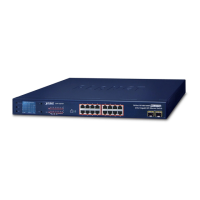
Planet GSW-1601 - User Manual

Planet GSW-1601
20 pages
Print Icon
To Next Page IconTo Next Page
Loading...
10/100/1000Mbps
Gigabit Ethernet Switch
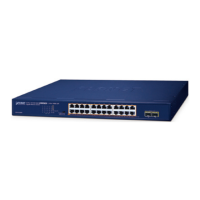
GSW-2401/GSW-1601
User's Manual

Questions and Answers

  • E
    Erica OwensAug 8, 2025
    Why Planet Gigabit Ethernet Switch doesn’t connect to the network?
    • N
      ncunninghamAug 8, 2025
      If your Planet Gigabit Ethernet Switch doesn't connect to the network, check the per port LED. Try another port on the Switch. Ensure the cable is properly installed and is the correct type. Power cycle the device by turning it off, waiting a moment, and then turning it back on.
  • C
    Cheryl RobersonAug 21, 2025
    What to do if Planet GSW-1601 Switch per port LED is lit, but the traffic is irregular?
    • N
      Nicole BallAug 21, 2025
      If the per port LED is lit on your Planet Switch, but the traffic is irregular, it may be due to duplex mode settings. Some devices use a physical or software switch to change duplex modes, which auto-negotiation might not recognize as full-duplex. Ensure that the attached device is not set to dedicated full duplex.

Summary

1. Introduction

1.3 Product Features

Details the key features and capabilities of the Gigabit Ethernet Switch.

1.4 Product Specifications

Provides technical specifications including ports, dimensions, power, and standards.

2. Installation

2.2 Installing the Switch

Provides instructions on how to install the Gigabit Ethernet Switch and make connections.

2.2.1 Desktop Installation

Step-by-step guide for installing the switch on a desktop surface.

2.2.2 Rack Mounting

Instructions for mounting the switch in a 19-inch standard rack.

4. Troubleshooting

Cannot talk to other stations

Addresses issues where stations cannot communicate with others on different ports.

Planet GSW-1601 Specifications

General IconGeneral
BrandPlanet
ModelGSW-1601
CategorySwitch
LanguageEnglish

Related product manuals