Need help?
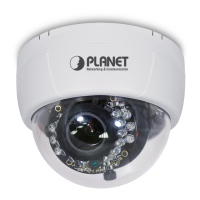
Do you have a question about the Planet ICA-3110 and is the answer not in the manual?
Describes the physical layout of the camera and its interface ports like LAN and Micro SD.
Explains Power over Ethernet (PoE) and the initial setup using the utility software.
Guides on setting IP addresses for the camera and PC and accessing remote monitoring.
Configuration of Internet Explorer 6 ActiveX settings for camera access on Windows XP.
Configuration of Internet Explorer 7 ActiveX settings for camera access on Windows Vista.
Steps to establish a connection to the camera using a web browser.
Details the process for firmware upgrades and system reset to factory defaults.
Guides on setting IP addresses (DHCP/Static) and configuring network ports.
Instructions for setting up a secure HTTPS connection for the camera.
Details on setting up motion detection areas and actions.
Step-by-step guide for configuring the PLANET DDNS service.
Steps for configuring virtual server settings in the router for port forwarding.
Solutions for problems with username, password, and IP address detection.


 To Next Page

 General