Need help?
Do you have a question about the Planet ICA-3550V and is the answer not in the manual?
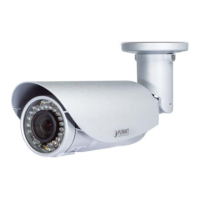
Details PoE power, IP66 weatherproof rating, vari-focal lens, and tampering detection.
Comprehensive technical specifications for the camera's hardware and software.
Step-by-step instructions for physical installation of the camera.
Covers configuration steps to enable camera access via the internet.
Managing user accounts and access levels for the camera.
Procedures for updating firmware and managing system settings.
Configuration of IP address, subnet mask, gateway, and ports.
Configuration for audio and video settings of the camera.
Adjusts image parameters like brightness, contrast, and includes privacy masking.
Configures video streaming parameters for multiple outputs.
Manages two-way audio, microphone input, and volume settings.
Configures and manages camera events and logs.
Configures triggers for motion detection, tampering, and network events.
Manages SD card operations, including playback and storage settings.
Addresses common problems during installation, cabling, and initial setup.
Solutions for forgotten credentials and lost IP addresses, including factory reset.
Troubleshooting steps when the PLANET IP Installer cannot find the device.
Troubleshoots problems with accessing the camera via the network, including IP conflicts and proxy settings.
Solutions for missing images, videos, or ActiveX security warnings.
Addresses issues with accessing the camera externally, focusing on firewalls and bandwidth.
 General
| Maximum Resolution | 1920 x 1080 |
|---|---|
| Resolution | 1080p |
| Lens Type | Fixed |
| Day/Night | Yes |
| Night Vision | Yes |
| Audio Compression | G.711 |
| Weatherproof | IP66 |
| Frame Rate | 30fps |
| Field of View | 90° |
| IR Distance | 30m |
| IR Range | 30m |
| Minimum Illumination | 0.01 Lux |
| Video Compression | H.264 |
| Audio Support | Yes |
| Ethernet | 10/100Mbps |
| Network Interface | RJ-45 |
| Connectivity | Ethernet |
| Protocols | HTTP, TCP/IP, RTSP, UDP, SMTP, FTP, DHCP, DNS, DDNS, NTP, UPnP, IGMP |
| ONVIF | Yes |
| Local Storage | MicroSD card (up to 128GB) |
| Power Supply | DC 12V |
| Weather Resistance | Yes |

 To Next Page