7
4. Terminal Setup
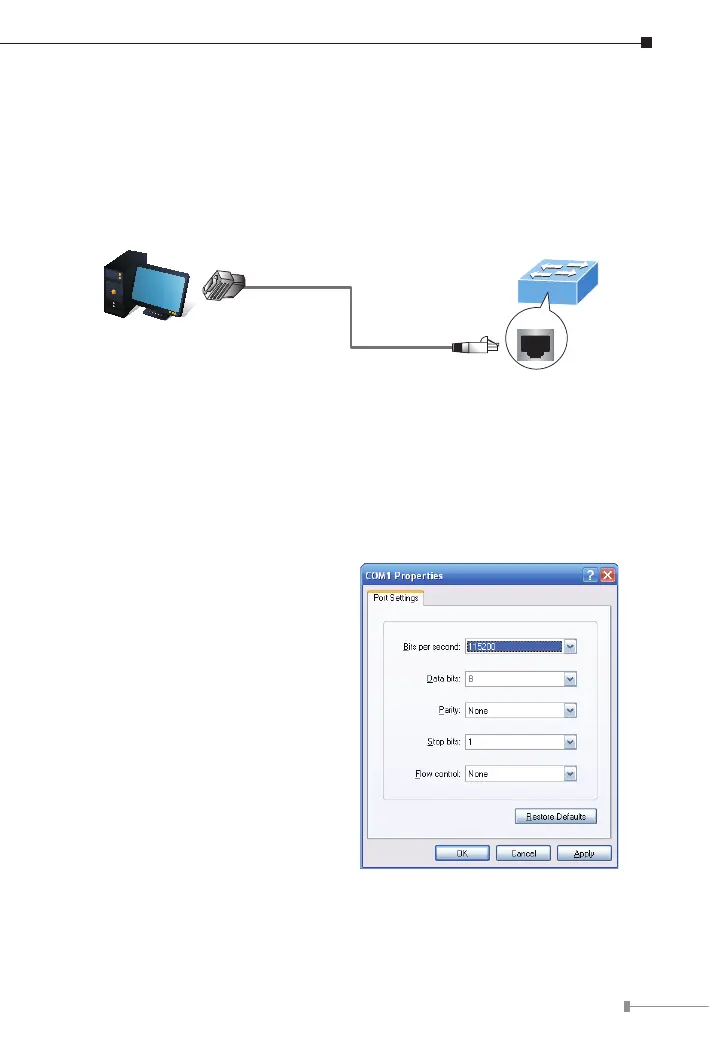
Tocongurethesystem, connect aserialcablefromaCOMportonyourPCor
notebookcomputertotheRJ45serialportontheIndustrialManagedSwitch.
Managed Switch
PC / Workstation
with
Terminal Emulation Software
Serial Port
RS232 to RJ45 Cable
Console Port
RJ45
Figure 4-1: Console Connection for Industrial Managed Switch
A terminal program is required to establish a software connection to the
IndustrialManagedSwitch.
1. Run the terminal program on your operating system.
2.When the following screen appears, ensure that the COM port is congured
asfollows:
z Bitspersecond:115200
z Databits:8
z Parity:None
z Stopbits:1
z Flowcontrol:None
Figure 4-2: COM Port Conguration












 To Next Page