22
Functions
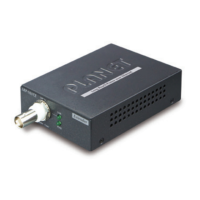
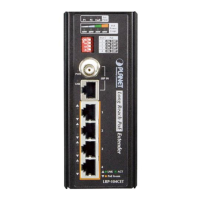
LRP Injector LRP Extender
LRP-101UH LRP-104CET
Power Input
RJ45 with 802.3at/af PoE
input
UTP with DC power over UTP
input
Power Output
UTP with DC power over UTP
output
RJ45 with 802.3at/af PoE
output
Installation Instructions
Step 1. Remove the “Danger – No Ethernet” label stuck on the RJ45 LRP
port of LRP-101UH.
Step 2. Connect the LRP Injector (LRP-101UH) and LRP Extender
(LRP-104CET) to ends of RJ45 terminated long UTP/twisted-pair
cable.
Warning
1. Please do not connect any Ethernet equipment to LRP
OUT Port of the LRP-101UH; otherwise, it will damage the
Ethernet equipment.
2. Please do not connect any Ethernet equipment to LRP IN Port
of the LRP-104CET; otherwise, it will damage the Ethernet
equipment.
Step 3. Connect Cat5/6 UTP cable to LRP-101UH and IEEE 802.3at
compliant PoE Switch or PoE Injector. If the PoE switch or PoE
injector is powered on already, then the PWR LED of LRP-101UH and
LRP-104CET should be lit up accordingly.
Step 4. Connect Cat5/6 UTP cable to LRP-104CET and IEEE 802.3at/af
complied PoE IP camera or PoE Wireless AP.
Warning
The LRP-101UH accepts IEEE 802.3at equipment for optimal
power injection. The other non-standard PoE Power devices may
cause the LRP-101UH to malfunction.
Note
As there are various resistance values in the category 5/5e
cable, the actual data rate will vary on the quality of the copper
wire and environmental factors.


 To Next Page