11
The previous command would apply the following settings for the Managed
Metro Switch.
IPAddress:192.168.1.100
SubnetMask:255.255.255.0
4.Repeatstep 1tocheckiftheIPaddresshaschanged.
If the IP is successfully congured, the Managed Metro Switch will apply the
new IP address setting immediately. You can access the Web interface of the
ManagedMetroSwitchthroughthenewIPaddress.
4.3 StoringCurrentSwitchConguration
In the Managed Metro Switch, the running conguration sequence running-
congcan besaved from the RAMto FLASHby “copy”command, so thatthe
running conguration sequence becomes the start-up conguration le, which
iscalledcongurationsave.
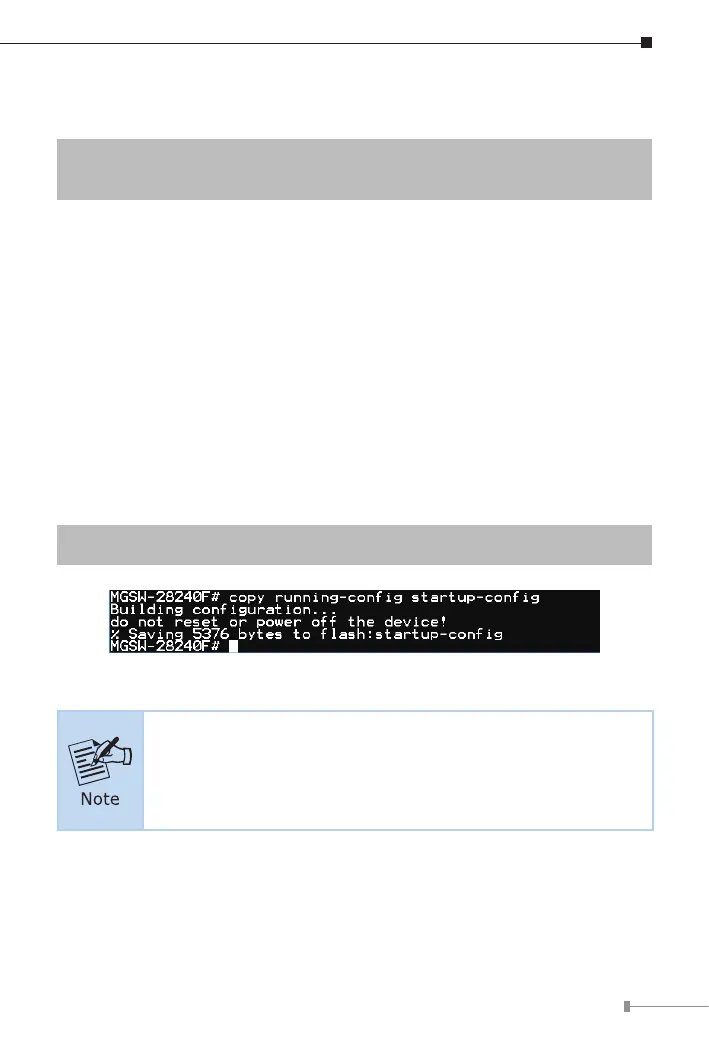
Atthe“#”prompt,enterthefollowingcommandandpress<Enter>.
# copy running-cong startup-cong
Figure 4-8: Saving Current Conguration Command Screen
If you are not familiar with the console command or the related
parameter, enter “help” anytime in console to get the help
description.



 To Next Page
 Loading...










