
 Need help?
Do you have a question about the Planet Switch and is the answer not in the manual?
Provides an overview of the Renewable Energy Switch's features and capabilities.
Lists the key hardware and software features of the Renewable Energy Switch.
Details the technical specifications, dimensions, power requirements, and connectivity options.
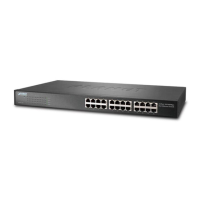
Describes the physical components, ports, and indicators of the Renewable Energy Switch.
Provides step-by-step instructions for physically installing the device and connecting power sources.
Covers system information, operation modes, time, location, user management, and network settings.
Provides network configuration options for WAN, LAN, server, security, and routing.
Allows configuration and monitoring of battery parameters for optimal power system performance.
Manages Power over Ethernet features, including configuration, status, scheduling, and device health checks.
 General
| Form Factor | Desktop |
|---|---|
| Port Speed | 10/100/1000 Mbps |
| MAC Address Table | 8K |
| Switching Capacity | 16 Gbps |
| Operating Temperature | 0 to 50°C |
| Storage Temperature | -40°C to 70°C (-40°F to 158°F) |












 To Next Page