4. Network conguration
Wi-Fi Setup - (DHCP) – only applicable to specific IM30 terminal models, see above.
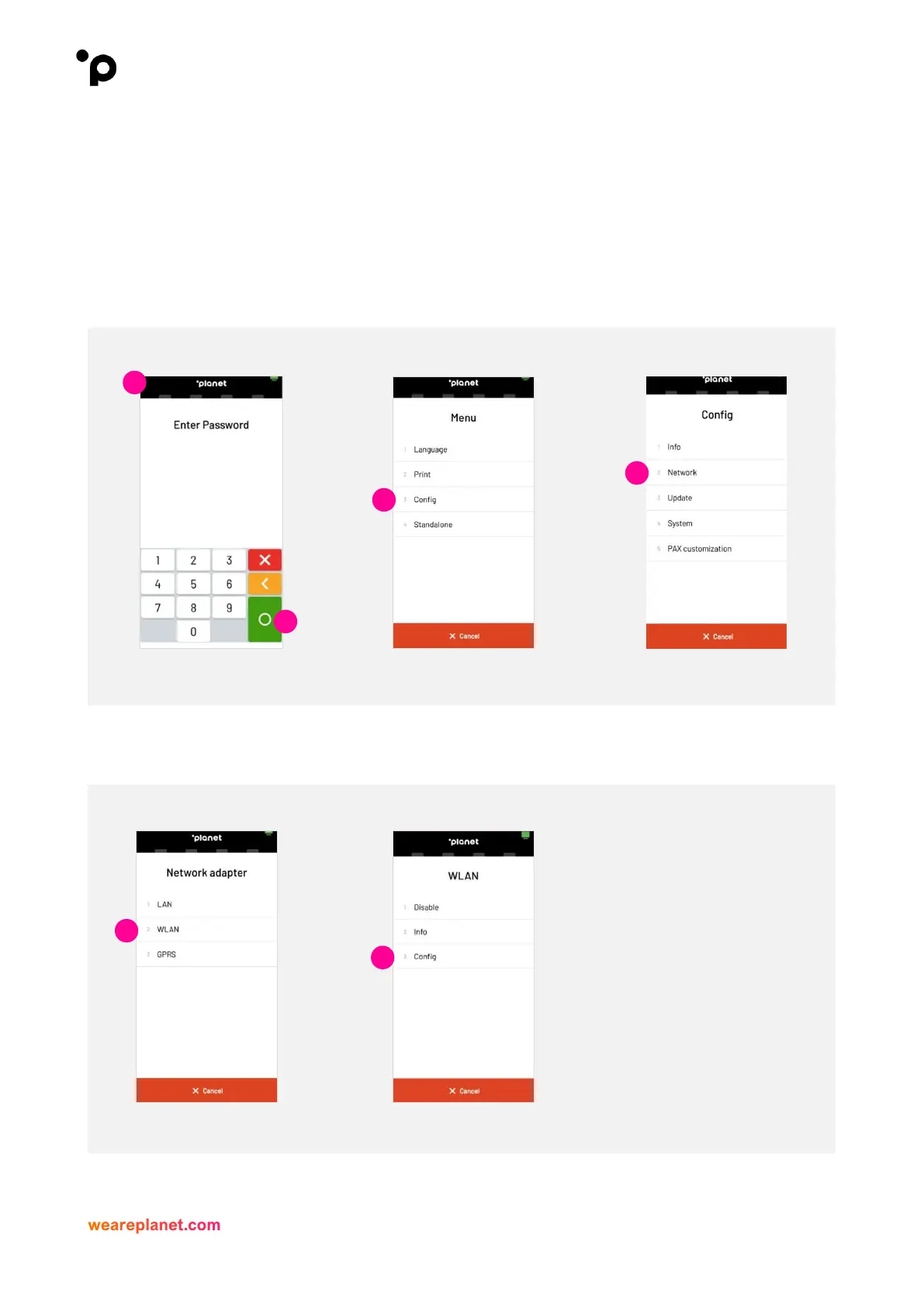
1. To enter the IntegraTE PAX menu, you will need to press and hold the ‘Planet' icon at the top of the
screen.
2. When “Please Enter Password” is displayed, enter password, and press the green Enter button.
3. Then, select “Config/Configuration”.
4. Next, select “Network”.
5. Now, select “WLAN”.
6. Select “Config”.


 To Next Page