
 Need help?
Do you have a question about the Planet UPS-400 and is the answer not in the manual?
Describes the UPS-400 as an UPS and redundant power for WGSW-2620PV, detailing its dual power inputs.
Lists the items included in the UPS-400 package, such as power cord, DC connector, and manual.
Details the main features like build-in UPS, DC 48V power, RS-232 interface, and rack mountability.
Provides technical specifications including power input, consumption, output, environment, and dimensions.
Describes the software feature for power monitoring of AC input, DC 48V, and UPS status.
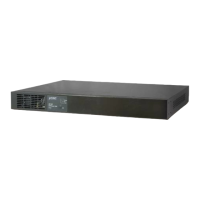
Presents visual diagrams of the UPS-400 front and rear panels for identification.
Explains the meaning of the AC Input, Fault, and DC Output LED indicators on the UPS.
Instructions for installing the UPS in a 19-inch standard rack using mounting brackets.
Steps to charge the UPS battery, including connecting power and recommended waiting time.
Details cabling and connection procedures for installing the UPS with the WGSW-2620PV.
Explains how the UPS takes over power provision when the AC input of WGSW-2620PV is off.
Describes how to view UPS status information on the WGSW-2620PV via console cable and web interface.
 General
| Capacity | 400VA / 240W |
|---|---|
| Output Waveform | Simulated Sine Wave |
| Typical Recharge Time | 8 hours |
| Backup Time (Full Load) | Approx. 3 minutes |
| Protection | Overload, Short Circuit, Surge Protection |
| Operating Temperature | 0°C to 40°C |
| Humidity | 90% (Non-condensing) |

 To Next Page