802.3af PoE SIP IP Phone
VIP-256PT
Q7: How to switch to different line to dial out?
A7: Before dial out, press the correspondence line number you want to use, ex: want to use
Line 4 to dial out, must press 2, to switch to line 2 then dial out.
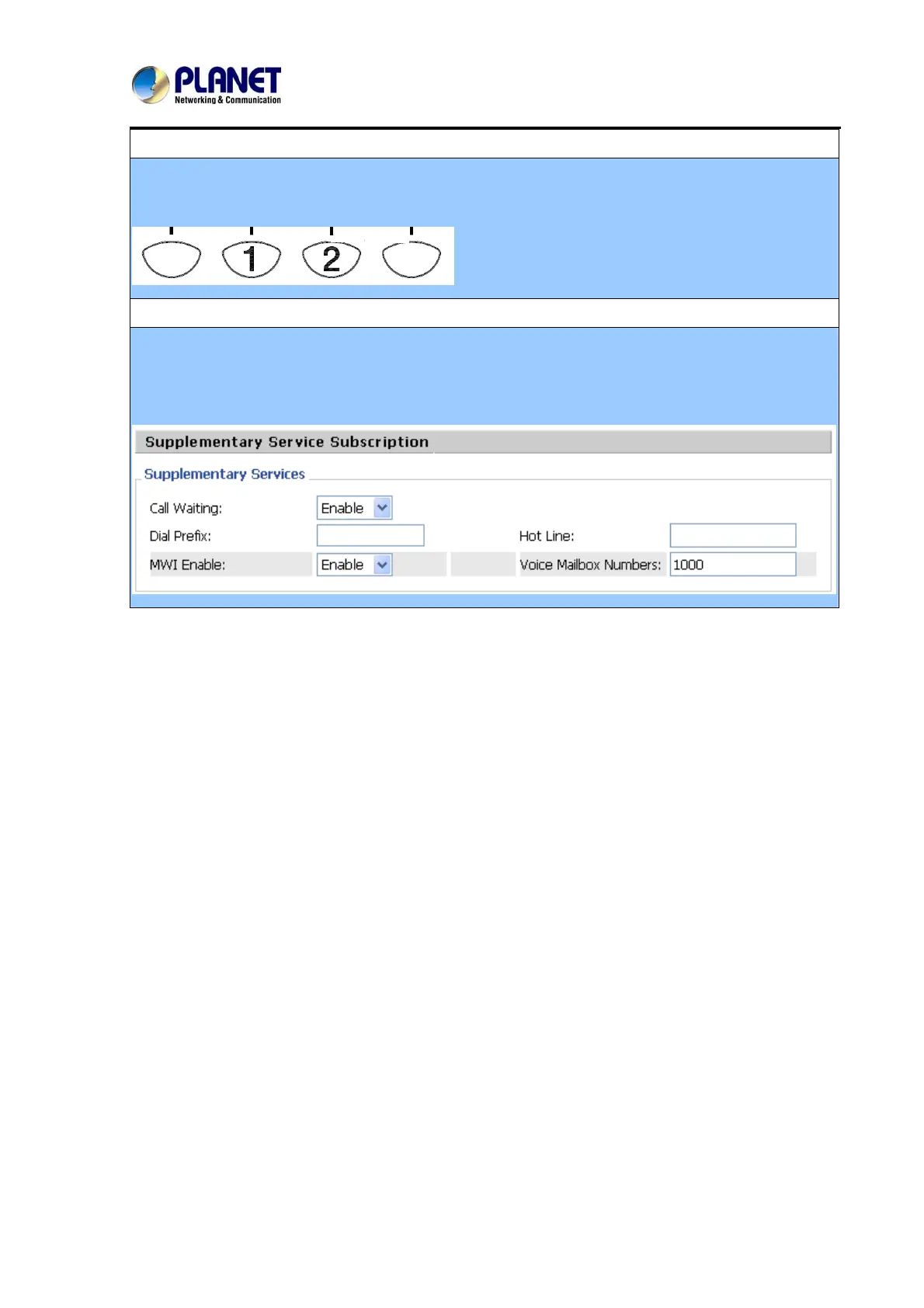
Q7: Why my MSG light would not show any information, when I receive the message?
A7: In SIP accounts / Lines / Supplementary service
Please enable the MWI (Message Waiting Indicate) and in Voice Mailbox numbers, please also
assign the Voice mail number.
63



 To Next Page