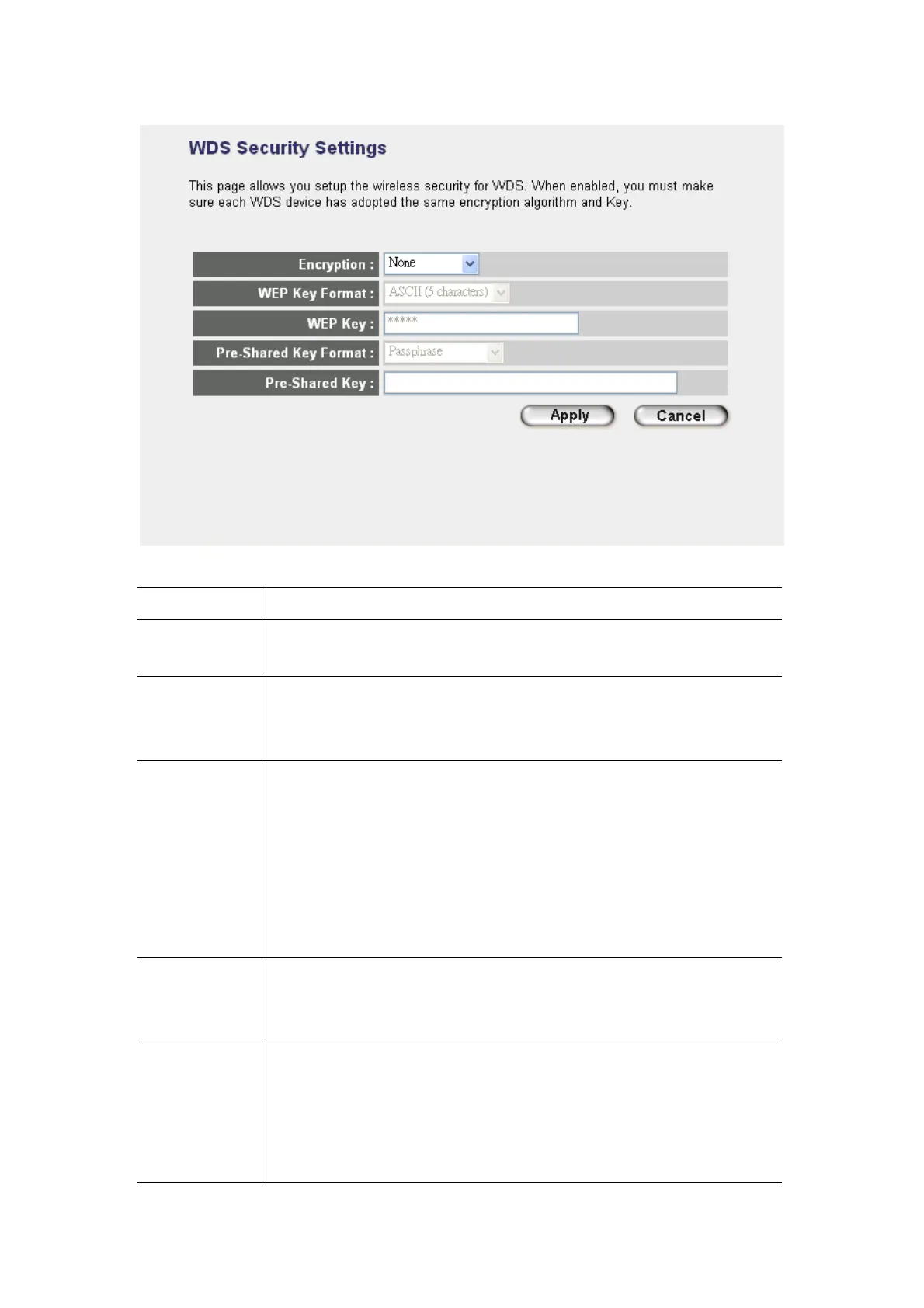
Parameter Description
Encryption
You can select “None”,“WEP 64bits”, “WEP 128bits”, “WPA (TKIP)” or “WPA2
(AES)” of this option . It is set to “None” by default.
Key Format
This is only used when you select “WEP 64bits” or “WEP 128bits” encryption
method. You may select to select ASCII Characters (alphanumeric format) or
Hexadecimal Digits (in the “A-F”, “a-f” and “0-9” range) to be the WEP Key.
WEP Key
This is only used when you select “WEP 64bits” or “WEP 128bits” encryption
method. The WEP key is used to encrypt data transmitted between the bridged
access points. Fill the text box by following the rules below.
64-bit WEP: input 10-digit Hex values (in the “A-F”, “a-f” and “0-9” range) or 5-digit
ASCII character as the encryption keys.
128-bit WEP: input 26-digit Hex values (in the “A-F”, “a-f” and “0-9” range) or
10-digit ASCII characters as the encryption keys.
Pre-shared Key
Format
This is only used when “WPA” or “WPA2” is selected. You may use Passphrase
(alphanumeric format) or Hexadecimal Digits (in the “A-F”, “a-f” and “0-9” range) to
be the Pre-shared Key.
Pre-shared Key This is only used when “WPA” or “WPA2” is selected. The Pre-shared key is used to
authenticate and encrypt data transmitted between the bridged access points. Fill
the text box by following the rules below.
Hex (64 characters): input 64-digit Hex values (in the “A-F”, “a-f” and “0-9” range)
Passphrase: at least 8 characters.
2















 To Next Page