User Manual of WBS-512AC
-18-
Starting Setup in the Web UI
It is easy to configure and manage the CPE with the web browser.
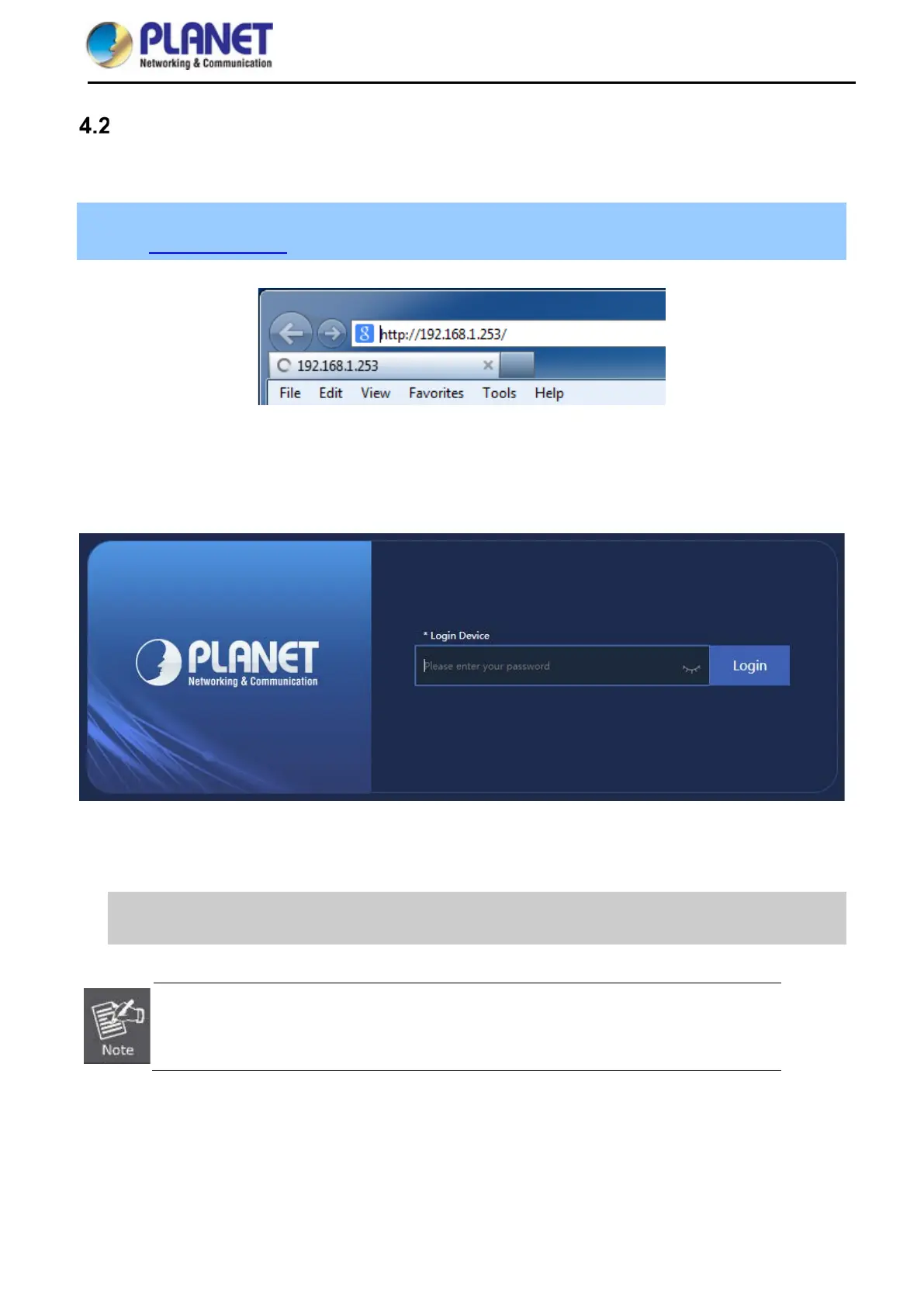
Step 1. To access the configuration utility, open a web-browser and enter the default IP address
http://192.168.1.253 in the web address field of the browser.
Figure 4-5 Login by Default IP Address
After a moment, a login window will appear. Enter admin for the password in lower case letters. Then click LOGIN
or press the Enter key.
Figure 4-6 Login Window
Default IP Address: 192.168.1.253
Default Password: admin
If the above screen does not pop up, it may mean that your web-browser has been set to a
proxy. Go to Tools menu> Internet Options> Connections> LAN Settings o
appears, uncheck Using Proxy and click OK to finish it.


 To Next Page