User Manual of WBS-512AC
-36-
5.7.1.2. VAP
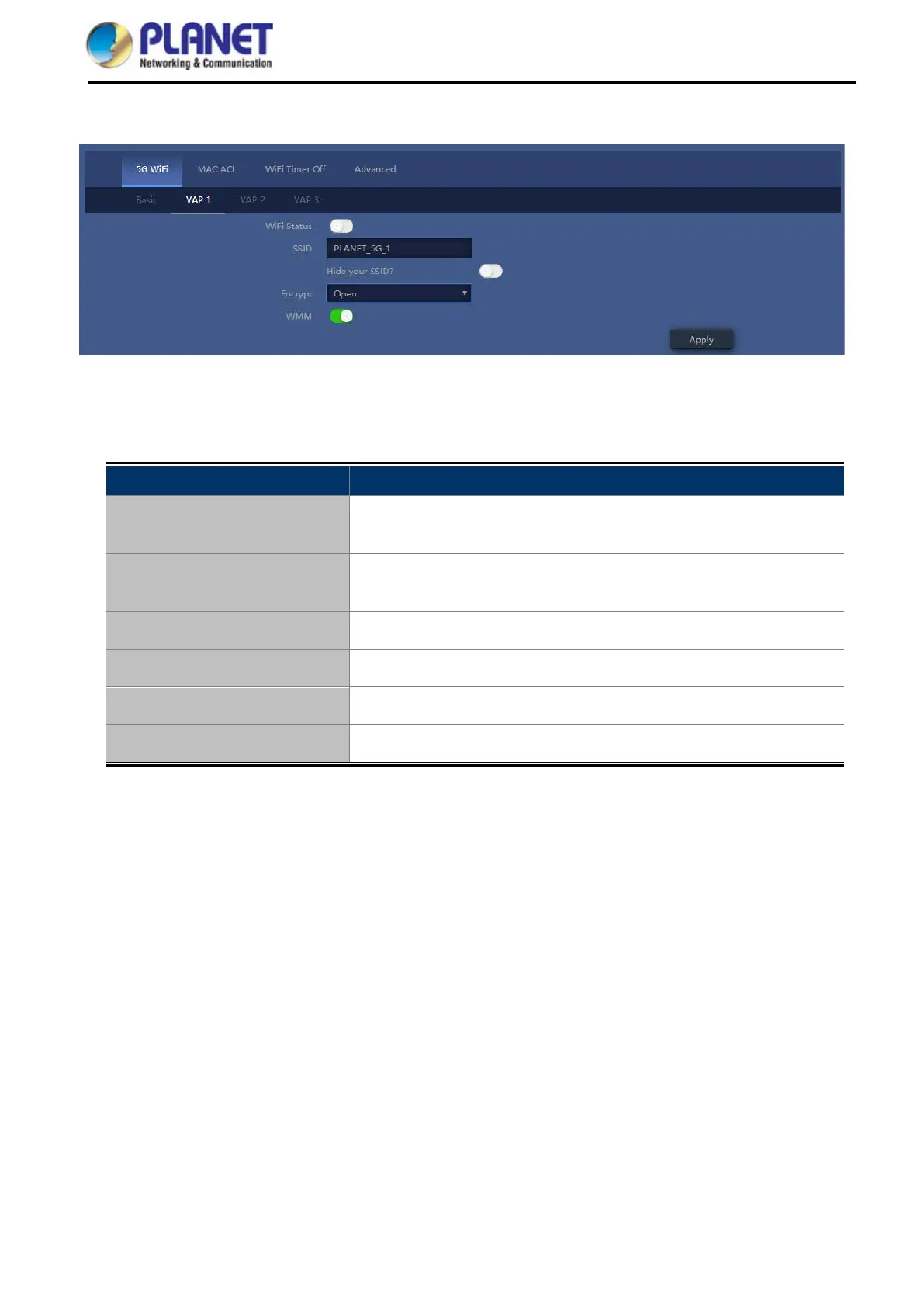
Figure 5-21 VAP
Select VAP1~VAP3 to enable virtual AP
The page includes the following fields:
Object Description
Wi-Fi Status
Select ON (Green) or OFF (Gray) to enable or disable virtual wireless
LAN
SSID
It is the wireless network name. The default SSID is “PLANET_5G_1”
to “PLANET_5G_3”
Hide your SSID
Select ON (Green) or OFF (Gray) to hide wireless LAN or not
Channel
It shows the channel of the CPE. Default 5GHz is channel 36.
Encryption Select the wireless encryption. The default is “None”
WMM
Enable/Disable WMM (Wi-Fi Multimedia ) function


 To Next Page