User Manual of WBS-512AC
-44-
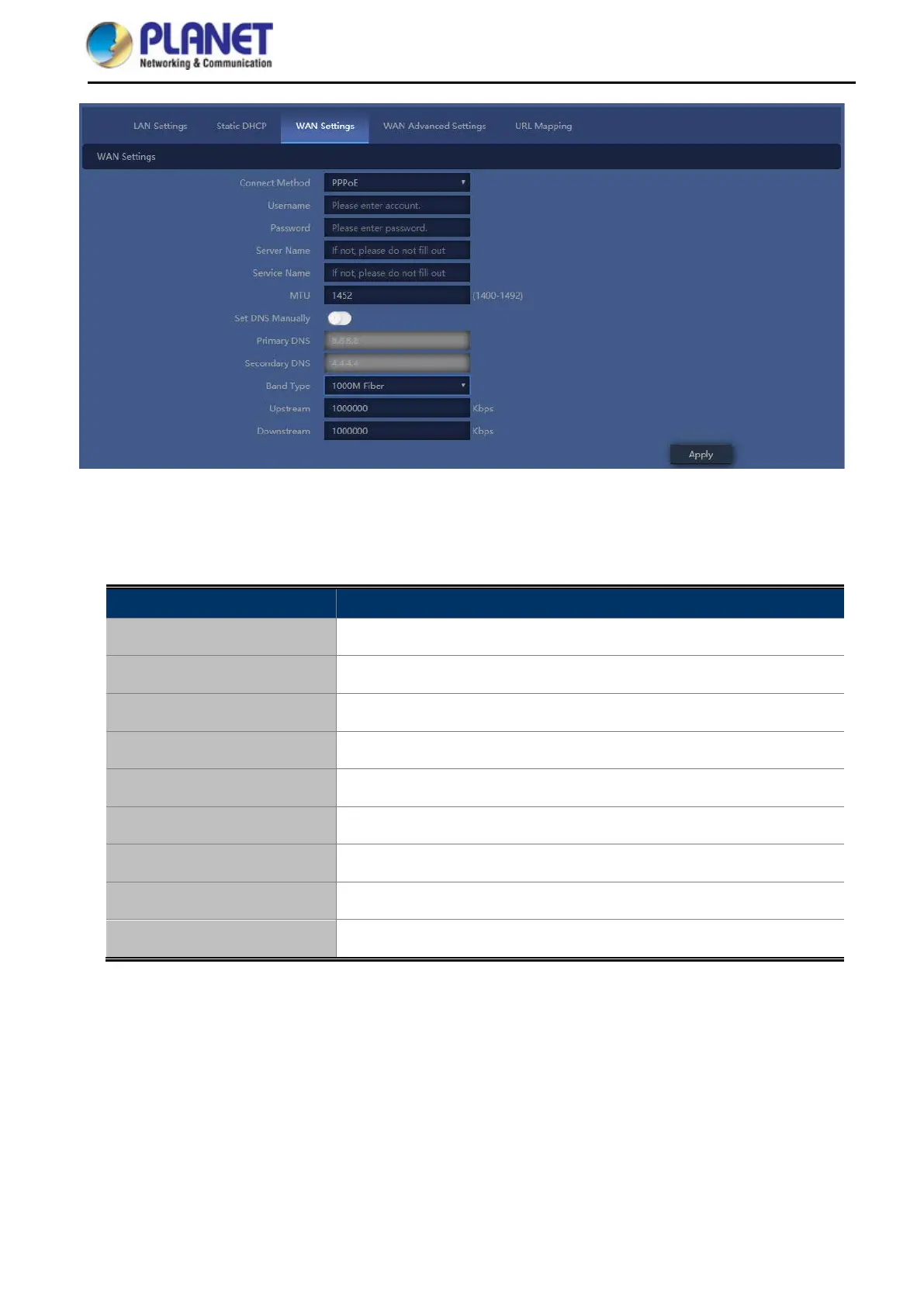
Figure 5-13 PPPoE (ADSL)
The page includes the following fields:
Object Description
Username
Enter the PPPoE User Name provided by your ISP
Password
Enter the PPPoE password provided by your ISP
Set DNS Manually
Enable/Disable DNS Manually
Primary DNS
Enter the necessary DNS address provided by your ISP
Secondary DNS
Enter the secondary DNS address provided by your ISP
MTU
Maximum Transmission Unit. Default is 1452
Band Type
Select the band type provided by your ISP
Upstream
Enter limited upstream throughput, default is 1000000 Kbps
Downstream
Enter limited downstream throughput, default is 1000000 Kbps
DHCP
Choose “DHCP” and the router will automatically obtain IP addresses, subnet masks and gateway addresses
from your ISP.



 To Next Page