User Manual of WBS-512AC
-67-
Step2. In AP-2, change the PtP switch to slave, the default IP is 192.168.1.100.
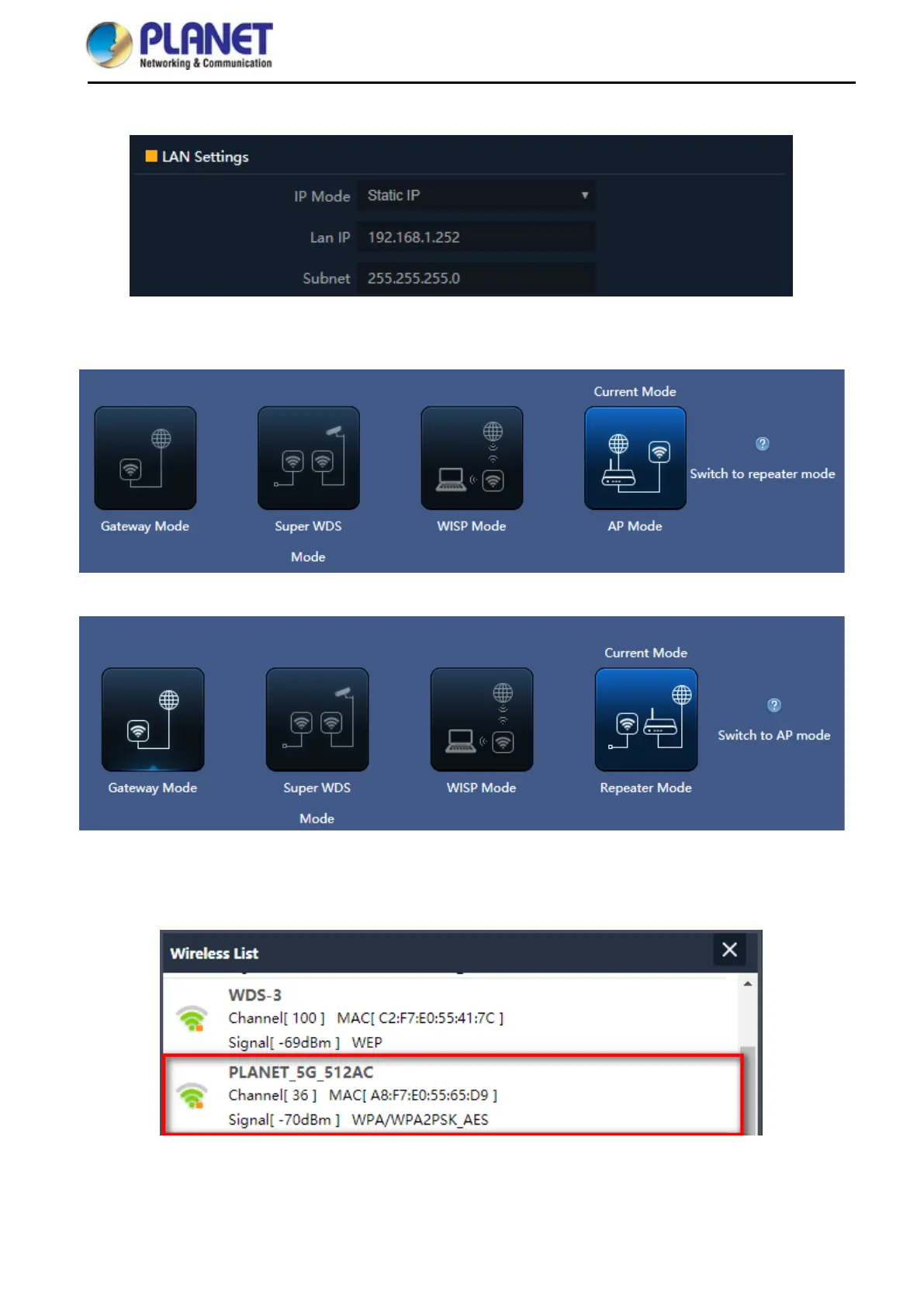
Step 3. In AP-1, go to “Wizard” to configure it to AP Mode. In AP-2, configure it to Repeater Mode.
AP-1
AP-2
Step 4. In AP-2, press Scan AP to search the AP-1. You can also enter the MAC address, SSID, encryption and
bandwidth if you know what they are.



 To Next Page