Planmeca Ethernet interface 13
RESTORING THE FACTORY DEFAULT SETTINGS
Installation manual
4 RESTORING THE FACTORY DEFAULT SETTINGS
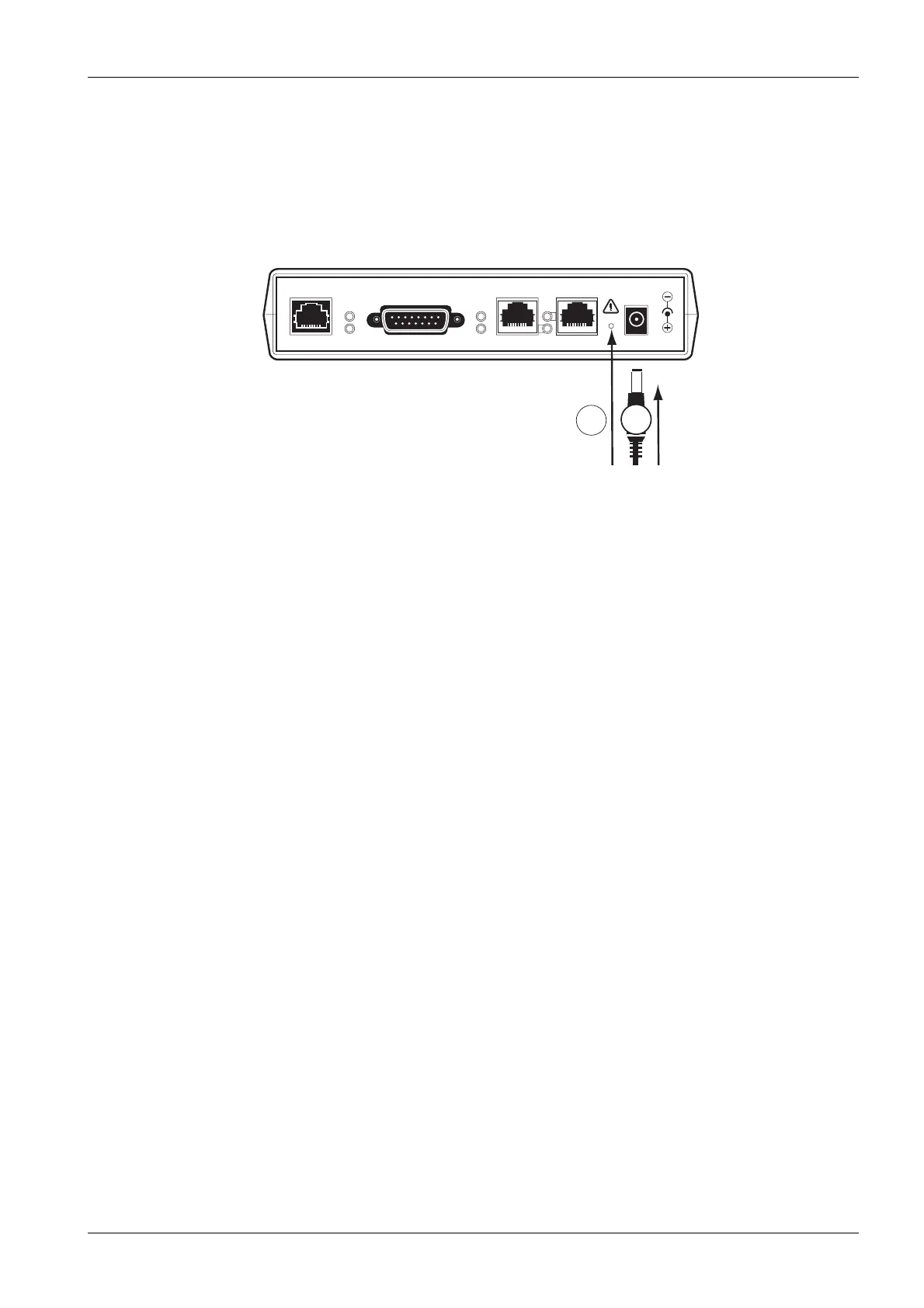
In case you want to restore the factory default settings remove the power supply cable, press
and hold the
Set
button (1) with a sharp pin and plug in the power supply cable (2) (see pic-
ture below).
OK
SET
STATUS
TX/RX
LINK
PLANMECA ETHERNET INTERFACE
10/100 Base-T PLANET PORT 2
PWR
PORT 1 13,2VDC IN
max. 1A
et_box4.eps
1
2



 To Next Page