1212
Check configuration and make a test call
1 If your desk phone has a volume control, set it to mid-range.
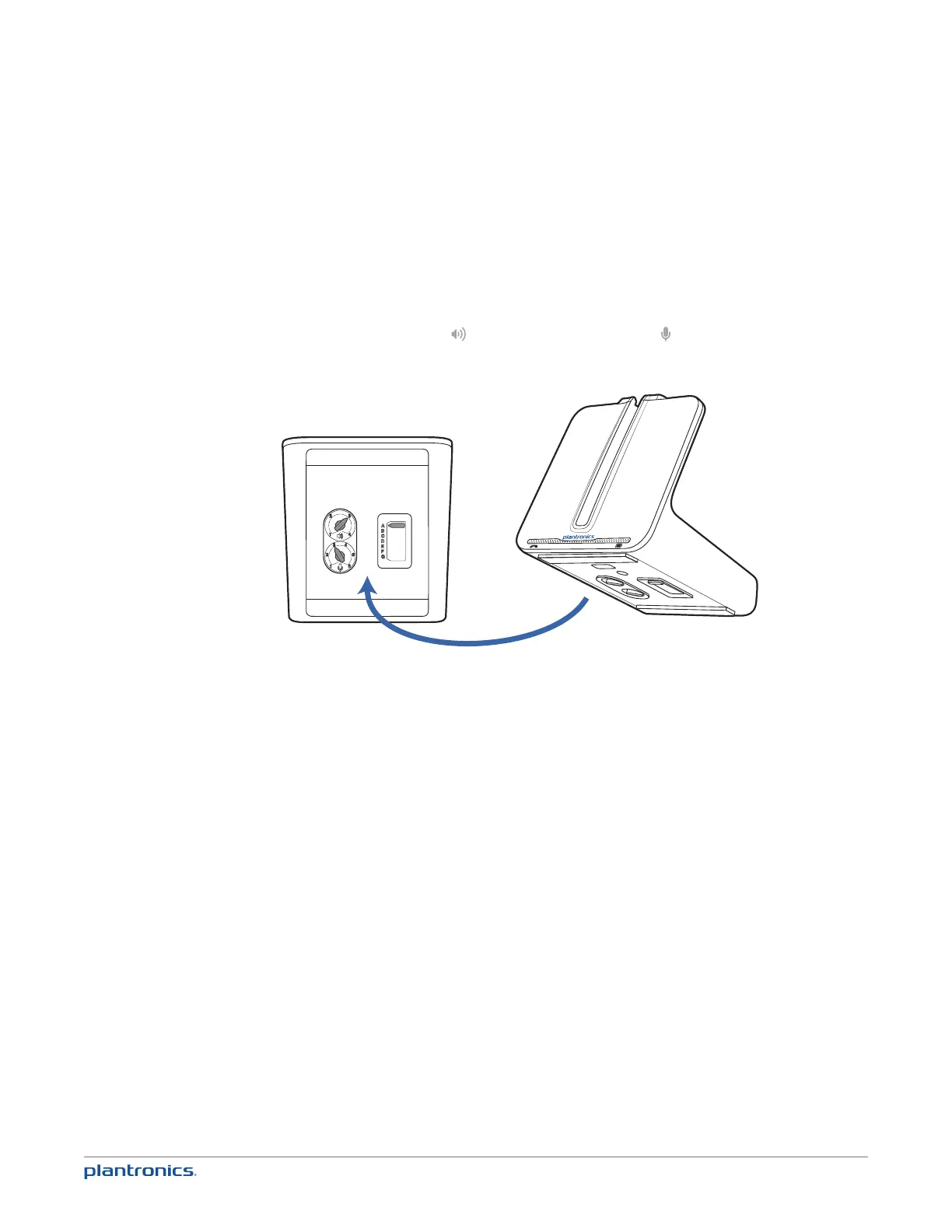
2 Look at the bottom panel of your base and make sure the default settings are correct. Set your
desk phone’s volume as well.
listening volume dial ( ) = 3 and speaking volume dial ( ) = 3
configuration switch = A
desk phone volume = mid-range
3 Remove the handset from the desk phone cradle.
4 While wearing your headset, press the call button on the headset.
5 If you do not hear a dial tone, adjust the configuration switch (A-G) until you do.
NOTE For most phones, these factory default settings will sound the best.
6 Dial a test call from the desk phone. If needed, fine-tune the volume with the headset volume
controls. You can also adjust the desk phone speaking and listening volumes on the bottom of
the base.







 To Next Page