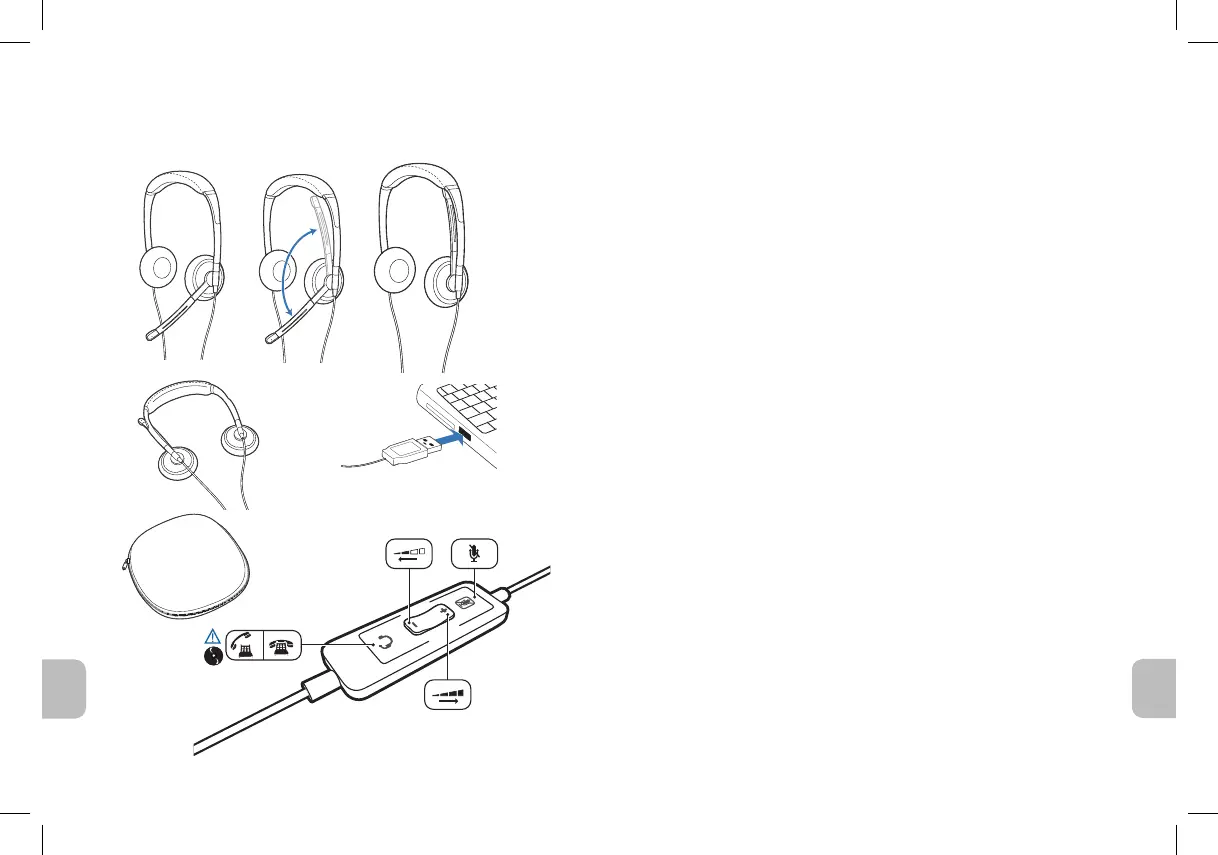
Blackwire C420 Headset
Registering your product
Visit www.plantronics.com/productregistration to register your product online so we can
provide you with the best service and technical support.
Complete user guide and PerSono
®
Suite
software
We highly recommend that you refer to the complete user guide located at
www.plantronics.com/support. On the support page, click the Product Documentation
tab and then enter the model number or product name in the search field. The user
guide provides full details on how to use your system.
Software for call answer/end
We also recommend that you install the PerSono Suite software. Though your headset
will operate without it, the software is required in order to use the call answer/end func-
tion with your Unified Communications application from the inline control. Go to
www.plantronics.com/support and click the Software Downloads tab. Follow the
instructions to download and install PerSono Suite software.
Limited warranty
Plantronics offers a one (1) year limited warranty. For full warranty details, conditions and
technical assistance, please visit our website: www.plantronics.com/support.
Safety information
Please read the following safety instructions before using this product.
• Thisproductissuitableforindooruseonly.
• Toreducetheriskofelectricshock,avoidcontactwithliquidsanddonotdisas-
semble the product.
• Iftheproductoverheats,hasadamagedcordorplug,hasbeendroppedor
damaged or has been dropped into water, disconnect the power supply, discontinue
use of the product and contact Plantronics.
• Ifyouexperienceaskinirritationafterusingthisproduct,discontinueuseand
contact Plantronics.
• Exposuretohighvolumesoundlevelsmaycausetemporaryorpermanentdamage
to your hearing. You should always use your headset with the volume set at moderate
listeninglevels.Ifyouexperiencehearingdiscomfort,youshouldstopusingtheheadset
and have your hearing checked by your doctor. For more information, see
www.plantronics.com/healthandsafety.
en







 To Next Page