12
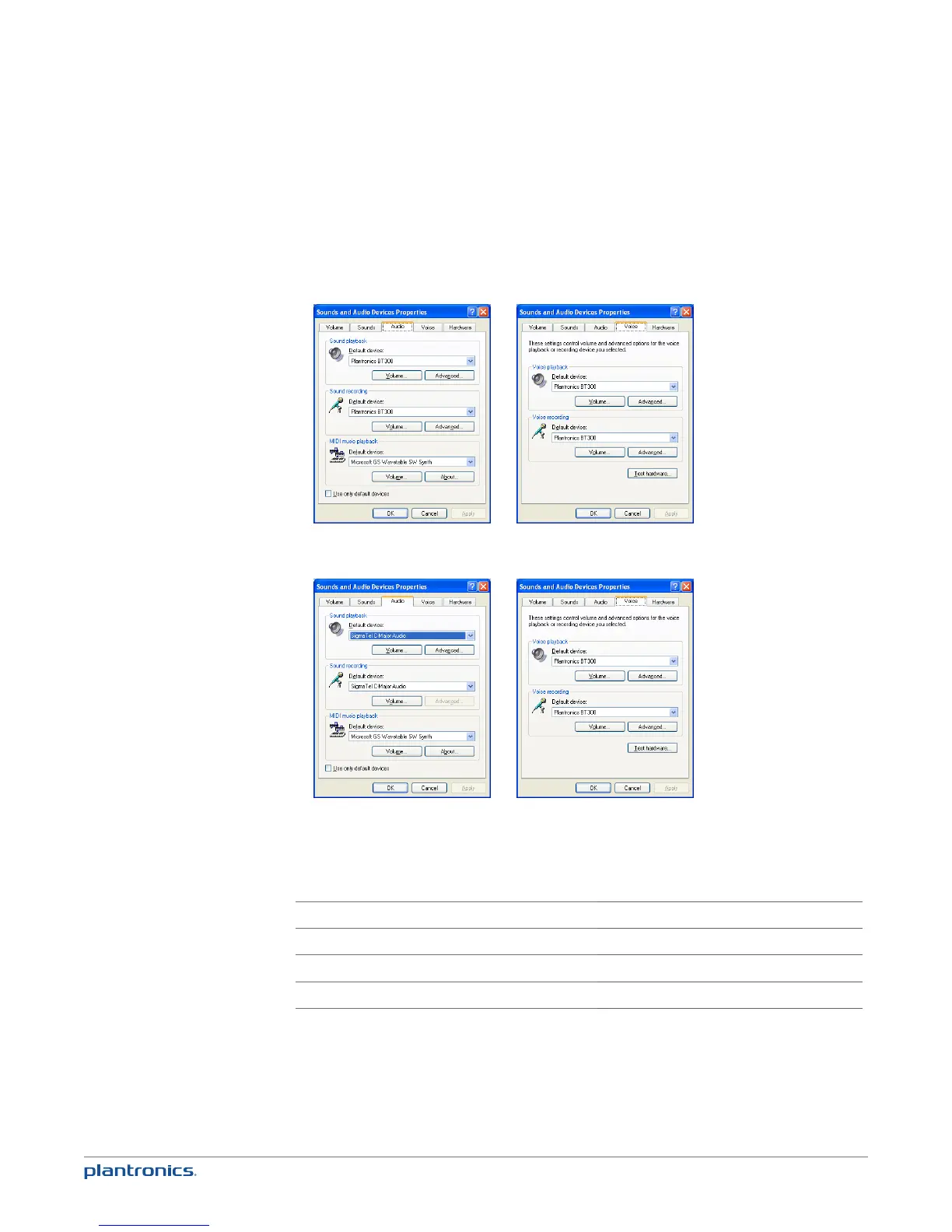
PC audio setup for Windows XP (To reach this screen: Start > Control Panel> Sound and Audio
Devices)
Default setting: All PC sounds and audio is played in the headset.
Alternative setting: All PC sounds played through your PC speakers and
communication audio is played in your headset.
5 Place a call from your computer softphone. During an active call, the Bluetooth USB adapter
will flash blue.
Bluetooth USB adapter LED indicators
Headset powered off
None
Paired/connected
Solid blue
Active call
Flashing blue
Audio
Flashing blue






 To Next Page